LOCAL OPERATION ARB OPTION 005 MODULATION: INTERNAL IQ
IQ
MOD
B5612
SIG
GEN
B5623
...
B5617
3-37
IQ mod. ARB
Internal IQ menu — <Self- Cal>
For optimum performance when in the IQ mode, run a self-calibration to make sure that the
instrument meets its specification. When calibration is valid, the main screen (and a few others)
show ‘Optimized’. When calibration is invalid (for example, out of frequency range) ‘Optimized’
no longer appears; instead, a question mark appears in the IQ softbox:
IQ?
.
From this menu, you can:
• Start and stop self-calibration
• Define whether self-calibration is performed at a spot frequency or over a band
• Define manual or automatic self-calibration
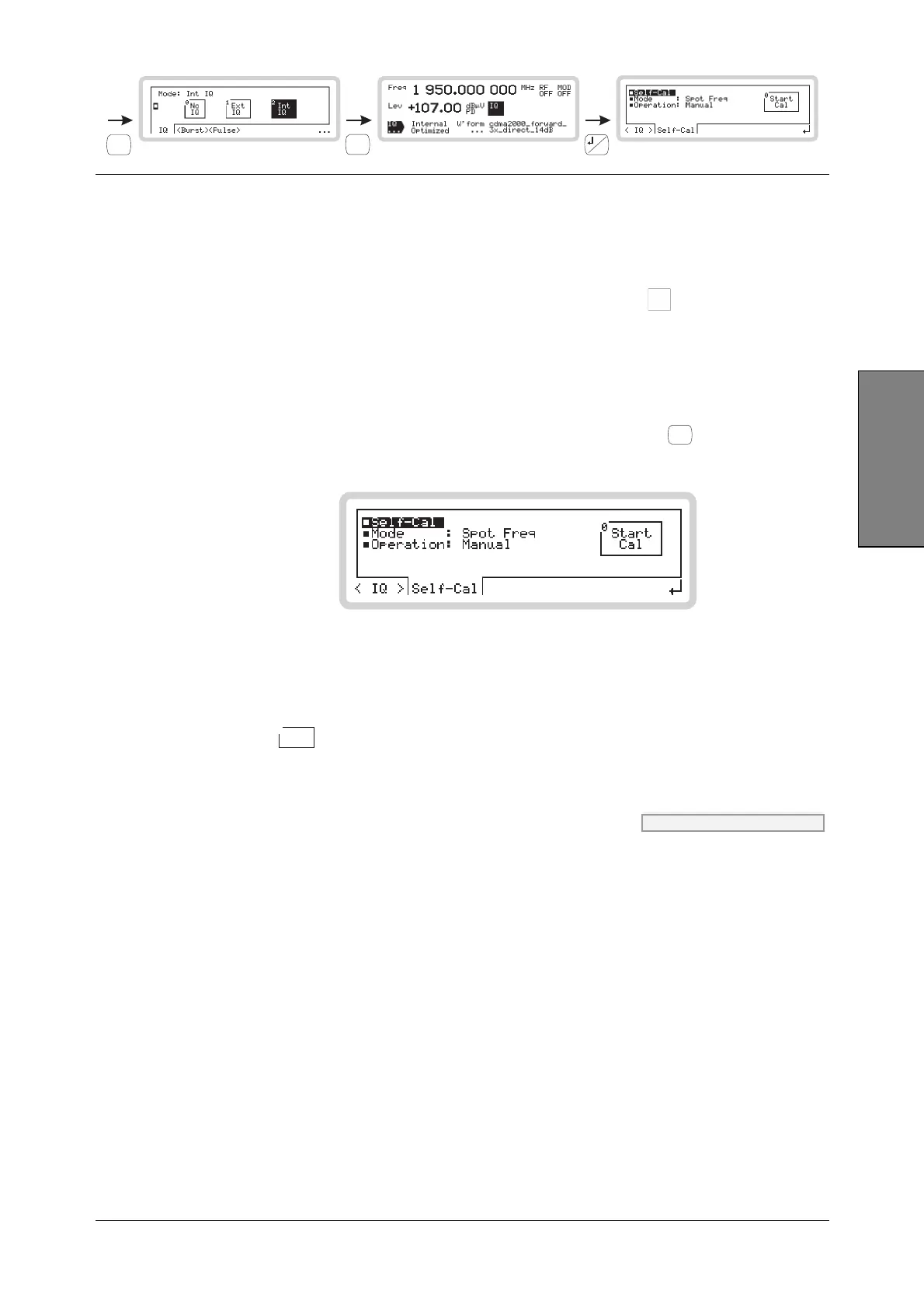
From the internal IQ menu of Fig. 3-27, touch <Self-Cal> or press
<TAB>
to display the self-
calibration screen (Fig. 3-28).
B5617
Fig. 3-28 Self-calibration
Self-Cal
Touch the
Start
Cal
0
soft box, and the instrument performs the self-calibration operation chosen from
the Mode menu. An Abort Cal soft box appears, allowing you to stop the self-calibration if you
wish.
Mode CAL:IQUS:MODE page 4-174
Use the numeric keypad to specify the internal IQ self-calibration mode:
0 Spot Freq Performs a self-calibration at the current frequency.
1 Freq Band A pop-up menu — Freq Span — appears. Use the numeric keypad to
define the frequency span (± 10, 20, 40 or 60 MHz with respect to the
current carrier frequency) over which the IQ self-calibration is performed.
2 Multi Band <Table> and <Edit> soft tabs appear, allowing you to define up to four
frequency bands over which the IQ self-calibration is performed. Use the
numeric keypad to enter start and stop frequencies for each band.
3 Freq List <Table> and <Edit> soft tabs appear. Use the numeric keypad to define
up to 500 list frequencies at which the IQ self-calibration is performed.



 To Next Page