2–8 Chapter 2: Getting Started
MegaWizard Plug-In Manager Design Flow
Cyclone V Hard IP for PCI Express November 2011 Altera Corporation
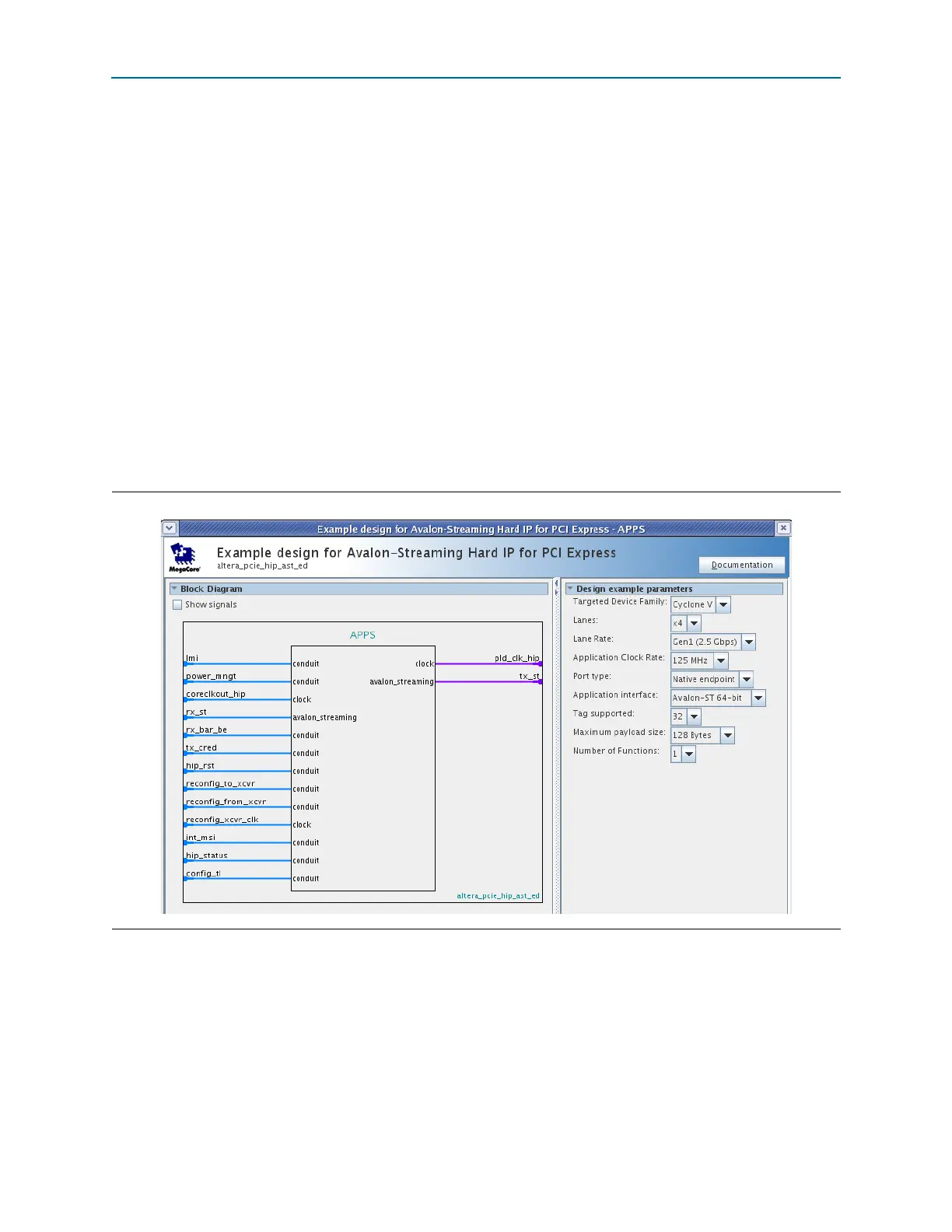
4. To display the parameters of the APPS component shown in Figure 2–3, click on it
and then select Edit from the right-mouse menu. Figure 2–4 illustrates this
component. Note that the values for the following parameters match those set in
the DUT component:
■ Targeted Device Family
■ Lanes
■ Lane Rate
■ Application Clock Rate
■ Port type
■ Application interface
■ Tags supported
■ Maximum payload size
■ Number of Functions
1 You can use this Qsys APPS component to test any Endpoint variant with
the same values for these parameters.
5. To close the APPS component, click the X in the upper right-hand corner of the
parameter editor.
Go to “Generating the Simulation Model Using Qsys” on page 2–16 for instructions
on system simulation.
Figure 2–4. Qsys Component Representing the Chaining DMA Design Example



 To Next Page