APPENDIX D: RS-485 COMMUNICATION
LW500A/LW600A PULSED Nd:YAG LASER
D-16 990-539
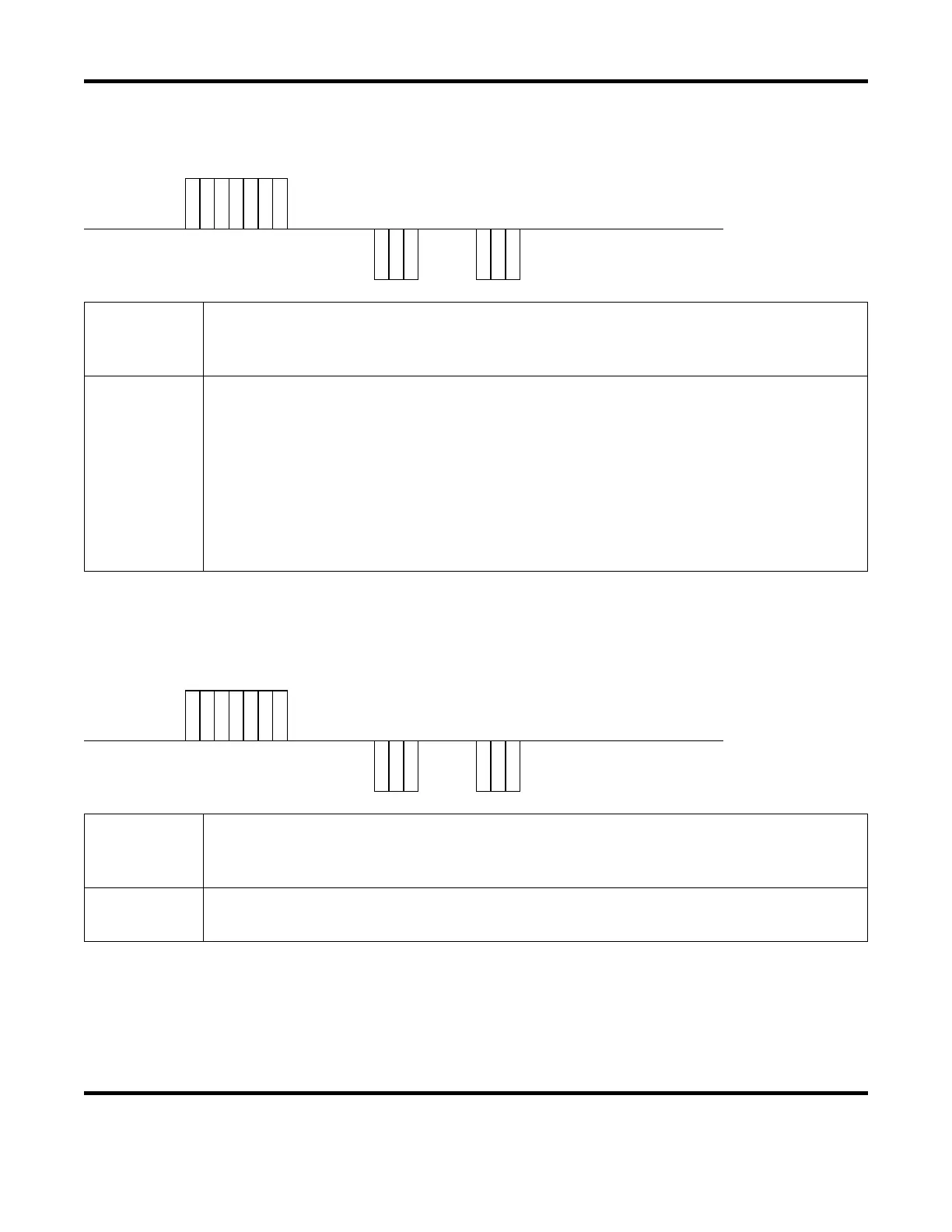
Laser Fire Command ($0)
The Laser Fire command (code: $0) will cause the Laser to fire.
Host
Computer
S
T
X
C
H
1
C
H
0
$ 0
E
T
X
B
C
C
Laser
Response
C
H
1
C
H
0
A
C
K
or
C
H
1
C
H
0
N
A
K
H1 / CH0
The Laser Unit (CH1 = tens, CH0 = ones). Valid data range = 00 to 31 (default = 00).
Each Laser needs its own unique network address (when connected serially).
Refer to page D-2 for details on setting the Network # (i.e. Laser Unit address).
ACK / NAK
ACK = Transmitted data is valid.
NAK = Transmitted data is not valid or Laser not in Communication control mode.
If a NAK is returned make sure the Laser is Ready to fire.
All of the following conditions must be valid before the Laser can be fired:
- Laser must not be in an alarm condition.
- High-Voltage must be ON
- Laser must be in the READY state.
- The Laser must be set to External Communications mode (RS-485).
Laser Stop Command ($9)
The Laser Stop command (code: $9) will stop all Laser output.
Host
Computer
S
T
X
C
H
1
C
H
0
$ 9
E
T
X
B
C
C
Laser
Response
C
H
1
C
H
0
A
C
K
or
C
H
1
C
H
0
N
A
K
CH1 / CH0
The Laser Unit (CH1 = tens, CH0 = ones). Valid data range = 00 to 31 (default = 00).
Each Laser needs its own unique network address (when connected serially).
Refer to page D-2 for details on setting the Network # (i.e. Laser Unit address).
ACK / NAK
ACK = Transmitted data is valid.
NAK = Transmitted data is not valid or Laser is not in Communication control mode.


 To Next Page