CHAPTER 1: SYSTEM DESCRIPTION
LW500A/LW600A PULSED Nd:YAG LASER
1-2 990-539
Section II: System Components
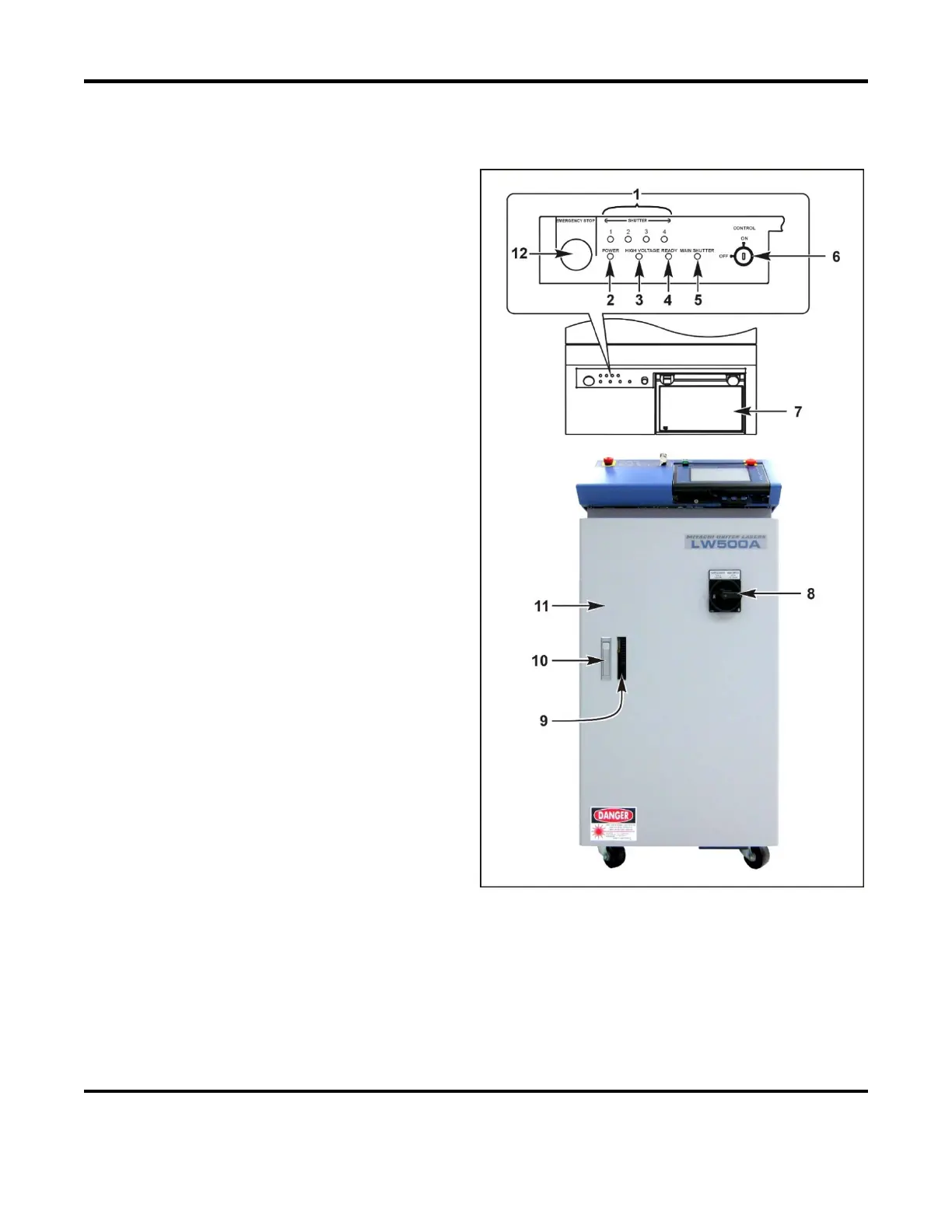
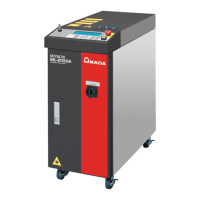
Front Panel
1 SHUTTER Lamps (1 to 4). Lights to
indicate which branch shutters (1-4) are open.
2 POWER Lamp. Lights up when the MAIN
POWER
switch is turned on, indicating that
power is ON.
3 HIGH VOLTAGE Lamp. Indicates that high
voltage is present in the laser oscillator.
4 READY Lamp. Lights up when the capacitor
bank is charged and the Laser is ready to fire.
5 MAIN SHUTTER Lamp. Stays on while the
main (resonator) shutters are open.
6 CONTROL Key Switch. When MAIN
POWER
is ON, turning this switch ON will
make the Laser operable. When shutting
down the Laser, turn this switch OFF and
remove the key. A designated Laser Safety
Officer (LSO) should keep the key.
7 Laser Controller / Touch Screen. Sets the
weld schedules and operates the Laser.
Displays various data on its Liquid Crystal
Display (LCD).
8 MAIN POWER Switch. Switches power to
the Laser ON and OFF.
9 Water Level Viewing Window. Allows the
user to view the cooling water level in the
cooling water tank.
10
Front Door Handle. Press the button on the
top of the handle and the handle will pop out.
Pull the handle up to open the front
door. After closing the door, put the handle back into place and the door will latch.
11 Front Door. Opens for access to the cooling water tank, power supply terminals, I/O connections
and the main circuit breaker.
12
EMERGENCY STOP Switch. Pressing this switch will stop the Laser immediately. This switch has
the same effect as turning off the CONTROL switch to OFF. On 440VAC Models, activating the
EMERGENCY STOP Switch has the same effect as turning the Main Power switch OFF, however the
internal Power Supply will remain ON. To reset this switch, turn it to
RESET (clockwise).


 To Next Page