CHAPTER 5: MAINTENANCE
LW500A/LW600A PULSED Nd:YAG LASER
990-539 5-11
Cleaning Optical Parts -- Removing Dirt, Dust, Etc. from Optics
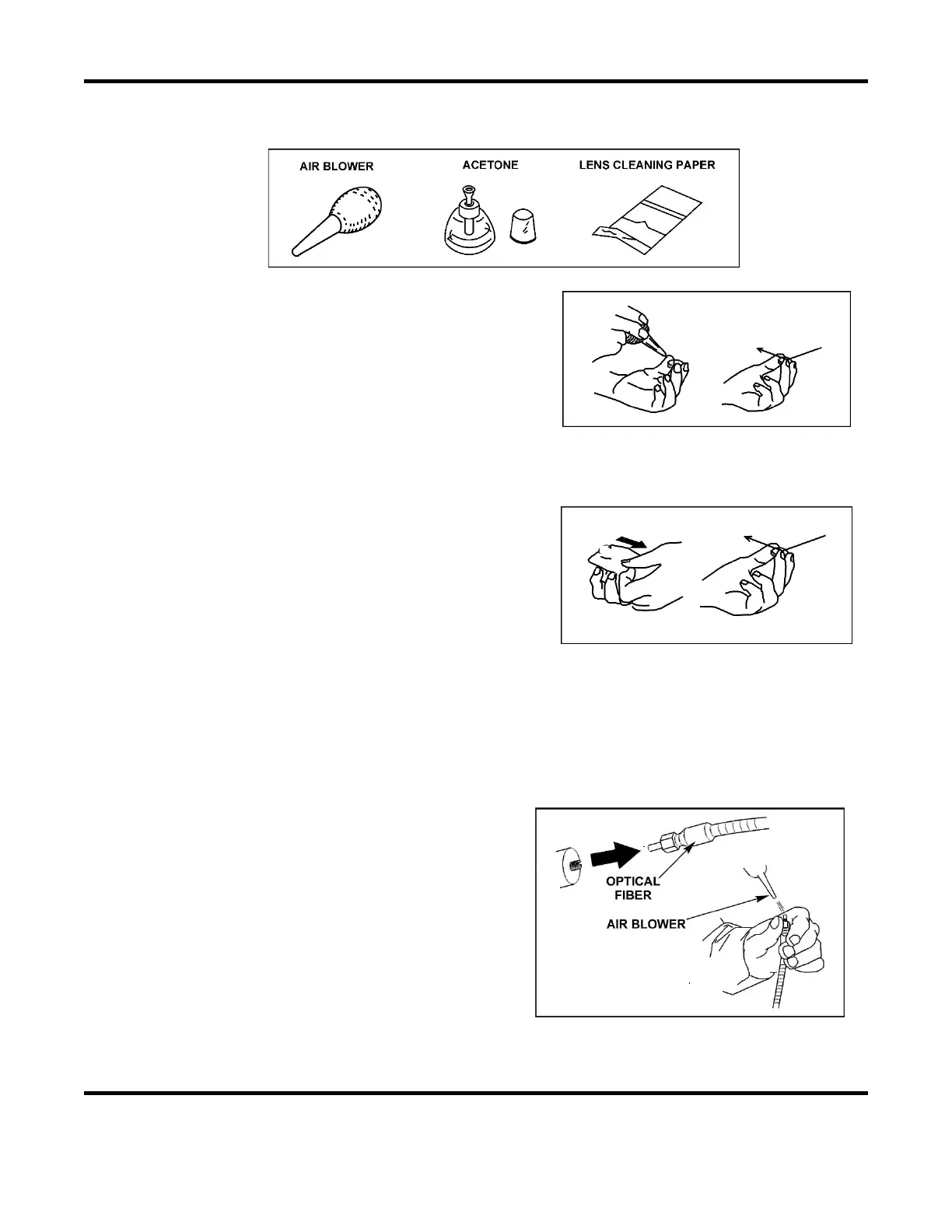
Required Items:
1. Hold the optical part horizontally by the sides.
2. Blow off any dirt and dust using an air blower.
3. Check that no dirt or dust remains. Repeat process
until all visible dirt is removed.
Cleaning Optical Parts -- Fogging and Staining
1. Hold the optical part horizontally by the sides and
place a drop of acetone on the center of the lens
cleaning paper.
2. Holding one end of the lens cleaning paper, pull
the wet part of the paper across the optic in a
constant speed from one side to the other. Avoid
air gaps and excess acetone as this may prevent
the optic from being properly cleaned.
3. Check that no dirt or dust remains. Repeat process until all visible dirt is removed. If the
optical part cannot be cleaned, it must be replaced.
Cleaning Optical Parts -- Optical Fiber
1. Remove the optical fiber from the Laser
system and blow the dust off the end face of
the optical fiber with an air blower.
2. If the dust cannot be removed by performing
the step above, lightly wipe it with lens
cleaning paper. To avoid scratching the end
face, never press the cleaning paper against
the end face of the fiber.
3. Check the end face for dust and stains. Use a
fiber inspection tool (AMYA # 4-60091-01) to check the end face of the optical fiber for flaws,
dust, and burns.



 To Next Page