CHAPTER 5: MAINTENANCE
LW500A/LW600A PULSED Nd:YAG LASER
990-539 5-13
Cooler Maintenance -- Checking Water Level and Adding Water
The water level should be checked each day before operation.
NOTE: If the water level is low, add water. If you need to add water daily, check for leaks.
Required Items
PH-10 hand pump
Latex Gloves (powder free)
Eye Protection
Steam-distilled Water (as required)
1. Open the Front Door of the Laser.
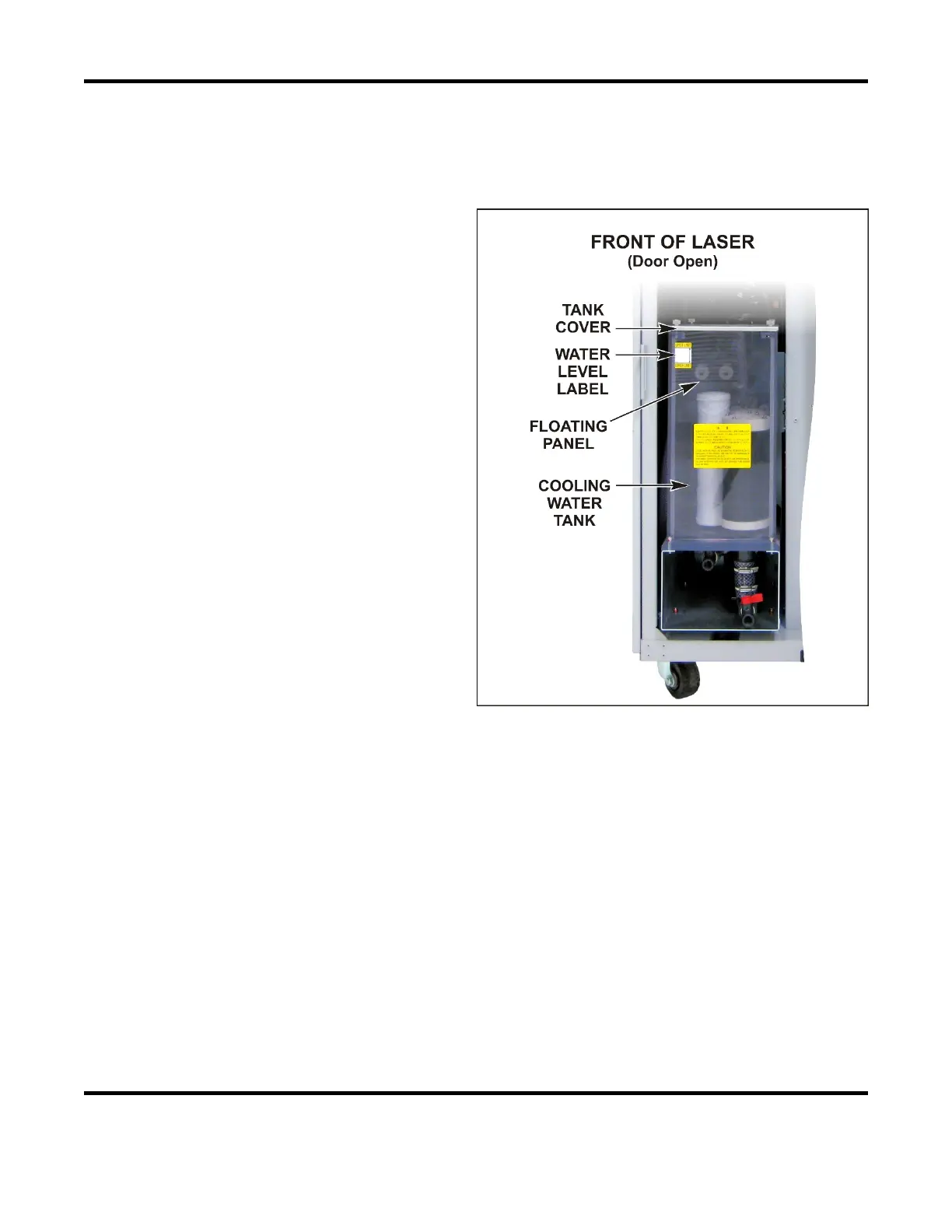
2. Inspect the water level inside the
Cooling Water Tank. The water level
should be between the HIGH and LOW
line of the water level label.
3. Remove the tank cover.
4. Remove the floating panel (keep the
panel clean).
5. Add steam-distilled water using the hand
pump until the water is at the HIGH line
of the water level label. If this is an
initial filling, or a lot of water is needed,
the level may again drop after the unit
has been running a few minutes.
Recheck the level and add additional
water as necessary.
6. Replace the floating panel.
7. Replace the cover on the cooling water tank.
8. Close the front door.



 To Next Page