CHAPTER 5: MAINTENANCE
LW500A/LW600A PULSED Nd:YAG LASER
5-2
990-539
Section II. Troubleshooting
Error Codes
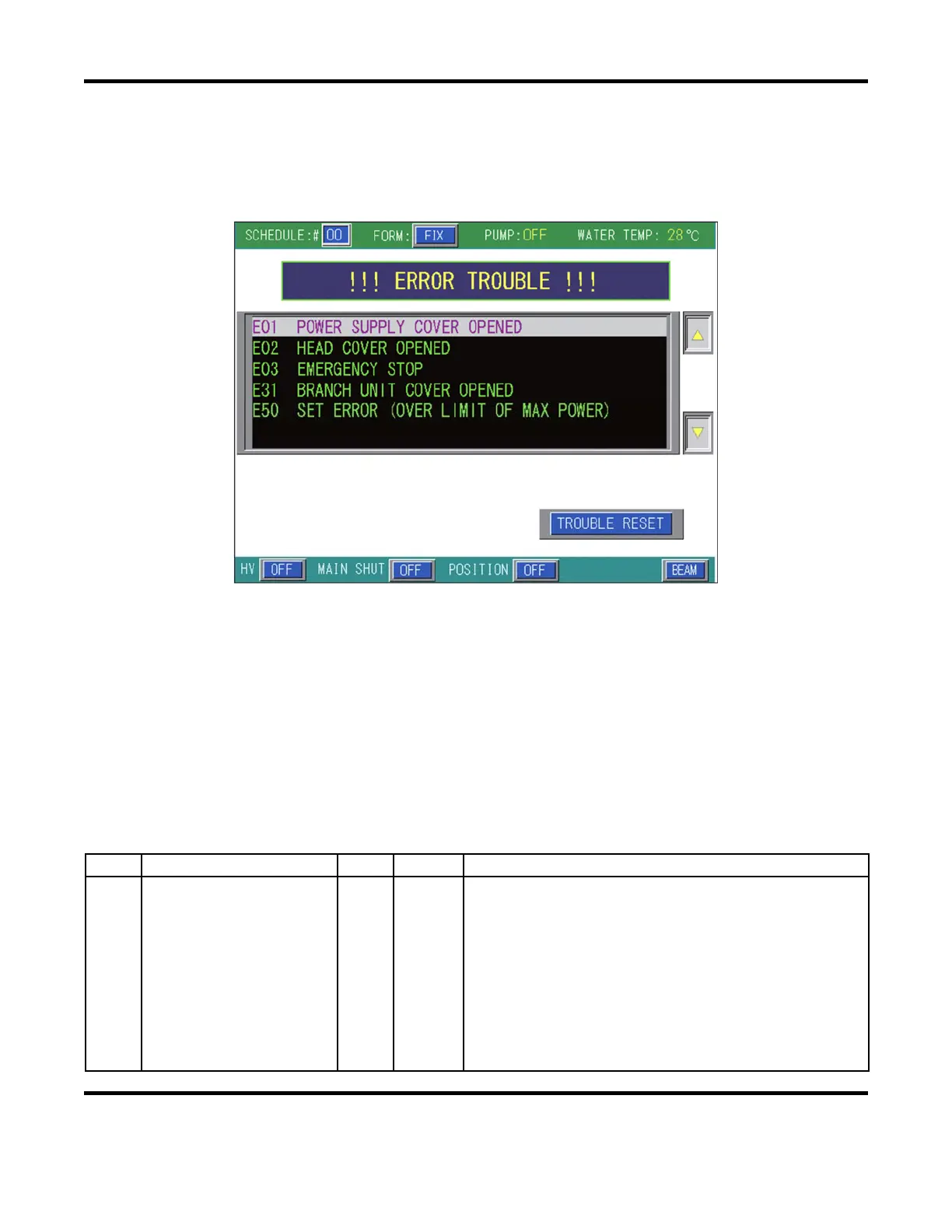
Any malfunction occurring in the unit is indicated on the control unit display, for example:
The LCD screen can display up to six faults at a time. The most recent error detected is listed first,
followed by previously detected error codes (in reverse chronological order). The Error Code Number
consists of
E
for “Error” and a 2-digit code which correspond to the specific problem. For example an
E03
signifies an
Emergency Stop
. Follow the troubleshooting instructions listed in the Error Codes and
Corrective Actions table below, correct the problem, then select
Trouble Reset
to clear the error.
Error Codes and Corrective Actions
The error codes listed below are the most probable causes for the displayed error. Eliminate each cause
for the associated error. If the error still exists, contact Amada Miyachi America. If an error code number
is not listed, then it is either (1) not used or (2) reserved for factory testing.
Code LCD Screen HV Alarm Corrective Actions
00 Communication Line Error – –
A communication error exists between the Program Box and
the Laser CPU. Recycle power, then check for each of the
these possible causes:
– RF noise source near the laser (isolate laser).
– Bad/loose cable connection between the Program Box and
the Main PCB.
– Faulty Power Supply (+24V).
– Faulty Main PCB or Program Box.
– Incorrect transmission mode and setting.
– CPU needs to be initialized.


 To Next Page