CHAPTER 3: PROGRAMMING FUNCTIONS
LW500A/LW600A PULSED Nd:YAG LASER
3-8 990-539
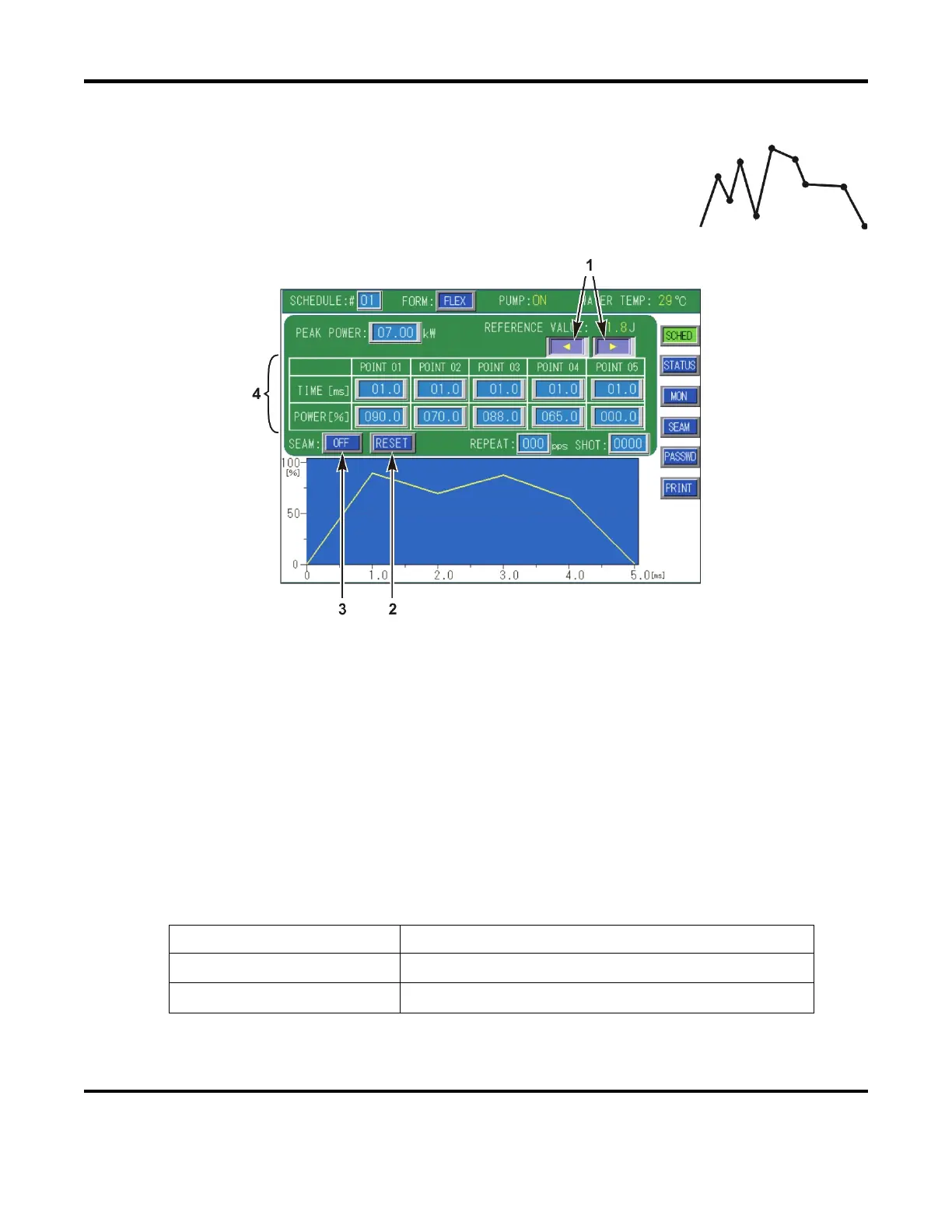
[FORM: FLEX] Function
Occasionally, the need for a non-conventional waveform is needed. Any user-
specified output may be defined using the [FORM: FLEX] output mode. With
FLEX mode, the Laser output can be defined over twenty discrete points in
time. All screen settings are the same as the
[FORM: FIX] screen, with the
exception of the waveform entry values which are explained below:
1.
◄► (Left / Right): – Due to the screen size, only 5 of the 20 discrete point settings can be
defined at any one time. Use the ◄ ► arrows to scroll through all 20 point settings.
2. RESET
– Select this button to reset all Point values (mS / %) back to 0.
3. SEAM
– Field used to activate the Seam Weld function that is used to suppress the beginning
and ending of the output waveform over a predetermined amount of pulses (Fade-In / Fade-Out).
ON turns the Seam Weld function ON. Likewise, OFF turns this function OFF.
NOTE: REPEAT and SHOT must be > 1.
4. Point 01 – 20
– Sets the laser output time and laser output value (% of peak power) for each
point to form a free (user-defined) waveform. You can define the waveform over 20 discrete
points.
The FORM: FLEX setting limits are defined as follows:
Laser Model Point 01 to 20
LW500A(E) / ML-2651B(-CE)
0.0mS ≤ t ≤ 99.9mS and 0-200%
(8.0kW maximum)
LW600A(E) / ML-2650B(-CE)
0.0mS ≤ t ≤ 99.9mS and 0-200%
(10.0kW maximum)



 To Next Page