CHAPTER 4: OPERATING INSTRUCTIONS
LW500A/LW600A PULSED Nd:YAG LASER
4-2 990-539
Starting the Laser
1. With the keyswitch in the OFF position,
turn the Laser
MAIN POWER switch ON.
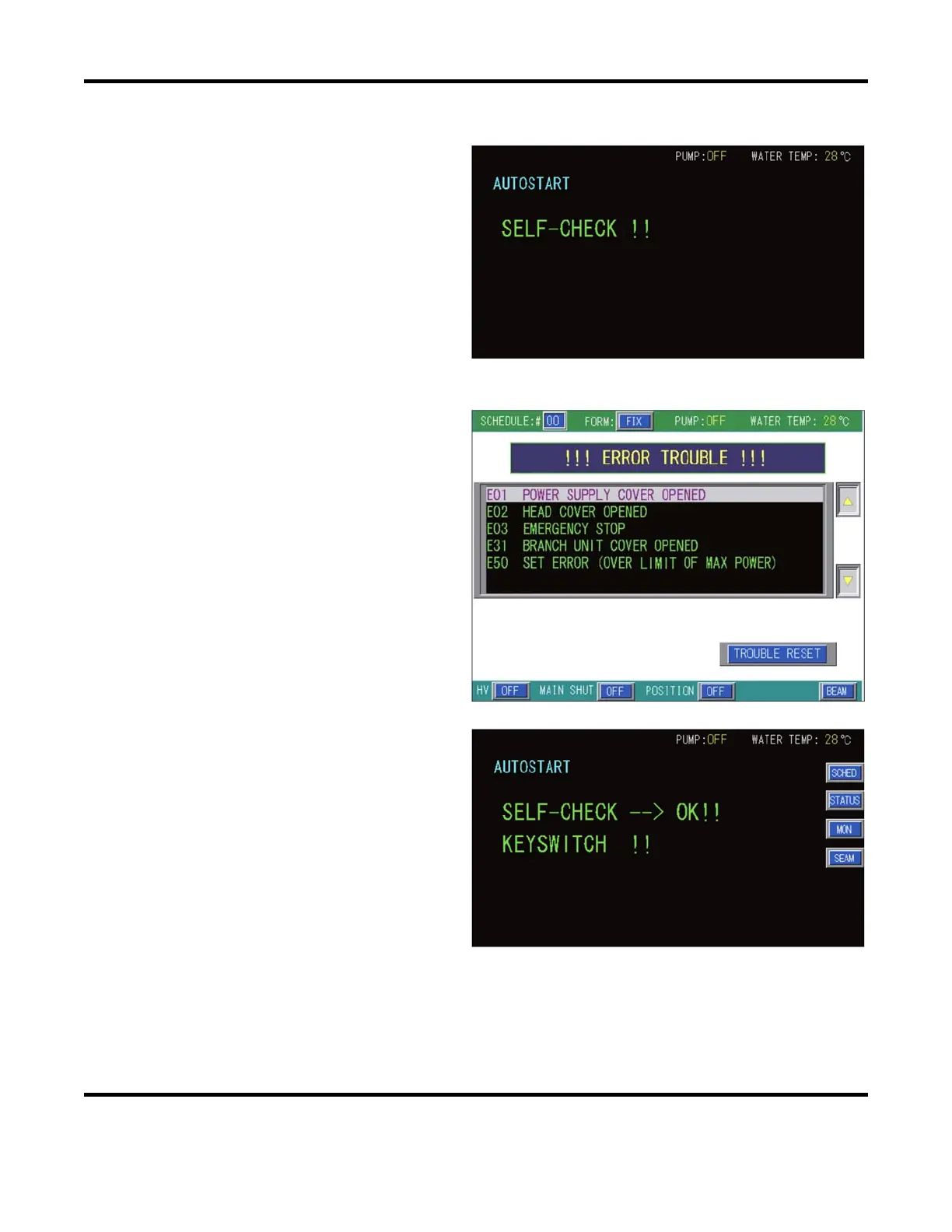
2. Initially the Laser will perform a series
of self-checks.
3. If the self-check routine finds a
problem, one or more error message(s)
will appear on the LCD screen.
Typically the cause of the error(s) are
listed first. Some of the subsequent
errors listed may be erroneous errors
caused by the Main error(s).
Correct the source of the error, then
press the
TROUBLE RESET button. If
the error has not been corrected, the
Error screen will reappear. The Laser
cannot operate unless it passes all self-
check routines.
Refer to Chapter 5: Section II.
Troubleshooting for troubleshooting
tips on all listed errors.
4. If the Laser passes all Self-Check
routines, the screen shown on the right
will appear.
Turn the control keyswitch ON.



 To Next Page