CHAPTER 3: PROGRAMMING FUNCTIONS
LW500A/LW600A PULSED Nd:YAG LASER
3-4 990-539
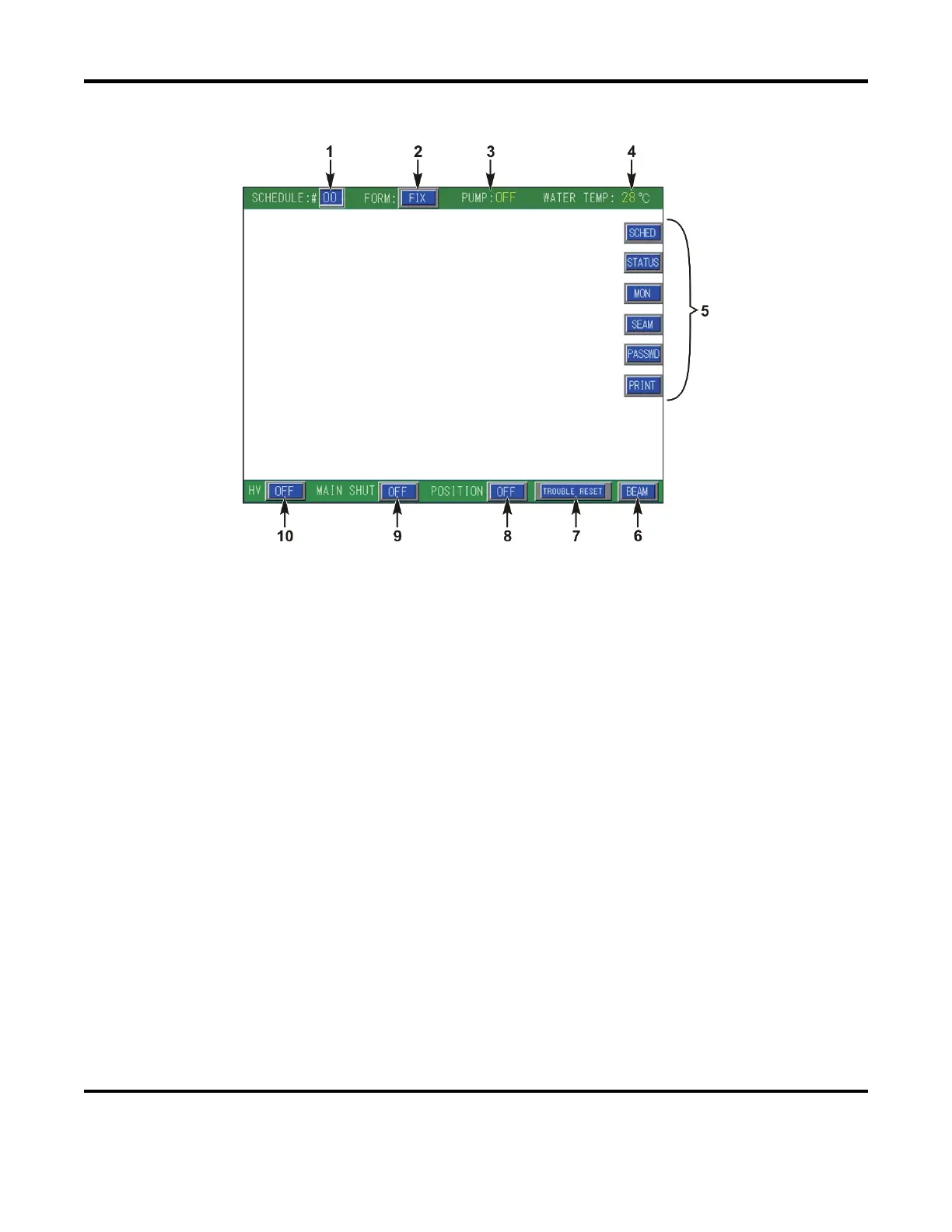
Common Items on Each Screen
1 SCHEDULE:# – Used to select the schedule number. A schedule is a stored set of laser parameters.
Since different welds require different welding parameters, each may be stored separately using
different schedule numbers. The Laser is capable of storing up to 32 schedules (SCH # 00 – 31).
When this field is selected, a numerical keypad will appear. Use the keypad to enter the desired
schedule number, then press the ENT button.
2 FORM: – Sets the output waveform type. There are two FORM options; FIX (fixed waveform) or
FLEX (user-defined waveform).
Note: If the FORM output type is changed, all waveform settings for the current Schedule will be
erased.
3 PUMP: – Displays the operating status of the cooling water pump ON/OFF. When ON the internal
water pump is ON and circulating water to keep the Laser cool. When
OFF the pump is OFF.
4 WATER TEMP: – Displays the temperature of the internal cooling water.
5 MENU SELECT BUTTONS – Used to toggle between the different Menu Screens.
6 BEAM – Controls the OPEN/CLOSE position of the Branch Shutters. Each output has a dedicated
branch shutter that is used to control the Laser Output for that specific channel. When
ON the branch
shutter will OPEN. Likewise, when OFF the branch shutter will CLOSE.
Note: When BEAM is selected the contents of the pop up screen will vary depending on the Laser
configuration.



 To Next Page