CHAPTER 3: PROGRAMMING FUNCTIONS
LW500A/LW600A PULSED Nd:YAG LASER
990-539 3-3
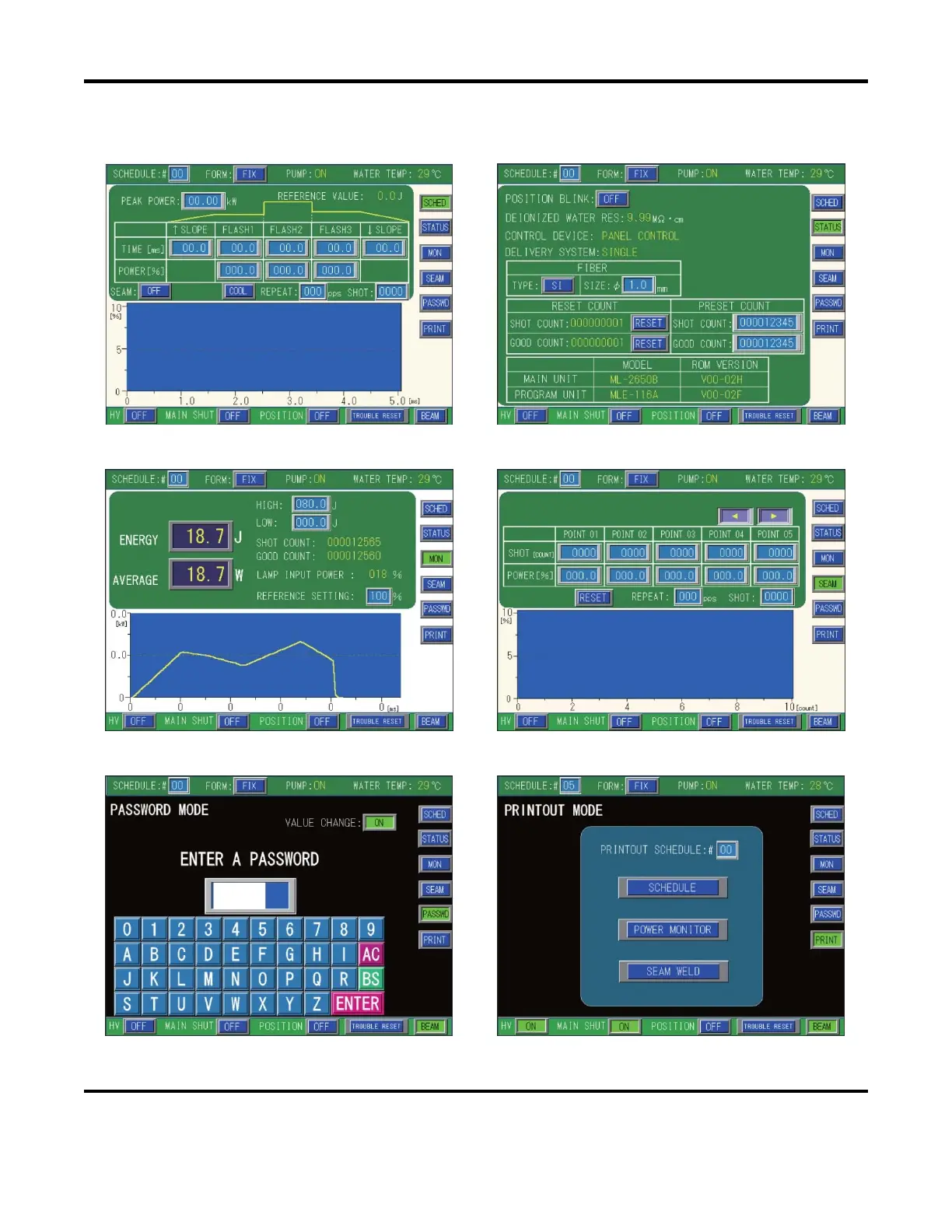
The Laser Controller Touch Screen is divided into 6 primary menu screens (shown below). Press the
Menu Select buttons on the right (common to all screens) to toggle to a different menu screen.
Schedule Screen (FIX/FLEX) Status Screen
Monitor Screen Seam Weld Screen
Password Mode Screen Printout Mode Screen



 To Next Page