CHAPTER 5: MAINTENANCE
LW500A/LW600A PULSED Nd:YAG LASER
990-539 5-19
Cooler Maintenance – Cleaning the Solenoid Valve Strainer
CAUTION
The Laser may overheat if the solenoid valve is clogged with dirt or the flow rate of
the primary cooling water is lowered. Supply clean tap water or water for industrial
use as the primary cooling water. Clean the solenoid valve once a year.
Required Items
Brush
10mm and 17mm wrenches
Philips screwdriver
Clean container (such as a bucket)
1. Turn off the primary cooling water, disconnect the
hoses from the cooling water inlets, and drain the
water (see Draining the Primary Cooling Water).
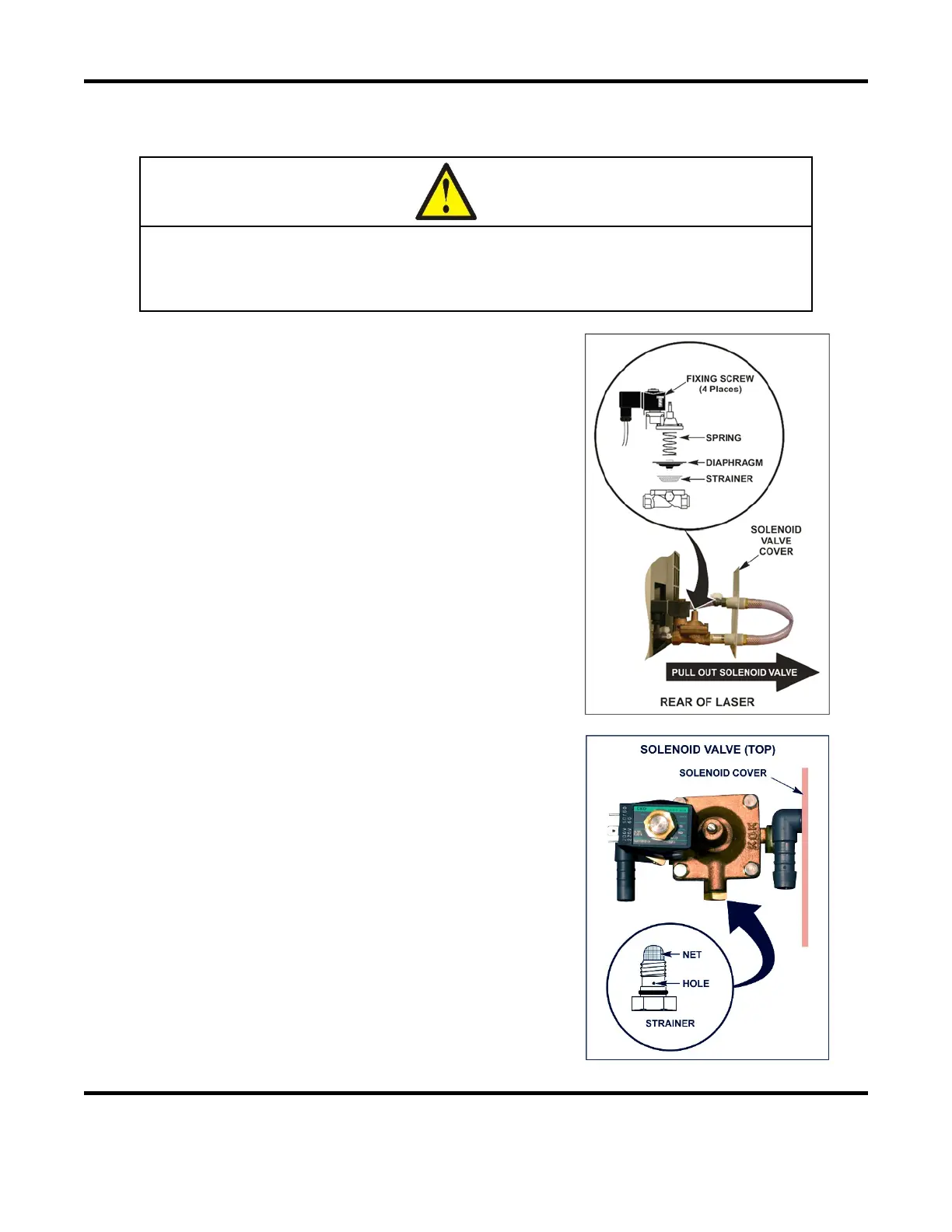
2. Open the solenoid valve cover on the back of the
Laser and pull out the solenoid valve assembly.
3. Remove the four fastening screws on the top of the
solenoid valve.
4. Remove the upper portion of the solenoid valve,
and then slowly pull out the spring and diaphragm
(assembly is under spring tension).
5. Take the strainer out of the solenoid valve, and
carefully clean it.
6. Return the strainer, diaphragm, spring, and upper
portion of the solenoid valve.
7. Secure them with the four fastening screws.
8. If the net or the small hole at the bolt end of the
solenoid valve is clogged, the valve will not close,
causing the primary cooling water to keep
flowing. Check and clean periodically.
9. Return the disconnected primary cooling water
hoses and secure them with a hose band.



 To Next Page