Assembly, Installation, Start Up User manual
It is strongly recommended the connection of external power to the measurement
laptop, as a way to switch the laptop's battery and keep activate the record of AMU
data, to not be done during the real measurement procedure. It is suggested to stop
the measurement application, change the battery of the laptop using temporarily the
external power cable, and then start a new measurement or a new setup.
4.2 Cables and connections for TGS FX
All components of the GRP System FX connect to the FX Controller, which is located inside
the TGS FX trolley. The following principles apply to the power supply:
■
The measuring system operates with DC voltage. Before working ensure that the voltage is
within the operational range between 10.5 V DC and 13.5 V DC.
■
There is no voltage regulation in the FX-Controller. Each instrument regulates the voltage
independently (e.g. Profiler FX, radio modem)
■
As soon as the power source is attached, the FX-Controller's electronics are ready for use.
It does not have an additional power switch. Therefore always disconnect the power source
from the FX-Controller when the system is not in use. Avoid leaving the battery attached for
long periods since it may deep discharge.
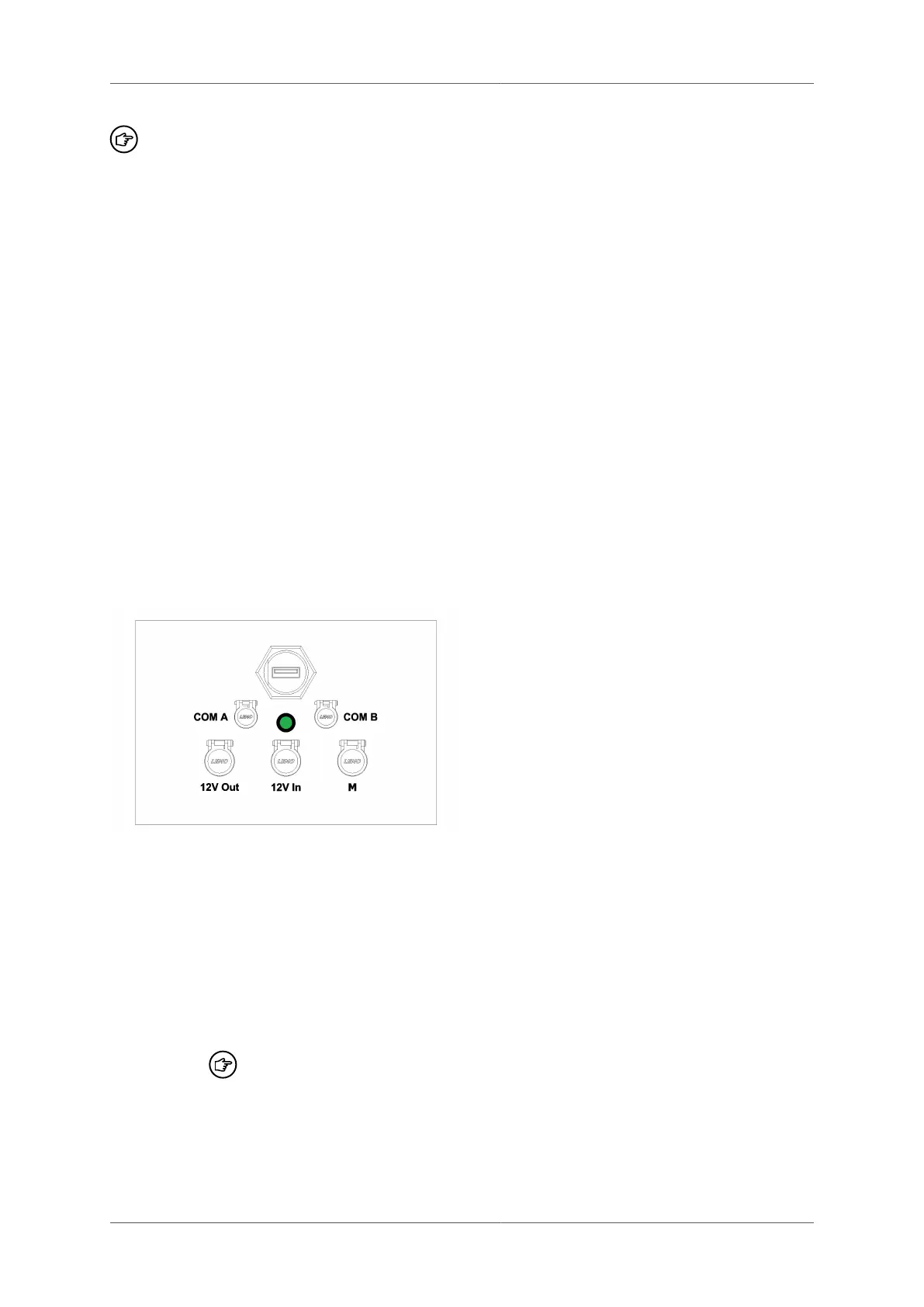
4.2.1 External sockets
You will find the following sockets on the track trolley:
USB Connection of the FX Controller to the Windows computer. A standard USB 2.0
cable (type B-A) can be used. However, for increased reliability, it is recommended
to use a threaded USB cable connection.
12V In 1 An external battery or power supply can be connected to this socket.
12V Out An external power output can be connected at this socket. The output voltage is
the same as the input voltage.
COM A Serial port A connects to the Profiler FX or other measuring instrument.
To avoid communication problems, you should always attach measuring
instruments to the same socket. The standard factory setting for port A
is COM 13.
COM B Serial port B connects to a measuring instrument. This has the identical function
as serial port A. Standard factory setting is COM 12.
M This socket is used for the connection of the total station to the GRP TSC or the
AMU to the TGS FX.
Page 44 of 114 © Amberg Technologies AG, 2023



 To Next Page