User manual Assembly, Installation, Start Up
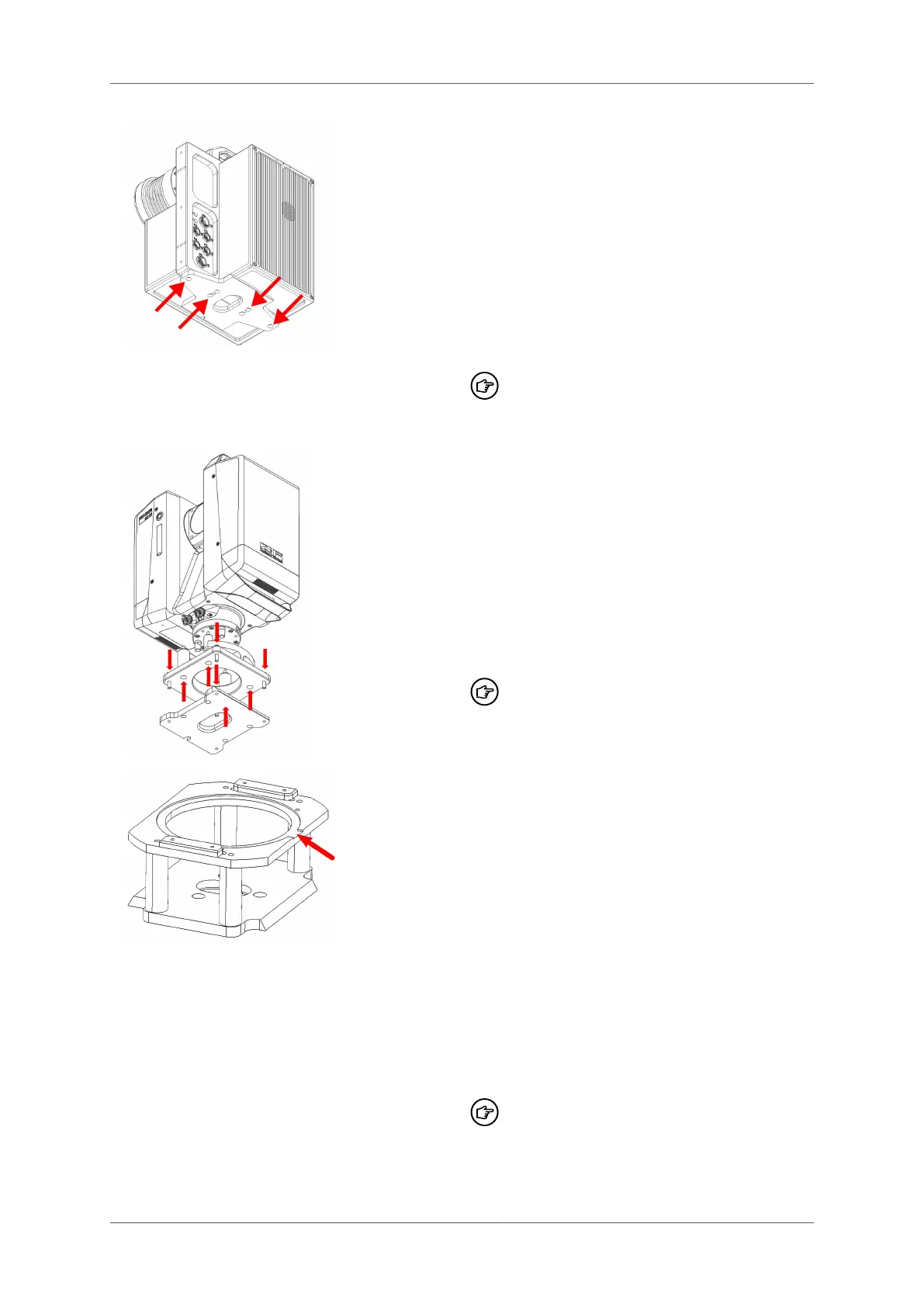
To attach the Profiler 500x/6012 scanners to
the track trolley, the appropriate adaptor plate
has to be installed.
■
If installed, remove the tribrach adaptor
from the laser scanner.
■
Attach the adaptor plate to the scanner
with the screws provided. Note that
the adaptor plate has a locating pin,
which ensures the correct orientation the
scanner.
After mounting/remounting of the
adaptor a recalibration of the system
is needed
To attach the IMAGER 5016 scanner to the
track trolley, the appropriate adaptor plate
has to be installed.
■
If installed, remove the tribrach adaptor
from the laser scanner.
■
Attach the adaptor plate to the scanner
with the screws provided.
■
Attach the dove-tail plate to the adapter
plate with screws provided
After mounting/remounting of the
adaptor a recalibration of the system
is needed
For the assembly of the HDS7000 / Profiler
5033 on the battery column of the GRP
5000, an adaptor frame, TAD 5033, must be
attached.
■
There is no need to remove the tribrach
adaptor from the laser scanner. Ensure
that the pins of the tribrach adaptor align
with the corresponding holes of the TAD
5033 adaptor when installing it. Obey
the correct orientation: the cut-out (arrow)
must be aligned with the black plastic cover
underneath the scanner.
■
Screw the TAD 5033 to the scanner with
the 4 screws.
After mounting/remounting of the
adaptor a recalibration of the system
is needed
© Amberg Technologies AG, 2023 Page 49 of 114



 To Next Page