Chapter 4 Window Operations
4-8
[1] Select the measurement time display type.
Date
&
Time: Select to display the current time.
[2] Reset Error/Alarm history data.
History Reset: Click to reset the history data of the error/alarm
display.
[3] Enable or disable enlarged display of Error/Alarm measurement
result.
Zoom: Toggles zooming of error count, error rate, Clock Alarm
generation status, Sync Loss generation status, and error
generation status ON/OFF
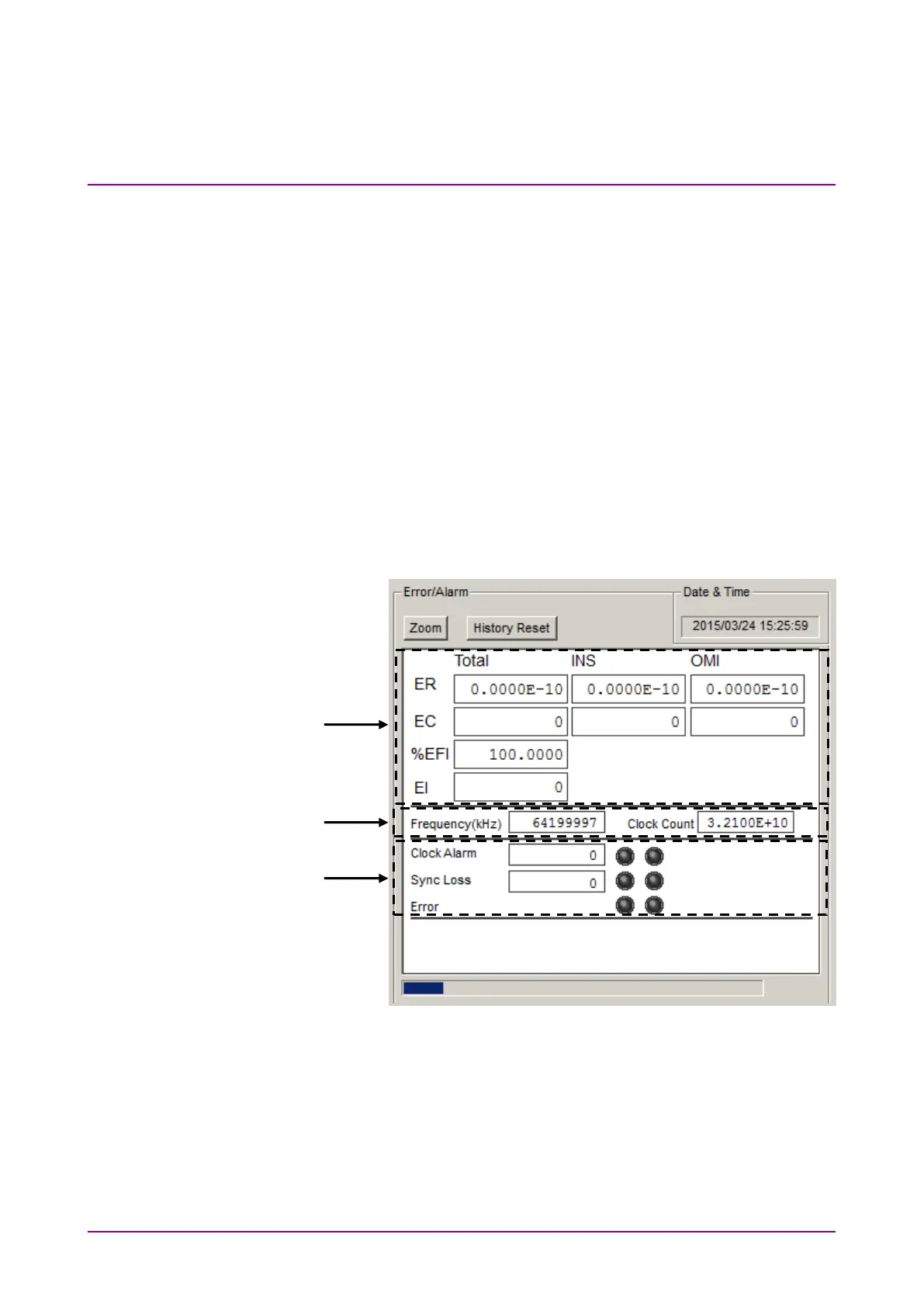
[4] Measurement results
When the enlarged display is disabled (
is not selected), the
items shown in Table 4.3.2-1 are displayed in the result display area
with Error/Alarm selected.
Figure 4.3.2-2 Measurement Result Display window
2
3















 To Next Page