Chapter 4 Window Operations
4-10
When the enlarged display is set (
is selected), the items shown in
Table 4.3.2-2 are displayed in the result display area with Error/Alarm
selected.
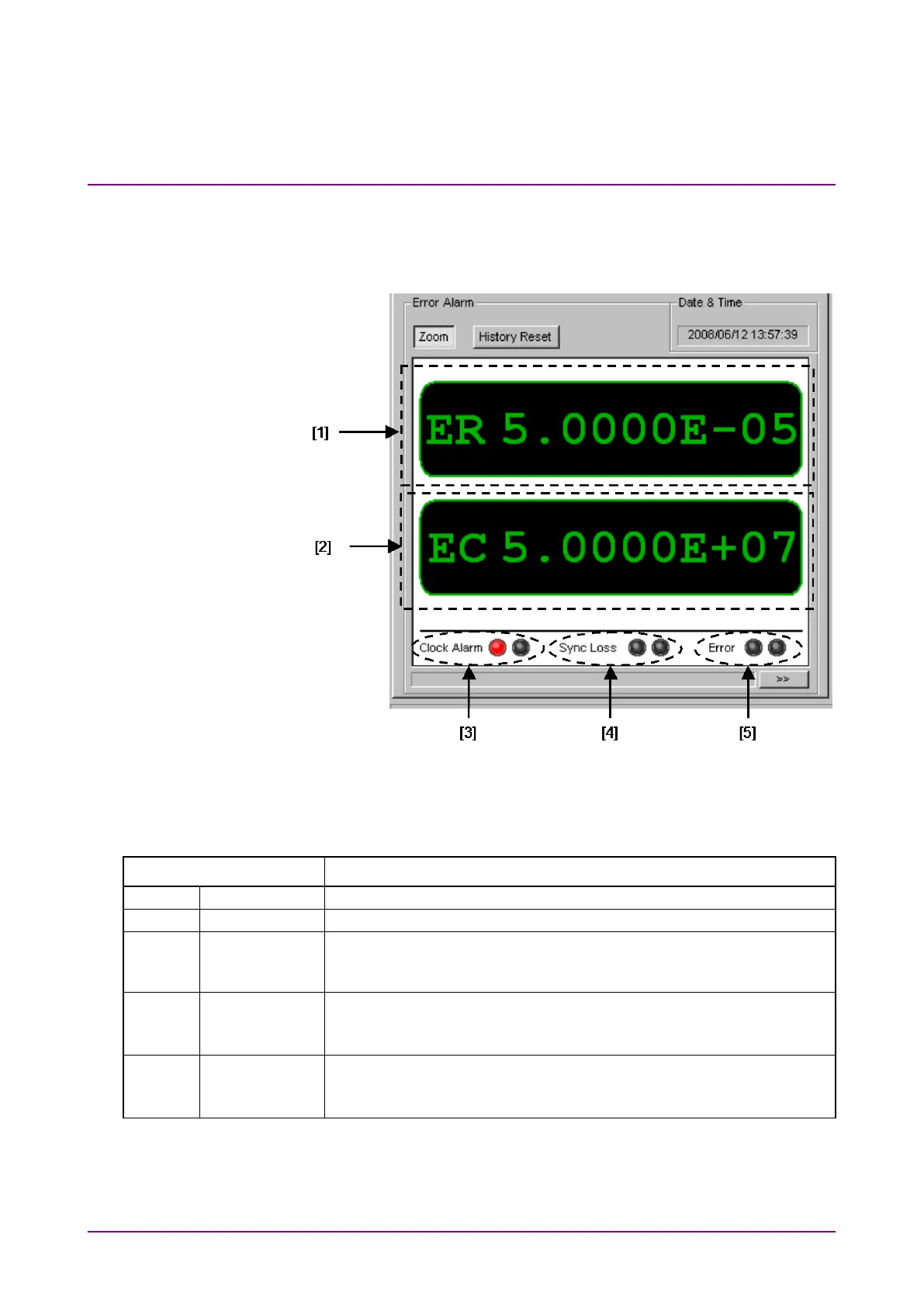
Figure 4.3.2-3 Measurement Result Screen Configuration when
Selecting Zoom
Table 4.3.2-2 Measurement Result Screen Configuration when Selecting Zoom
Item Function
Displays the total error rate of MU183040A/B Slot4 Data1-2.
Displays the total error count of MU183040A/B Slot4 Data1-2.
Displays the clock alarm status of MU183040A/B Slot4 Data1-2.
Red: Current data
Displays the sync loss of MU183040A/B Slot4 Data1-2.
Red: Current data
Displays the error status of MU183040A/B Slot4 Data1-2.
Red: Current data















 To Next Page