ARTURIA – SPARK CREATIVE DRUM MACHINE – USER’S MANUAL
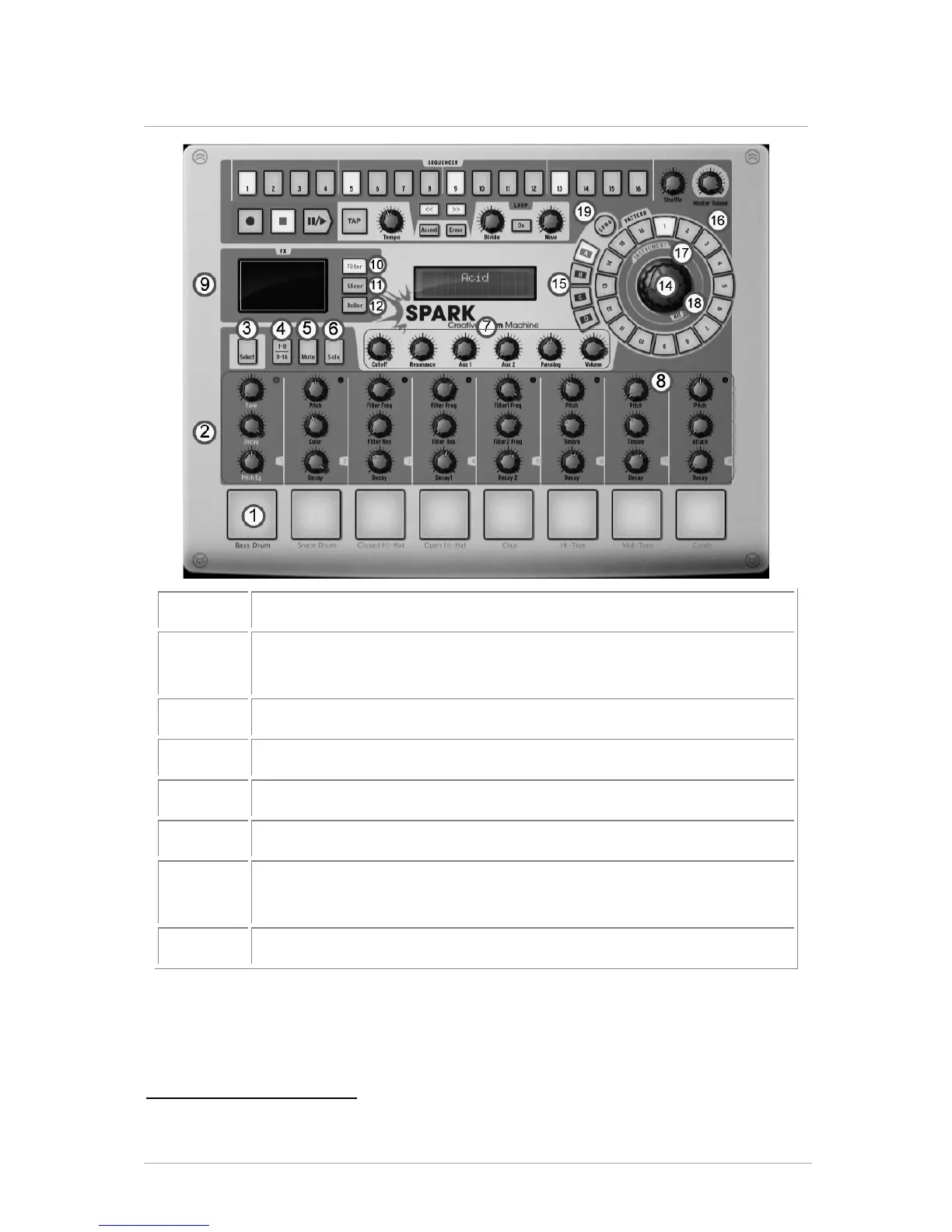
5.2 THE MAIN PANEL (OVERVIEW)
2
Play instruments with Pads (Right click: Edit instrument)
Instrument parameter knobs
(Right click: edit motion/disable motion)
Instrument Select Button (Click on select, then on instrument.)
Instruments page Button (Instrument 1-8 and 9-16)
Mute Button (Click on mute, then on instrument(s).)
Solo Button (Click on solo, then on instrument.)
FX – Aux 1 and 2 – Pan and volume Knobs
(Right click: edit motion/disable motion)
Click zone to select instrument track
2 When reading "Click" for the software version of SPARK, replace by "Press" for the Hardware version or refer
to chapter 8 of this manual: THE SPARK MIDI CONTROLLER.
4 Not available in the Hardware version of SPARK.



 To Next Page