ARTURIA – SPARK CREATIVE DRUM MACHINE – USER’S MANUAL
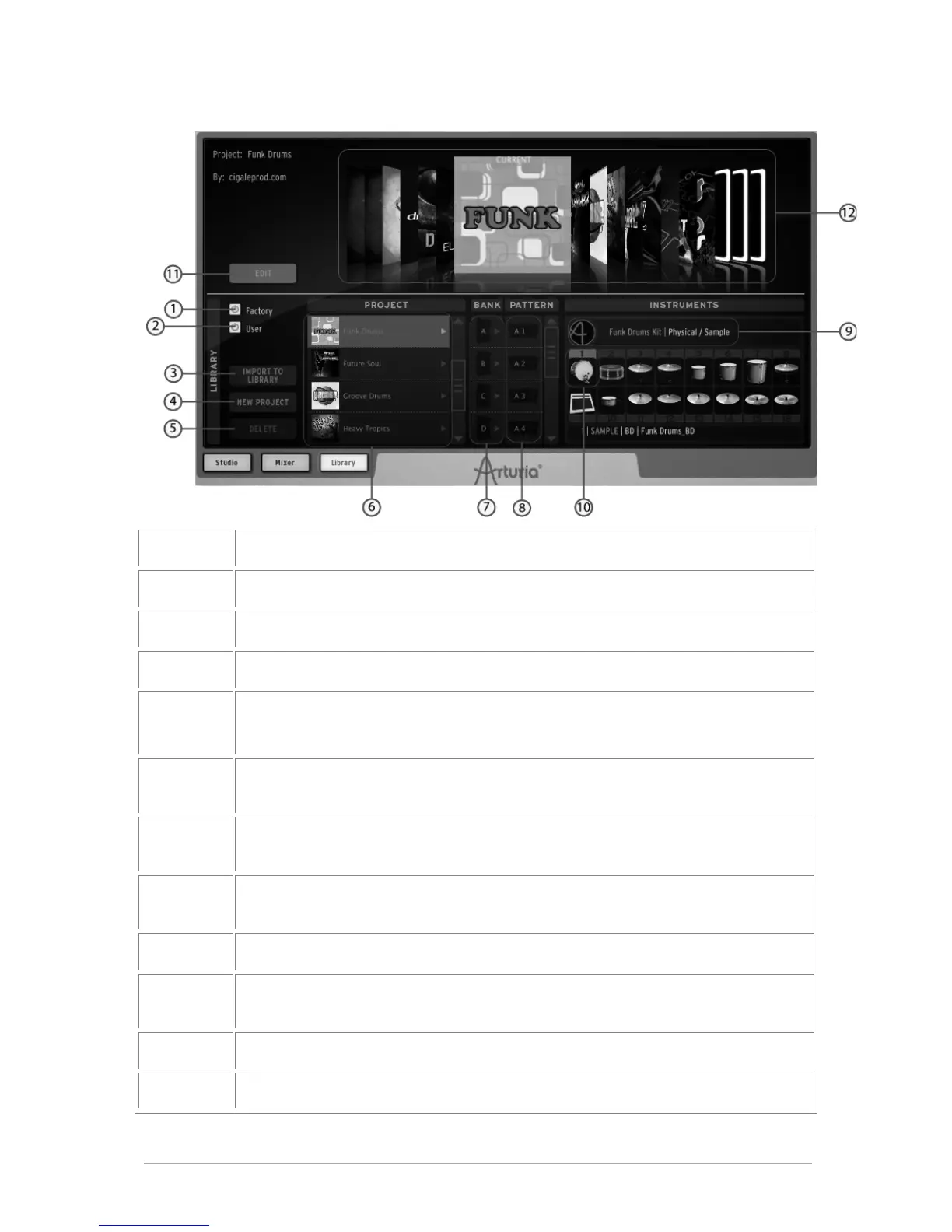
5.3.3.1 The Library Window
Display Factory project only (Click to select)
Display User project only (Click to select)
Import a project to the Library
Delete a project from the Library
(Only user projects can be deleted)
Display Kit/Instruments information for one project in Library. Double click
on kit to Load it.
Load a Bank (A,B,C or D) from the Library to the corresponding one in the
Current project
Load a Pattern (1 to 16) from the Library to the corresponding pattern in
the Current project
Load a kit from the Library to the current project
Load an instrument from the Library to the corresponding selected
instrument in the Current project
Enter "Edit current project" mode
Select a project in the coverflow.



 To Next Page