ARTURIA – SPARK CREATIVE DRUM MACHINE – USER’S MANUAL
Change Feedback on stage 1 and/or stage 2
Change Depth on stage 1 and/or stage 2
Change Shape on stage 1 and/or stage 2
A phaser is similar to a chorus effect, in that it uses small delay times to affect a signal,
the result is a sweeping comb-filter sound.
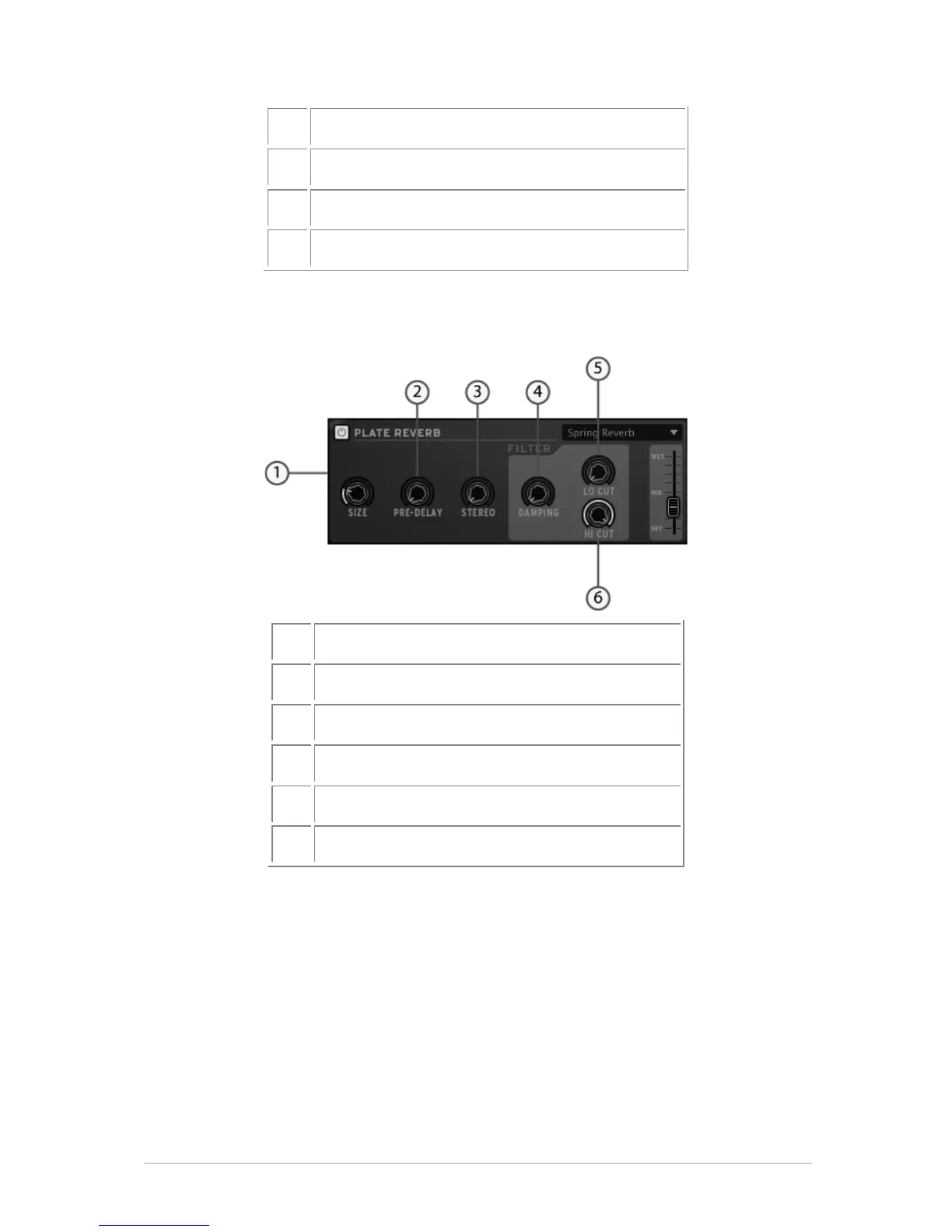
Plate Reverb parameters
Change Reverb filter damping
Change Low cut frequency filter
Change High cut frequency filter
A reverb emulates the reflections of a sound in a different space (room, hall, etc).
Reverb adds depth and richness to a sound by ‘placing’ it in a separate physical space.
The size knob changes the size of the space. Predelay adds a small amount of delay to
the sound to imitate early reflections. Stereo refers to the width of the stereo field of the
reverb. Dampening sets how much the reverb should be filtered using the Lo and Hi Cut
filter settings.



 To Next Page