The Step pads (numbered from 1 to 16 at the top of the Center Panel) light up as each
pattern is being played. They show you which pattern is currently being played.
To edit your Song, refer to Chapter: 5.4.6 The song panel
5.2.3.2 Editing Songs from the Main panel
As we have just seen, a Song is made up of several patterns chained together. The order
in which each pattern is played can be changed from the main panel.
When in Song mode, each step pad, numbered from 1 to 64 represents the position
occupied by a pattern in the chain (to select the next page, click on the next 16 steps
page button >>).
When the Song plays, the step pads will light up successively showing you which pattern
is currently being played in the chain.
The number under the step pad represents the position of a given pattern in the chain.
This number has no relation whatsoever with the pattern number. For example, you can
decide that the pattern B-12 will be played first, then pattern A-1, and so forth.
To edit a song, first of all make sure you've selected the Song mode by clicking on the
Song Button. The song button should blink.
Then, press the record button in the transport zone. You are now ready to assign a
location to your patterns in the chain.
Let's say you want pattern A-2 to be in first position when playing the song. Click on
Step pad #1 and then, in the Song/pattern zone, click on Bank A then on pattern 2.
That's it. When you will play your song, pattern A-2 will be the first pattern of your song.
Repeat this operation to create your song. Remember to click on the next or previous 16
pattern page button [>> or <<] to go to the next or previous page.
5.2.3.3 Banks and Patterns
The patterns are organized in 4 banks (labeled from A to D) of 16 patterns each
(numbered from 1 to 16).
To select pattern number 6 of Bank B, click on Bank B and then on pattern 6. The
selected pattern can now be played when clicking on the Play button in the transport
zone.
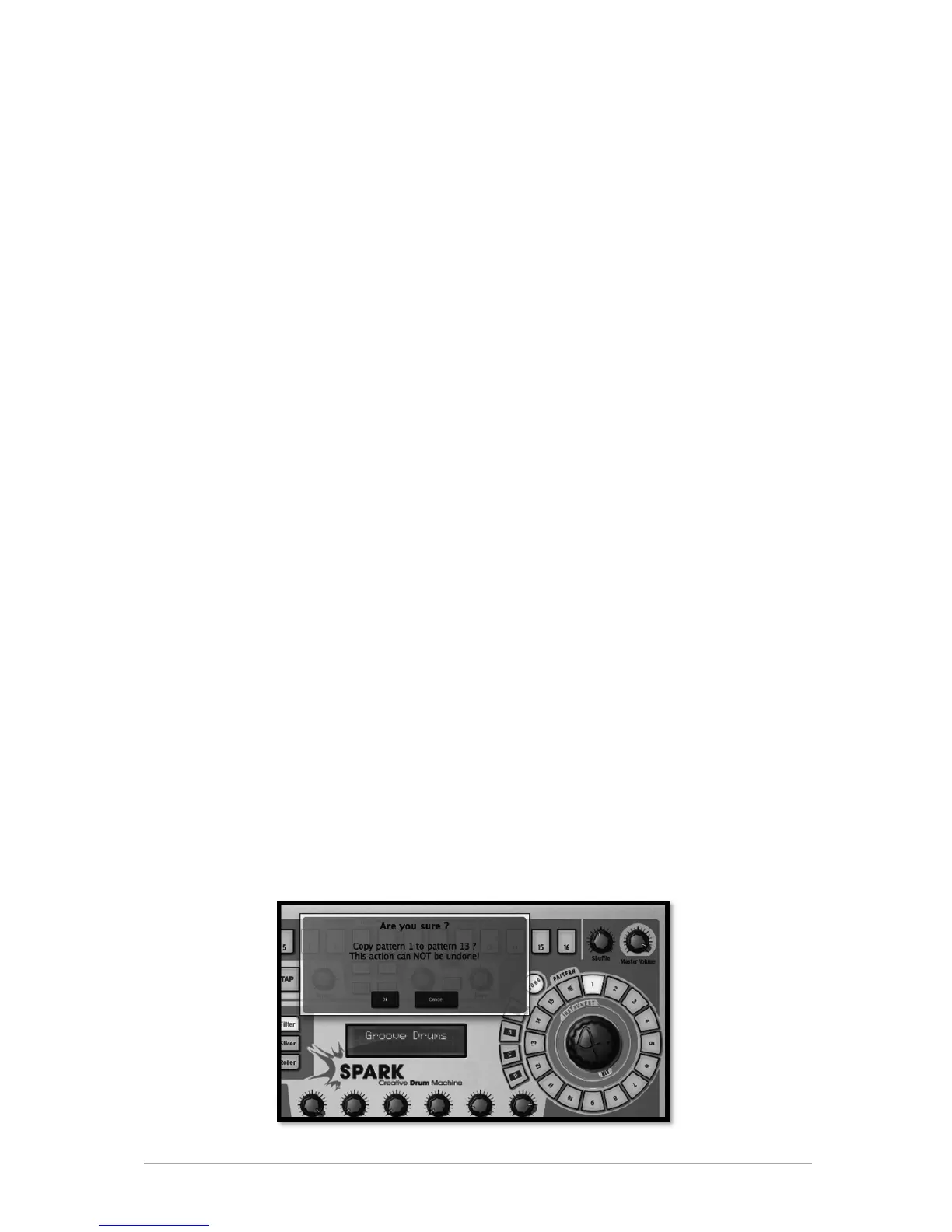
But you can also use the Song/Pattern zone to copy or swap patterns in the currently
selected Bank.
To copy a pattern, drag and Drop a pattern number while holding [Option/Alt] on Mac
OSX or [Ctrl] on Windows and drop it on another pattern number. A pop-up menu will
ask you to confirm your choice. Click Ok.



 To Next Page