ARTURIA – SPARK CREATIVE DRUM MACHINE – USER’S MANUAL
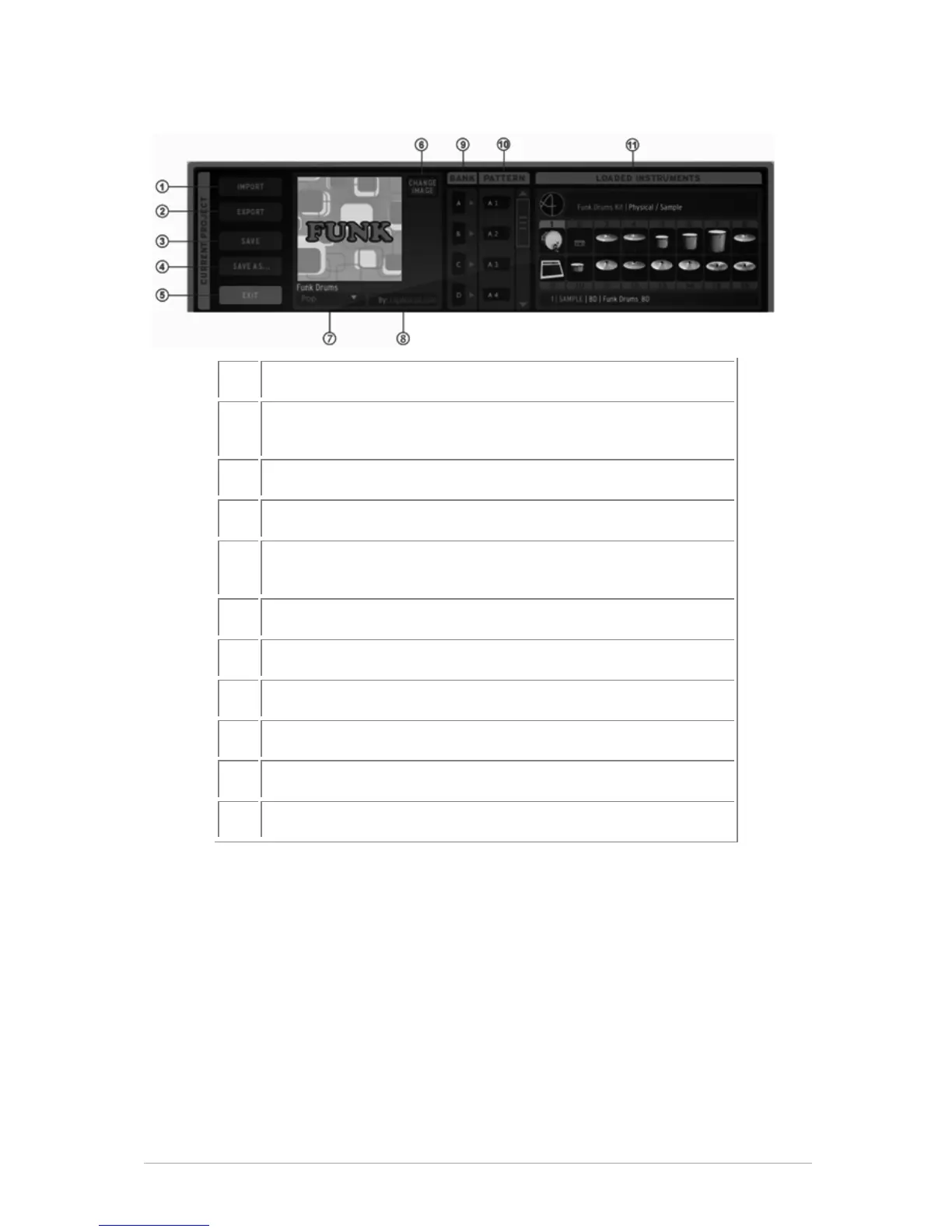
5.3.3.2 The Current Project window
Import a MIDI file or a REX file in current pattern
Export current project as .ads file (SPARK) or export current
pattern as MIDI or AUDIO file
Save current project to new project
Exit current project edit mode (takes you back to the
“Coverflow” dynamic Project menu).
Change image for current project
Change the style of the current project
Bank list of the current project
Pattern list of the current project
Loaded instruments of the current project
5.3.3.3 Creating a new project
To create a new project, click on the "New Project" button in the library window. Give a
name to your new project. It will appear in the project list as the current project. You
can now edit your new project.



 To Next Page