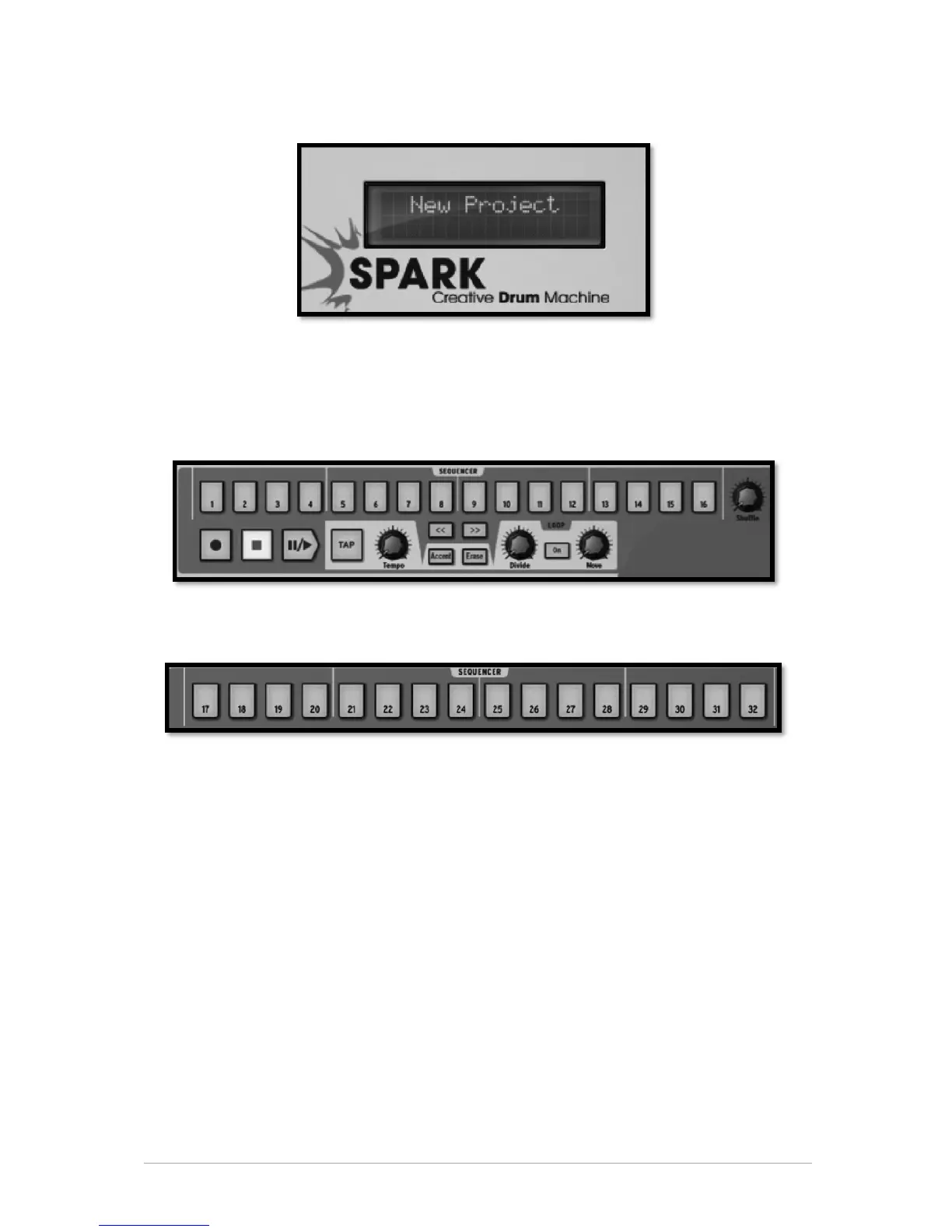
5.2.1 The Digital display
The digital display is of an invaluable help. It displays all the information needed while
using SPARK. (i.e. Project name, precise changes applied when using Volume knob, FX
knobs, etc.)
5.2.2 The Sequencer zone
The Sequencer zone is divided into several zones:
5.2.2.1 The Step Pads
16 Step pads numbered from 1 to 16.
These pads allow you to edit your pattern by triggering note-on messages on your
instrument track. Patterns have a maximum number of 64 steps. If your pattern has
more than 16 steps, use the << or >> buttons to navigate to the previous or next page.
If you click on the >> next page button, you will see the numbering on the pads switch
from 1-16 to 17-32 for the second page, and so on.
You may choose to follow the cursor as it advances on the step pads (the pages will
change automatically) by right clicking on the >> button. A contextual menu will appear
allowing you to check or uncheck the “follow current step” option. If this option is
activated, both << and >> buttons will be lit. If the follow option is deactivated, the
buttons will not be lit up.
The step resolution is a sixteenth of a note by default. You can change the resolution in
the pattern panel. (See Chapter 5.4.3)



 To Next Page