You can play, of course, any instrument pad using this effect.
The beginning of the roll is quantized by default.
A swing effect can be added by simply clicking on the upper note values for Swing on, or
on the bottom values for Swing off. When swing is off, one beat is played per note value.
When Swing is on, a beat is added before the second beat resulting in playing close to a
triple time bar.
5.2.7 The Instrument control zone
The instrument control zone is made up of:
5.2.7.1 The instrument Pads
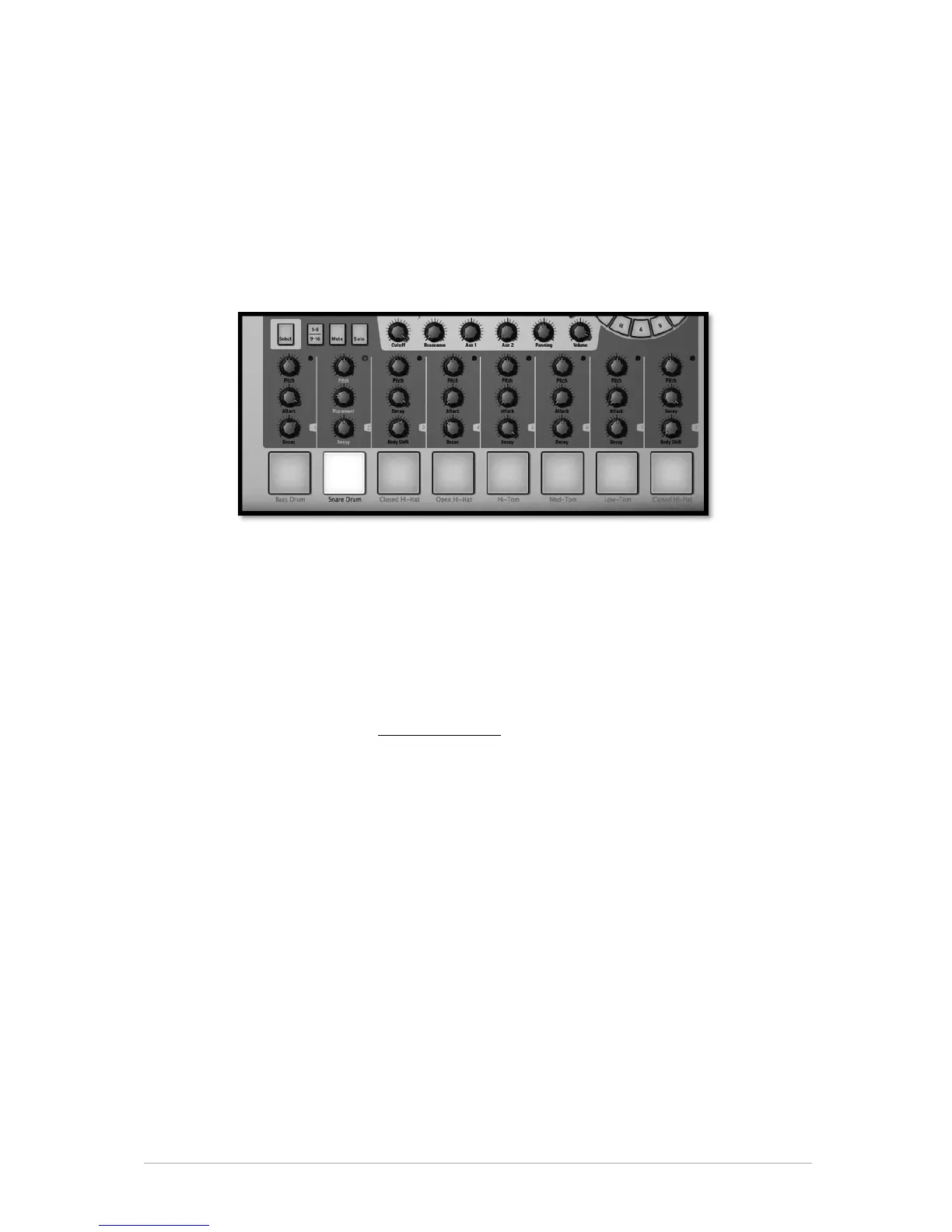
There are 16 instrument Pads but only 8 of them are shown on SPARK's interface. To
navigate to the next set of 8, click on the 1-8/9-16 button.
An instrument is assigned to each pad. The far left pad is by default the Bass Drum, next
to it is the Snare drum, and so on; but you can of course personalize this arrangement.
To edit an instrument, right click on the pad, and then Click on edit. This will take you to
the "STUDIO" bottom panel where you will be able to edit a full array of instrument
parameters. (See next chapter 5.3.1 The Studio).
5.2.7.2 The Parameter Knobs
Each instrument pad has 3 parameter knobs above it.
These parameters act on the sound generator to modify the sounds in real time so as to
give each sound its own color. Each instrument has 6 parameters (3 of which are
mapped to the knobs).
You may choose which parameter each knob modifies by clicking on the name
underneath the knob. A contextual menu will appear listing the 6 parameters available in
addition to the Filter, Mixer and available Fx parameters (if an effect is set as insert on
the instrument’s mixer track). Click on a different parameter name to assign the knob to
that parameter.
Common instrument parameters are tuning/pitch, filter cutoff envelop decay, attack and
release, different effect depths and rate (ring, shift, etc).
Filter parameters are Cutoff and Resonance. You can set the filter type for each
instrument in the studio panel.
Mixer parameters are Aux1 effect amount, Aux2 effect amount, Panning and Volume.
Fx parameters depend on the chosen insert effect set on the instrument mixer track.
Each effect has its own parameters exposed as well (dry/wet, feedback, delay time…)



 To Next Page