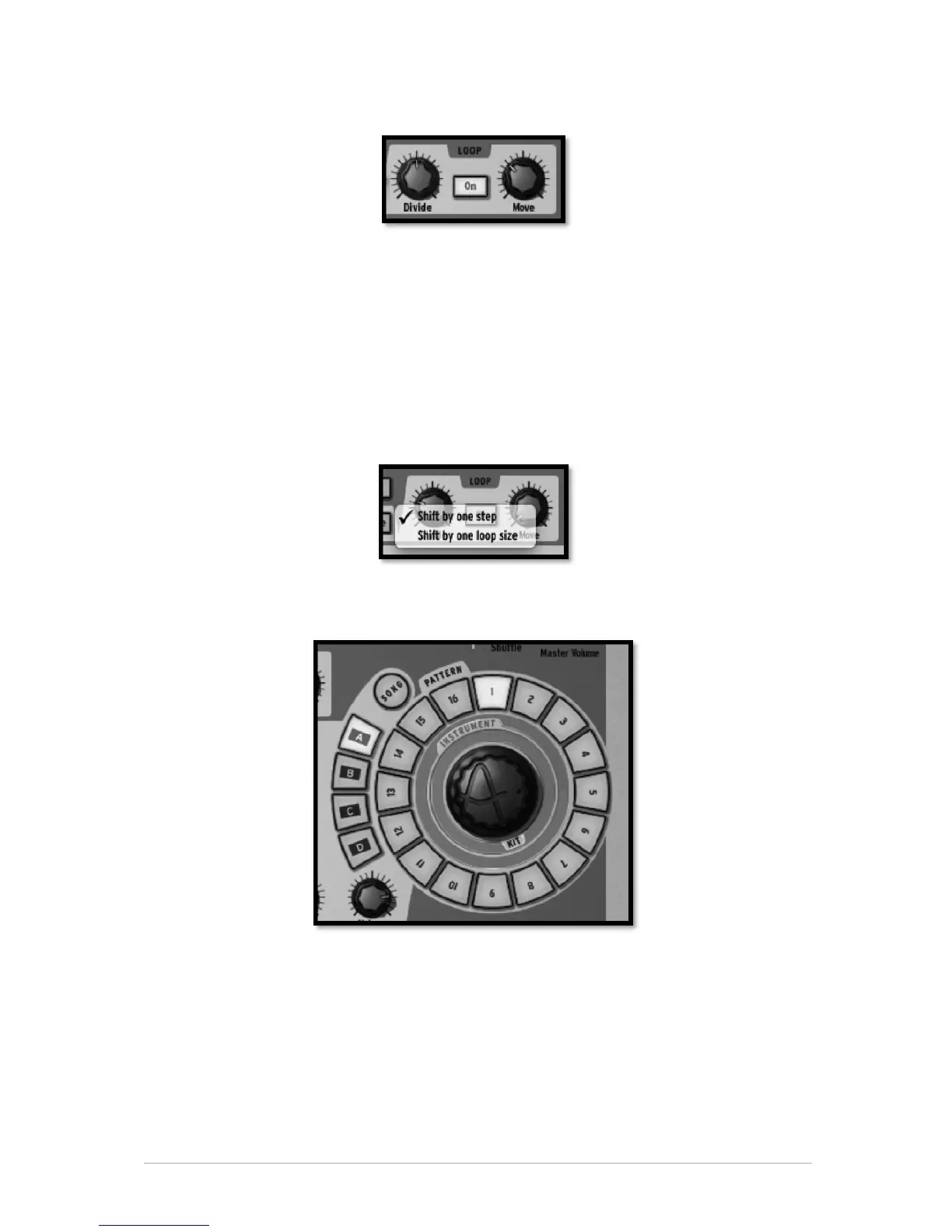
5.2.2.8 The Loop zone
Click on the button "ON" to set Loop mode on.
The Divide knob allows you set the loop size.
Moving the knob one notch will halve the loop size.
The settings are 1/2, 1/8 and 1/4 of the pattern size, all the way down to the minimum
loop size: one step.
The Move knob allows you to move the loop start in one of two ways. Using “Shift by one
step” mode will shift the loop start to any given step of the pattern (stepwise).
Alternatively, you can move the loop in increments of the loop size (defined with the
divide knob) by using "shift by one loop size" mode. Right click on the Move knob to
choose the Move Loop mode: “Shift by one step” or “Shift by one loop size”.
5.2.3 The Song/Pattern zone
The Song/Pattern zone is where you can trigger the Song mode, select and play your
patterns, load Instruments or load a kit into your project.
5.2.3.1 The Song Mode
A Song is made up of a maximum of 64 patterns chained together. Click on the Song
button to enter the Song mode. The Song button will flash continuously to let you know
that you are now in Song mode. Click on the Play button in the transport zone.
Listen! Your patterns are now chained together and played one after another from
pattern to pattern and Bank to Bank.



 To Next Page