VAR4 / VAR12 / VAR20 - Operation Manual
sue: 03 complete, approved oved
Is
Page 232 of 308 Page 232 of 308
• ANS • ANS
Assign the selected analogue input as Ambient Noise Sensor (ANS). Assign the selected analogue input as Ambient Noise Sensor (ANS).
See Section “16.2.5 Configuring an Analogue Input as Ambient Noise Sensor (ANS)”. See Section “16.2.5 Configuring an Analogue Input as Ambient Noise Sensor (ANS)”.
6. Move to, and select the Description menu item: 6. Move to, and select the Description menu item:
[Description] [Description]
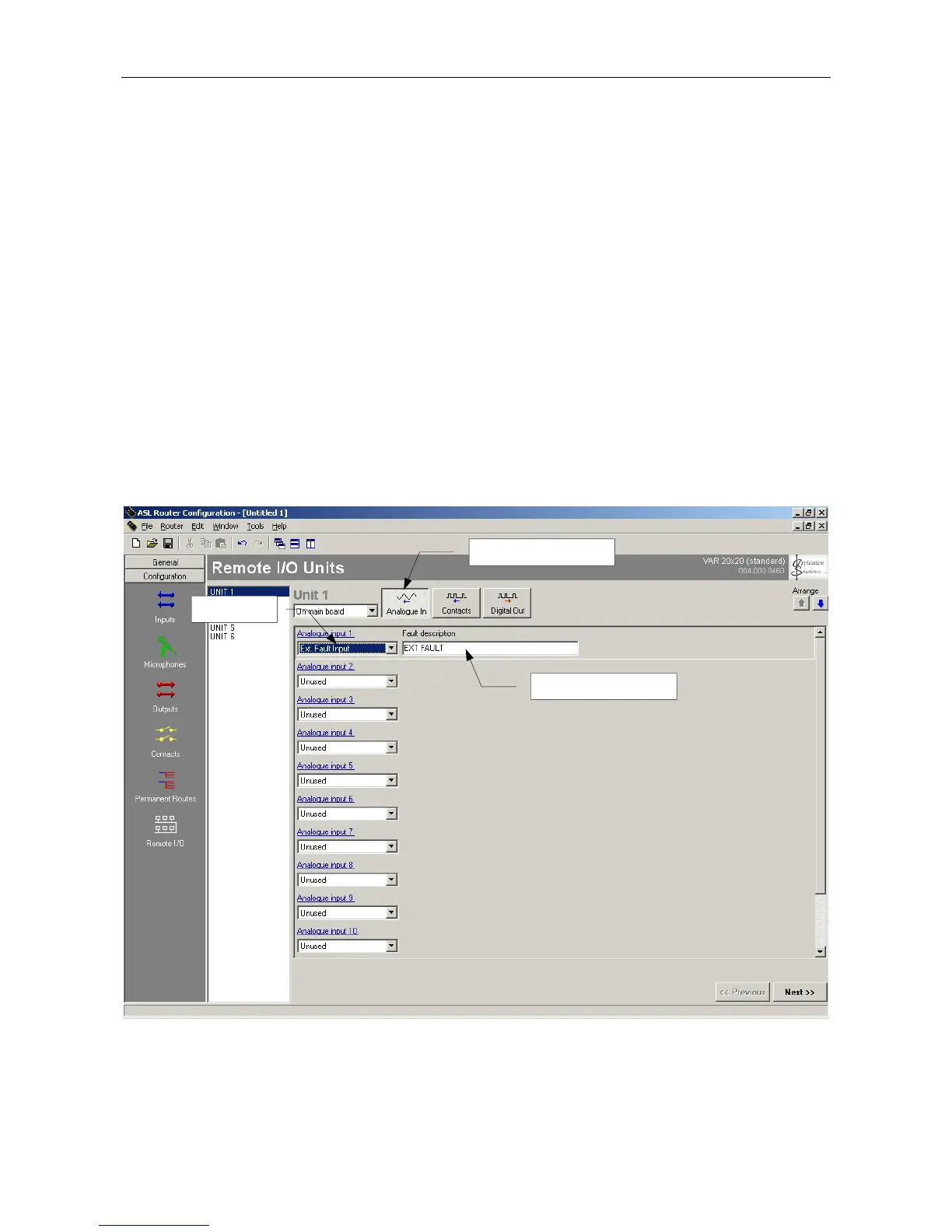
7. Edit the fault description as required using the arrow keys or the rotary encoder. 7. Edit the fault description as required using the arrow keys or the rotary encoder.
[CONTACT FAULT ] [CONTACT FAULT ]
Default values: ‘EXT FAULT’ Default values: ‘EXT FAULT’
Possible value: alphanumeric string of up to 18 characters Possible value: alphanumeric string of up to 18 characters
Note: The DEFAULT key may be used to clear the entire text string to all blank, for speedier input. Note: The DEFAULT key may be used to clear the entire text string to all blank, for speedier input.
8. Save the changes by pressing the SELECT key, or cancel by pressing the BACK key. 8. Save the changes by pressing the SELECT key, or cancel by pressing the BACK key.
Reference to Configuration Tool Reference to Configuration Tool
16.2.4
ANALOGUE INPUT
FAULT DESCRIPTION



 To Next Page