VAR4 / VAR12 / VAR20 - Operation Manual
sue: 03 complete, approved oved
Is
Page 246 of 308 Page 246 of 308
Other options available: Other options available:
• [Mode=Not Latched] • [Mode=Not Latched]
Configures the contact for non-latching mode. Configures the contact for non-latching mode.
See Section “16.3.2.2 Configuring a Routing Digital Input (Contact) for Non-latching Mode”. See Section “16.3.2.2 Configuring a Routing Digital Input (Contact) for Non-latching Mode”.
• [Mode=Play Once] • [Mode=Play Once]
Configures the contact for ‘Play Once’ mode. Configures the contact for ‘Play Once’ mode.
When this mode is selected, the associated DVAs are played once only. When this mode is selected, the associated DVAs are played once only.
See Section “16.3.2.4 Configuring a Routing Digital Input (Contact) for Play Once Mode”. See Section “16.3.2.4 Configuring a Routing Digital Input (Contact) for Play Once Mode”.
Default value: ‘Mode=Not Latched’ Default value: ‘Mode=Not Latched’
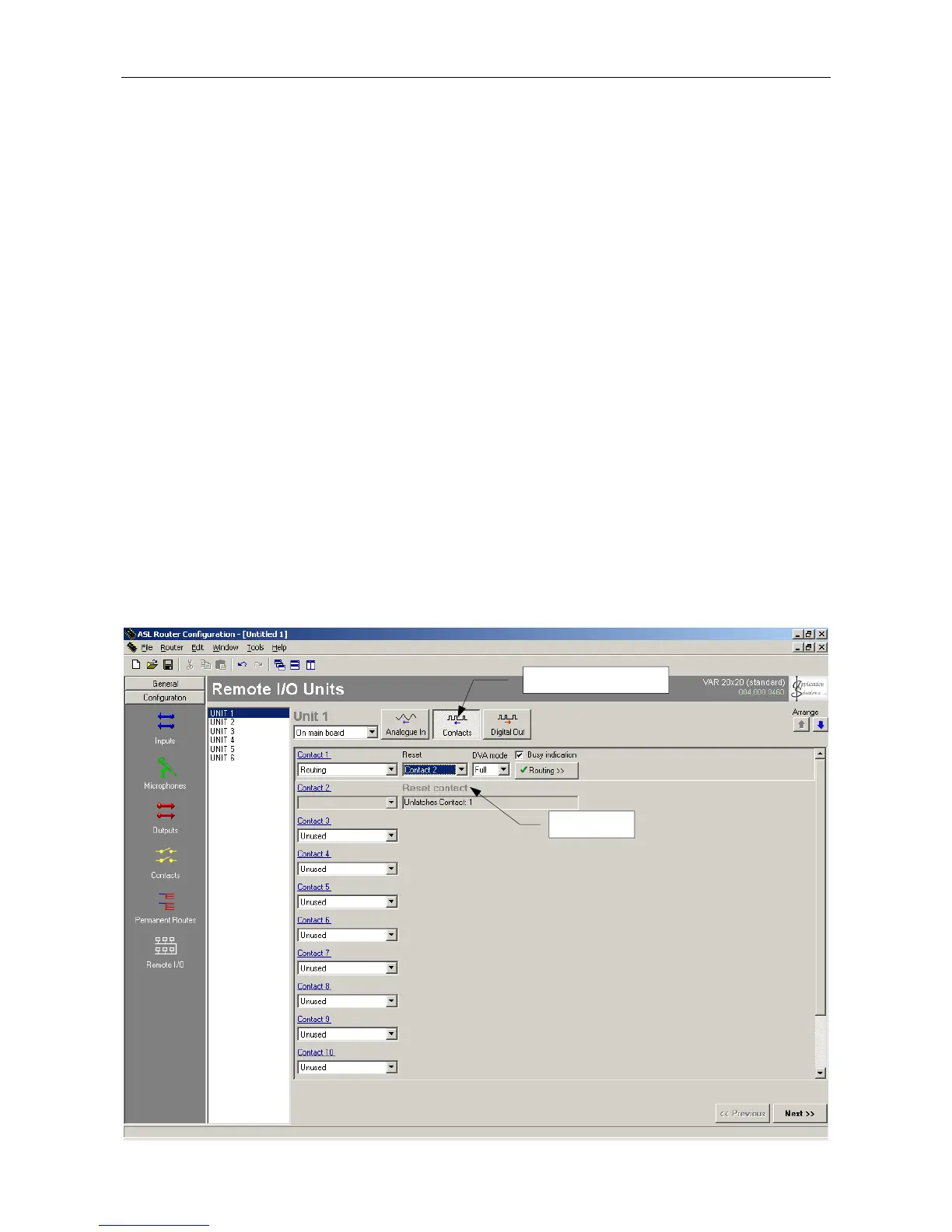
9. Move to, and scroll the reset contact list until the required contact to provide the reset is displayed in the
right field:
9. Move to, and scroll the reset contact list until the required contact to provide the reset is displayed in the
right field:
Mode= Latched [ResetContact -1] Mode= Latched [ResetContact -1]
Default value: n.a. Default value: n.a.
Reset contact: 1 to 12 Reset contact: 1 to 12
Note: A group of Routing contacts may share a single reset contact, or each Routing contact may
have its own dedicated reset contact.
Note: A group of Routing contacts may share a single reset contact, or each Routing contact may
have its own dedicated reset contact.
10. Save the changes by pressing the SELECT key, or cancel by pressing the BACK key. 10. Save the changes by pressing the SELECT key, or cancel by pressing the BACK key.
Reference to Configuration Tool Reference to Configuration Tool
16.3.2.3
DIGITAL INPUT



 To Next Page