SIOL-EI8B-USER-M
43
Startup Powered by
Version 1, May 2022
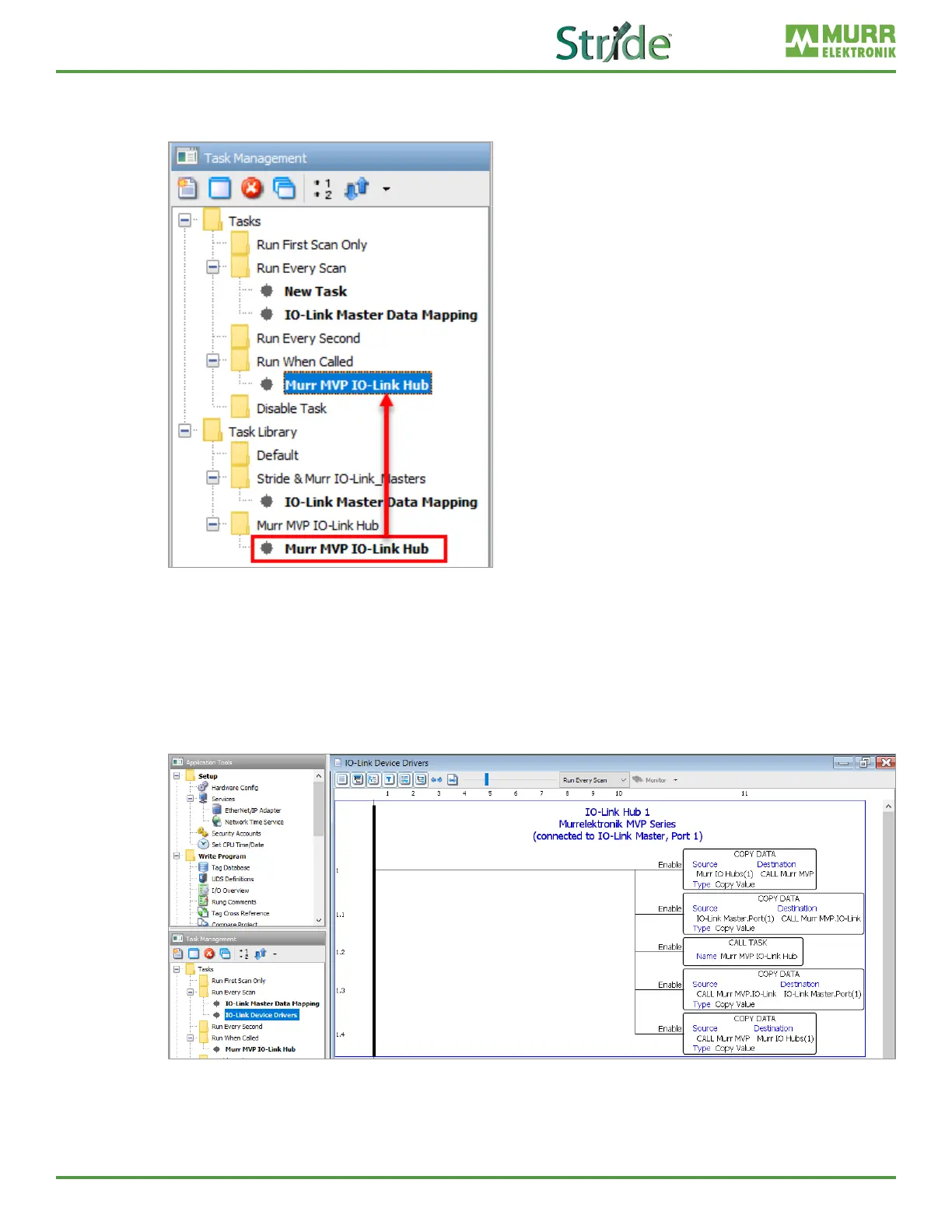
9. Follow steps 3 and 4 to import the “Murr MVP IO-Link Hub.adtkl” to the task library. Then drag the
new Murr MVP IO-Link Hub task from the library to the Run When Called task folder. Click OK on
the Tag Conversion pop-up.
Fig. 7-20: Task Library – Drag and Drop IFM SA Series Task.
10. In the Tag Database, create a ‘Murr IO Hubs’ tag that is a 1D array of the User Structure data type
‘Murr DIO Hub’. Then in the Run Every Scan task folder, create a new task (called IO-Link Device
Drivers in this example) and add the Copy Data, Call Task, and Copy Data instructions as shown
on rung 1 in Fig. 7-21. The IO-Link port number that the Murr MVP IO-Link Hub is connected to on the
master module must correspond to the index number of the ‘IO-Link Master.Port’ tag in the second
and third Copy Data instructions, as shown on rung 1 in Fig. 7-21 (IO-Link Master.Port(1) in this
example). (In this example the device is connected to port 1 = X0 on the master module.)
Fig. 7-21: IO-Link Device Drivers task – Murr MVP IO-Link Hub.
11. Once all previous steps are complete, transfer the code to the CPU and, if the Murr MVP IO-Link Hub
is connected, you should be receiving process data from the hub and be able to send control data to
the hub. Check the Murr IO Hubs(1) tag values to see the live process data.



 To Next Page