Note:
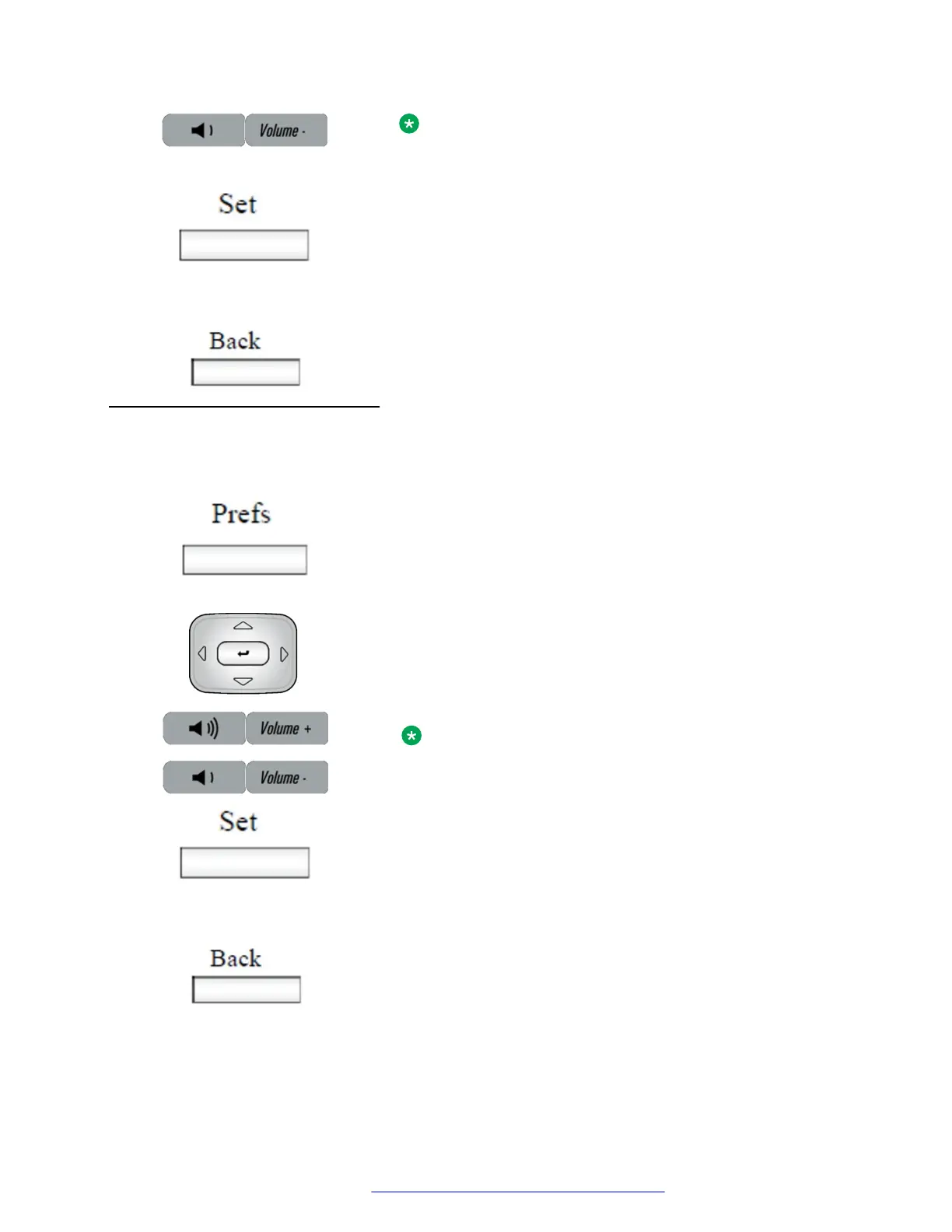
To adjust the volume during a call, use only the Volume + and
Volume - fixed keys.
or
3. Choose one of the following:
• Press the Set context-sensitive soft key to configure the selected
volume and return to the Voice menu.
• Press the Back context-sensitive soft key to keep existing
configurations and return to the Voice menu.
You can adjust the headset volume on the IP Deskphone.
To adjust the headset volume:
1. Press the Prefs context-sensitive soft key, select Audio, select
Voice, and then select Headset.
2. To adjust the handset volume use one of the following methods:
• Press the Left/Right navigation key to increase or decrease the
volume of the handset.
• Press the Volume + fixed key to increase the handset volume or
press the Volume - fixed key to decrease the handset volume.
Note:
To adjust the volume during a call, use only the Volume +
and Volume - fixed keys.
or
3. Choose one of the following:
• Press the Set context-sensitive soft key to set the selected volume
and return to the Voice menu.
• Press the Back context-sensitive soft key to keep the existing
configurations and return to the Voice menu.
You can adjust the handsfree mode volume on the IP Deskphone.
Adjusting the volume
August 2017 Avaya 1140E IP Deskphone with SIP Software User Guide 65
Comments on this document? infodev@avaya.com



 To Next Page