Setting Up the Options
Operator Manual for the Baxter ExactaMix 2400 Compounder
Page 116 53007410 Rev. C
SETTING UP THE SYSTEM (CONTINUED) OPTIONS
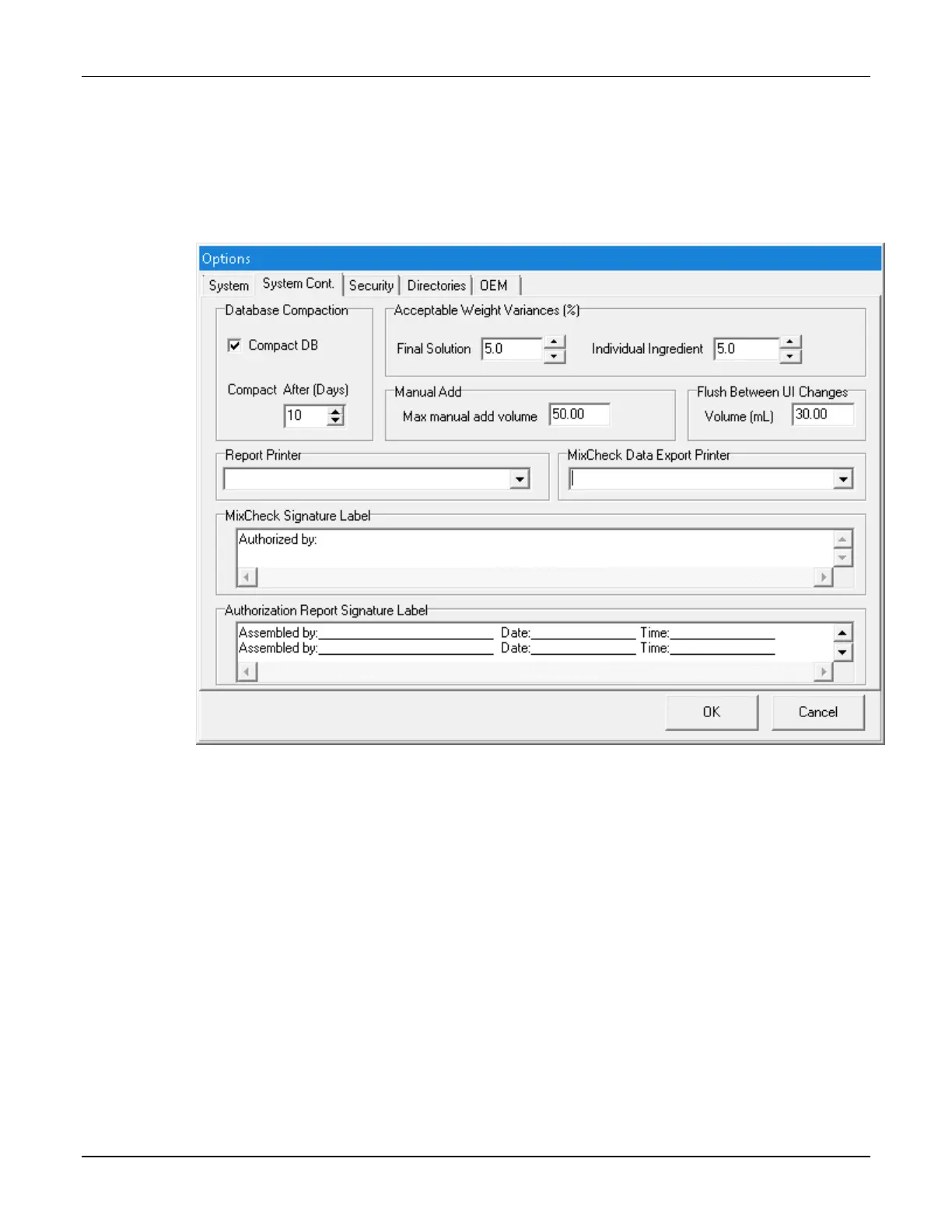
The System Cont. tab is a continuation of the System tab.
To access the continued system options:
1. At the menu screen, tap Tools > Options.
2. At the Options window, tap the System Cont. tab.
Options window, System Cont. tab
Database Compaction
IMPORTANT! Do not change these settings unless directed by Baxter Technical Services.
Select Compact DB if you want to make the compounder compact the database at startup.



 To Next Page