Setting Up the Users
Operator Manual for the Baxter ExactaMix 2400 Compounder
53007410 Rev. C Page 129
Deleting a User
IMPORTANT! This function requires Administration permissions.
1. At the menu screen, tap Tools > Users > Edit Users and Groups.
2. At the Edit Users and Groups window:
a. In the top half, select the group from the Name list.
b. In the bottom half, select the user you want to delete from the Login Name list,
then tap Delete.
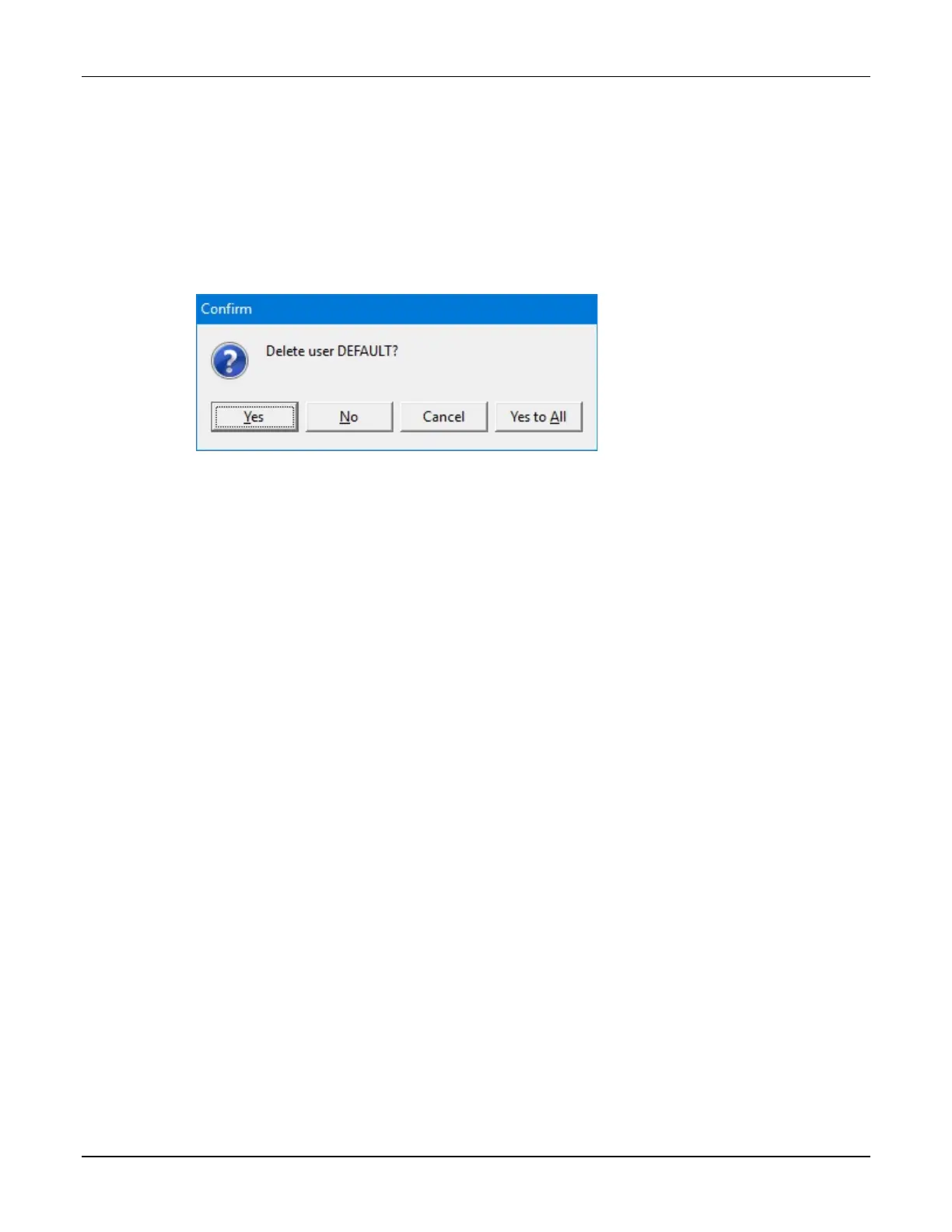
3. At the Delete user <name>? message, tap Yes to delete the user.
Message
4. At the Edit Users and Groups window, tap OK.
Changing a Password
1. At the menu screen, tap Tools > Users > Change Password.
2. At the Change Password window:
a. Enter the Old password.
b. Enter the new password.
c. Enter the new password again to confirm it.
d. Tap OK.
IMPORTANT! Passwords are case-sensitive.
Baxter requires a new password shall be a minimum of 8 characters and a maximum of 40
characters. It shall contain at least 1 number, 1 alphabet, and 1 special character.



 To Next Page