Using Reports
Operator Manual for the Baxter ExactaMix 2400 Compounder
53007410 Rev. C Page 167
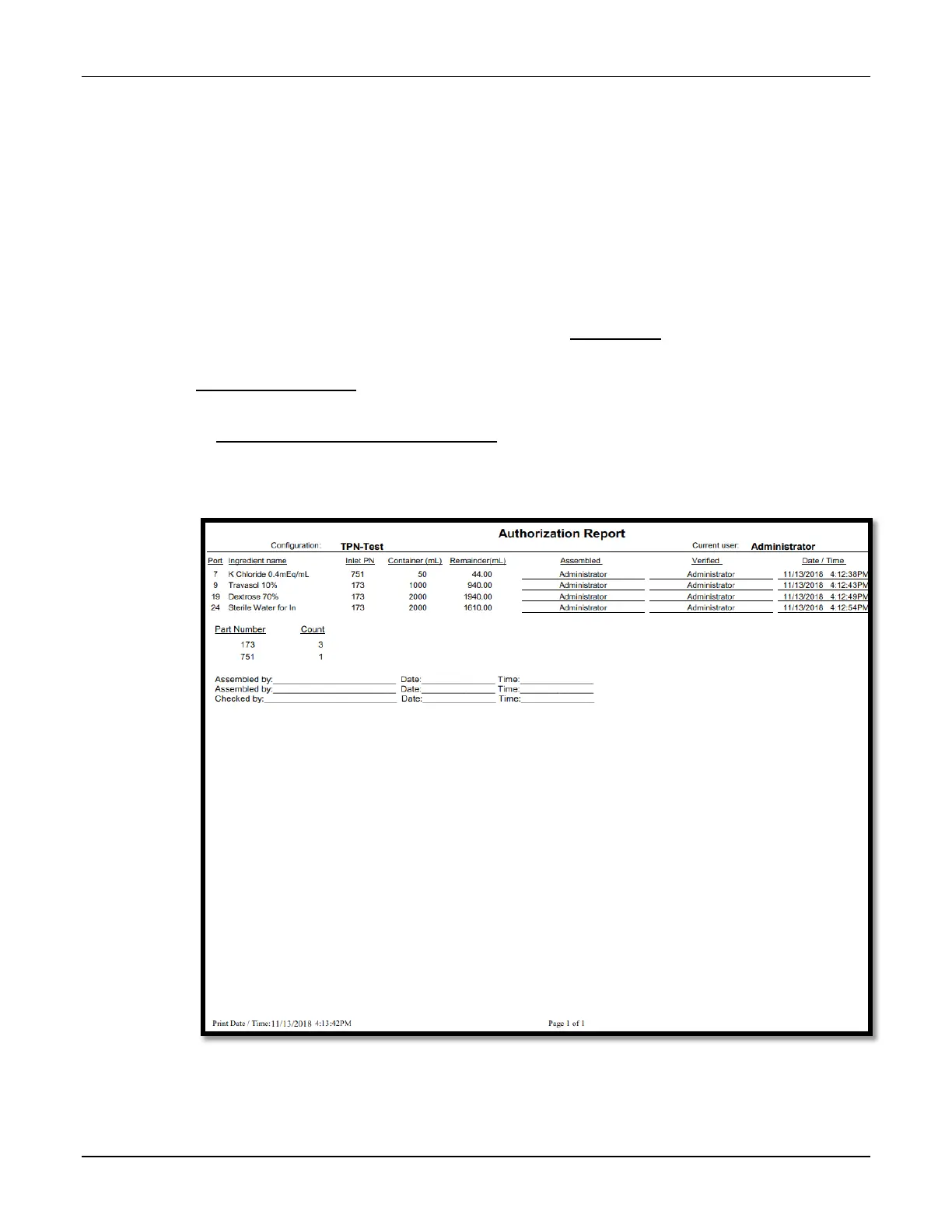
AUTHORIZATION REPORT
The Authorization Report contains information about the compounder setup, including:
• The user who set it up (in the Assembled column) and the optional cosigner who
performed the verification (in the Verified column)
NOTE: Users can print the report and write their initials in these columns, or the
software can be set up to populate these columns automatically.
• The ingredient name, port and inlet used during setup
The following options are available for customizing the Authorization Report:
• To require a cosigner to verify the setup, refer to Cosignature on Page 120.
• To make the Assembled and Verified columns populate automatically, refer to
Authorization Report on Page 112.
• To specify signature-related text that you want to include at the end of the report, refer
to Authorization Report Signature Label on Page 118.
To view the Authorization Report, tap Reports > Standard > Authorization at the menu screen.
Sample Authorization Report



 To Next Page