Starting Up, Logging In and Out, and Shutting Down
Operator Manual for the Baxter ExactaMix 2400 Compounder
Page 32 53007410 Rev. C
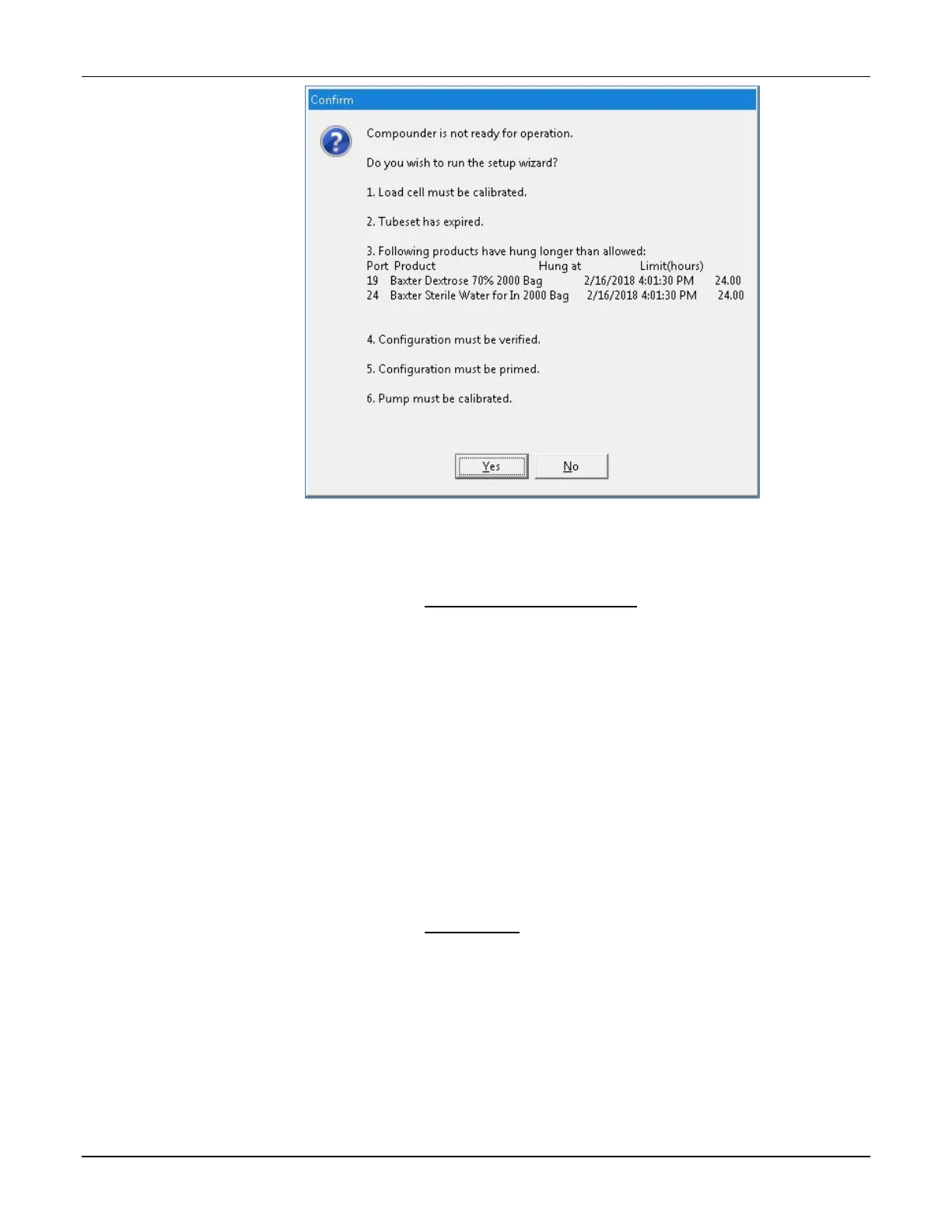
Confirm screen
4. If the Confirm screen appears:
o Tap Yes if you want to use the Setup Wizard now. For instructions on using the
Setup Wizard, refer to Setting Up the Compounder on Page 35.
o Tap No if you want to continue using the software in the current state.
Tip! Baxter recommends always tapping Yes. If you tap No, you will be instructed
to perform any required setup steps before compounding.
LOGGING OUT
When you have finished using the compounder, or another user needs to log in, you can log out
of the software without shutting down the compounder.
At the menu screen, tap either:
• File > Logout
• Tools > Users > Change User
NOTE: The Confirm screen may appear if the compounder is not ready for operation. To set up
the automatic logout option, refer to Auto-Logout on Page 119.
REBOOTING AND SHUTTING DOWN
Tip! Baxter recommends shutting down the compounder when you are finished using it. Baxter
also recommends fully shutting down and starting up the compounder once a day, to allow the
software to perform routine database maintenance at startup.
1. At the menu screen, tap File > Exit.



 To Next Page