Using Reports
Operator Manual for the Baxter ExactaMix 2400 Compounder
Page 166 53007410 Rev. C
Viewing Old MixCheck Reports
1. At the menu screen, tap Reports > MixCheck > Old MixCheck Data.
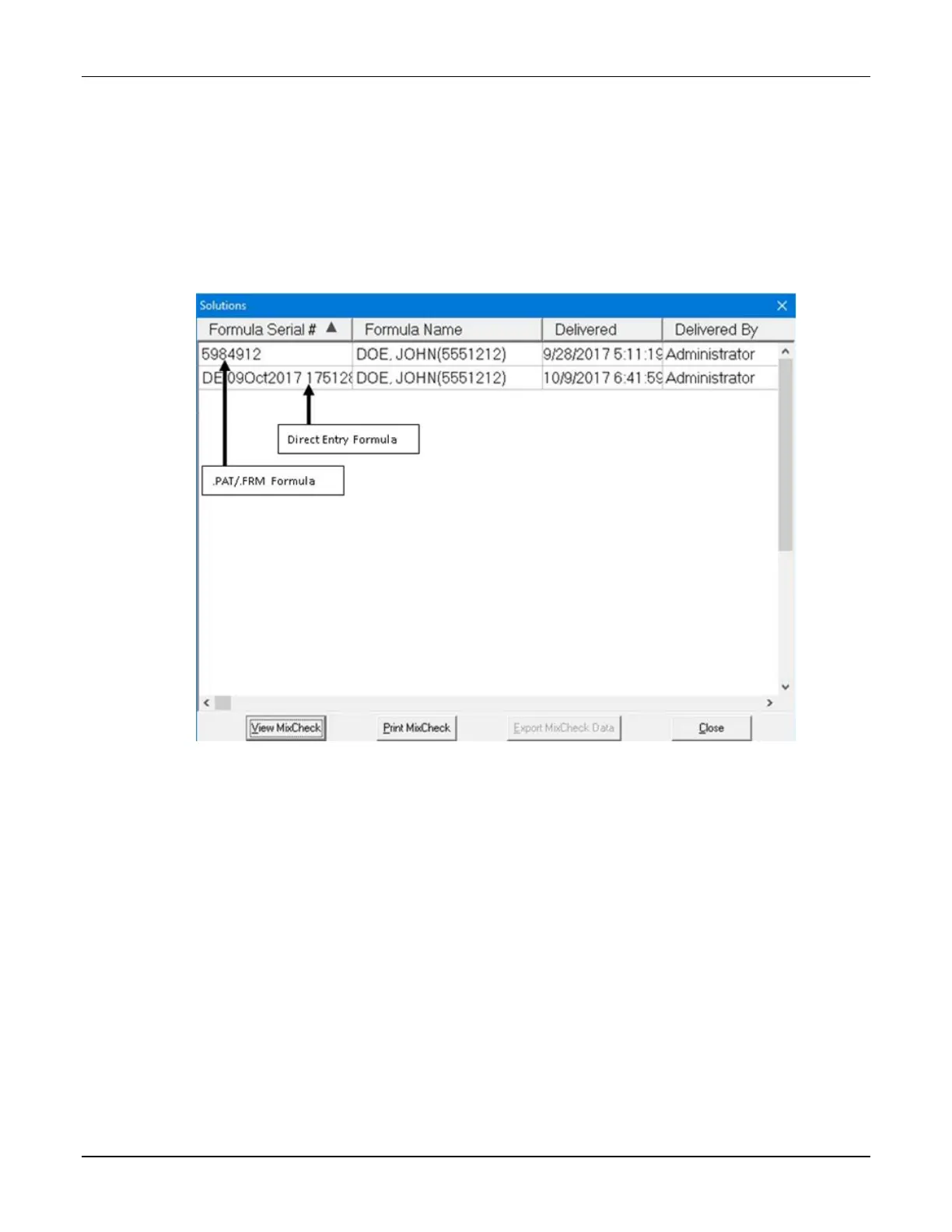
2. At the Solutions window:
a. Select a formula.
b. Tap one of these buttons:
• View MixCheck to view the report on the screen
• Print MixCheck to send the report to the assigned printer
• Export MixCheck Data to export the data to the DoseEdge system
Solutions window



 To Next Page