Setting Up the Compounder
Operator Manual for the Baxter ExactaMix 2400 Compounder
53007410 Rev. C Page 37
CALIBRATING THE LOAD CELL
This procedure calibrates the load cell to ensure that it measures weight accurately.
The load cell must be calibrated:
• Daily when the calibration expires
• Using a 2,000 g weight that Baxter provides
Tip! Baxter recommends:
• Using gloves to handle the weight, to minimize the accumulation of oils and dust
• Storing the weight in its storage case
To calibrate the load cell:
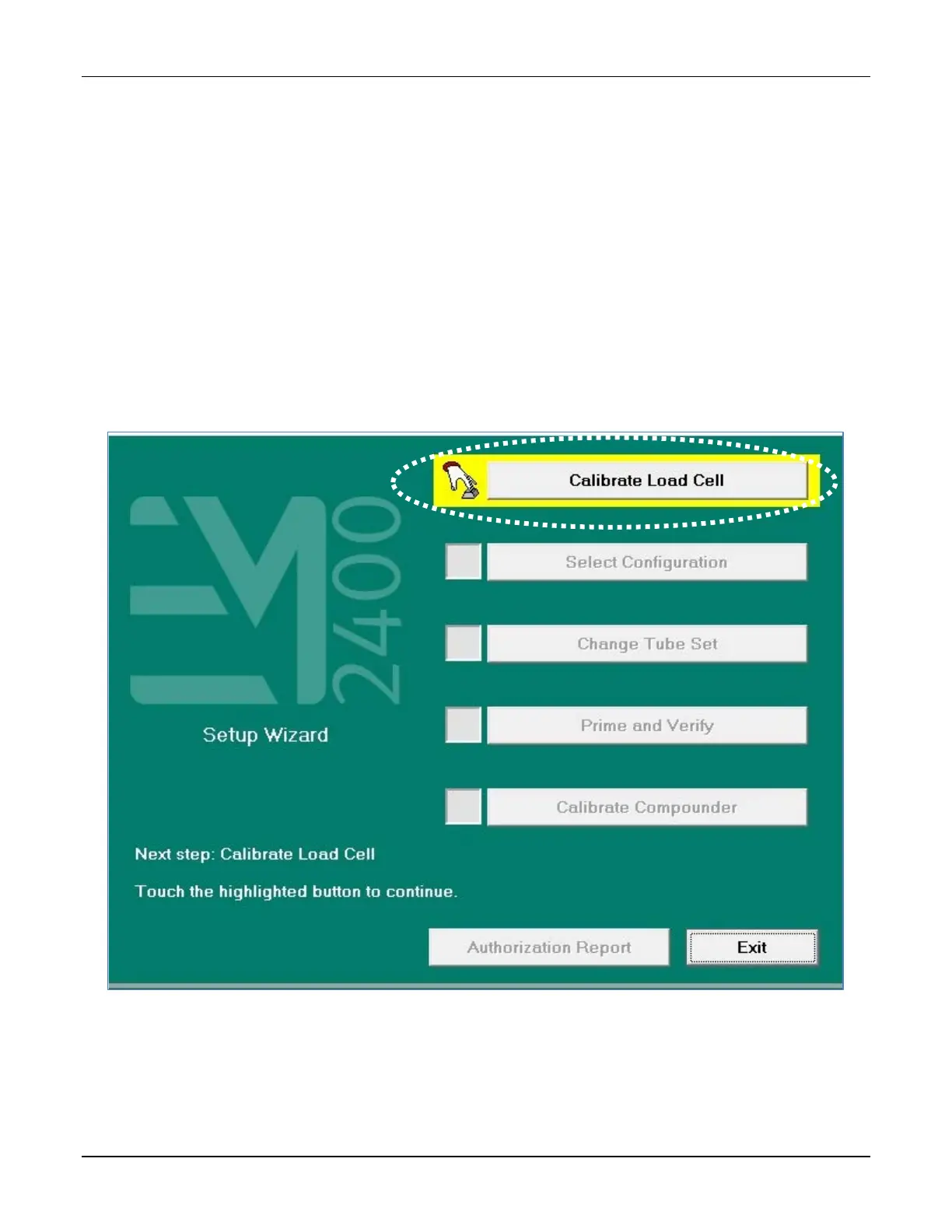
1. At the Setup Wizard screen, tap Calibrate Load Cell.
Setup Wizard screen, calibrating the load cell
NOTE: To calibrate the load cell without using the Setup Wizard, you can tap Compound
> Calibrate Load Cell at the menu screen.



 To Next Page