Setting Up the Compounder
Operator Manual for the Baxter ExactaMix 2400 Compounder
Page 36 53007410 Rev. C
IMPORTANT! These functions require Compounder permissions. For more information about
user groups and permissions, refer to Setting Up the Users on Page 123.
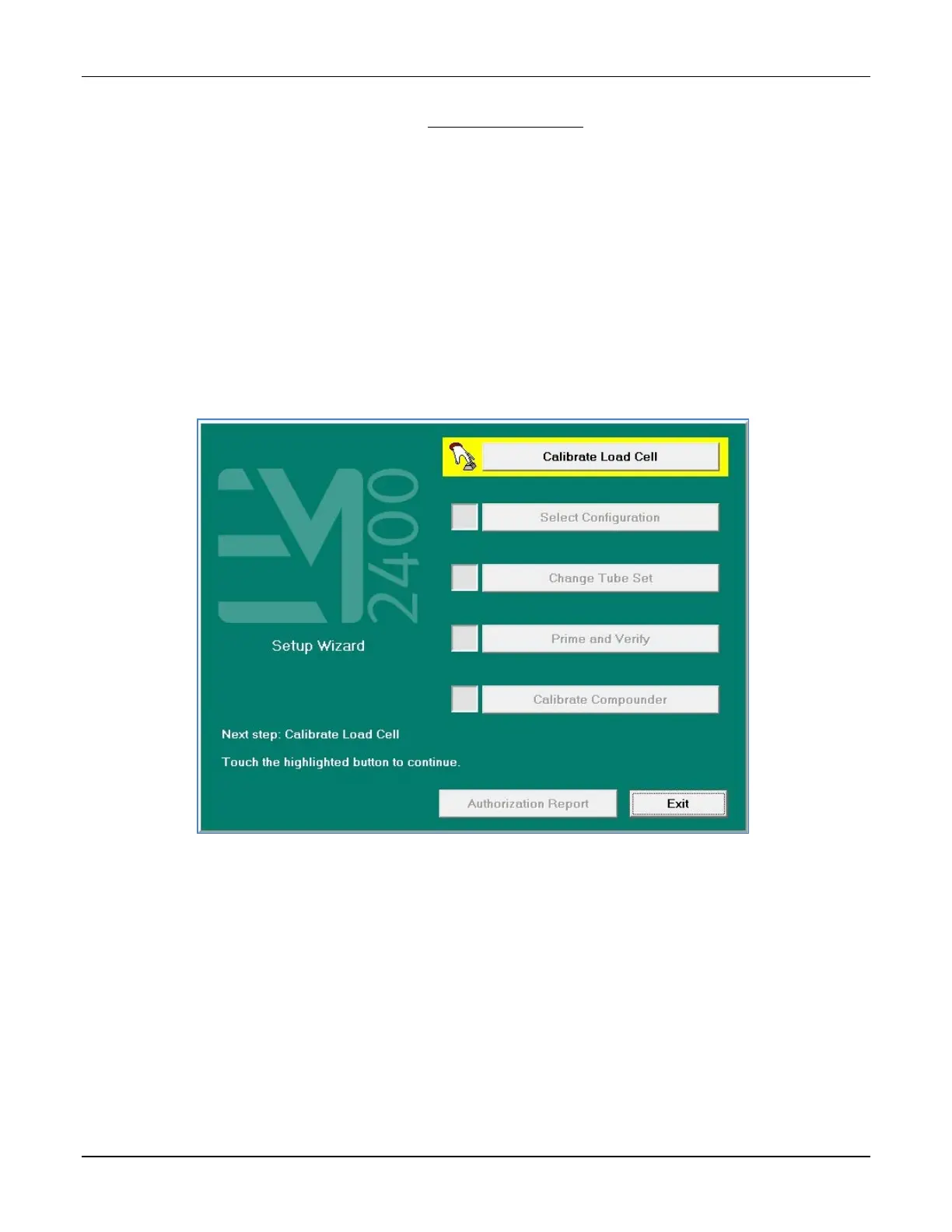
The Setup Wizard guides you through these main steps:
1. Calibrate Load Cell guides you through calibrating the load cell.
2. Select Configuration allows you to select a configuration to use.
3. Change Tube Set guides you through installing a new tube set and new ingredients for
the selected configuration.
4. Prime and Verify guides you (and an optional cosigner) through the process of priming
the inlets and verifying the setup.
5. Calibrate Compounder calibrates the compounder’s pump to ensure that it will deliver
the intended volume of each ingredient.
6. Authorization Report allows you to view and print the Authorization Report, if desired.
Setup Wizard screen



 To Next Page