Setting Up the Compounder
Operator Manual for the Baxter ExactaMix 2400 Compounder
53007410 Rev. C Page 73
ATTACHING AND REMOVING THE CALIBRATION BAG
Attach and remove the calibration bag when other procedures direct you to do so.
Attaching the Calibration Bag
Always use aseptic technique when attaching the bag.
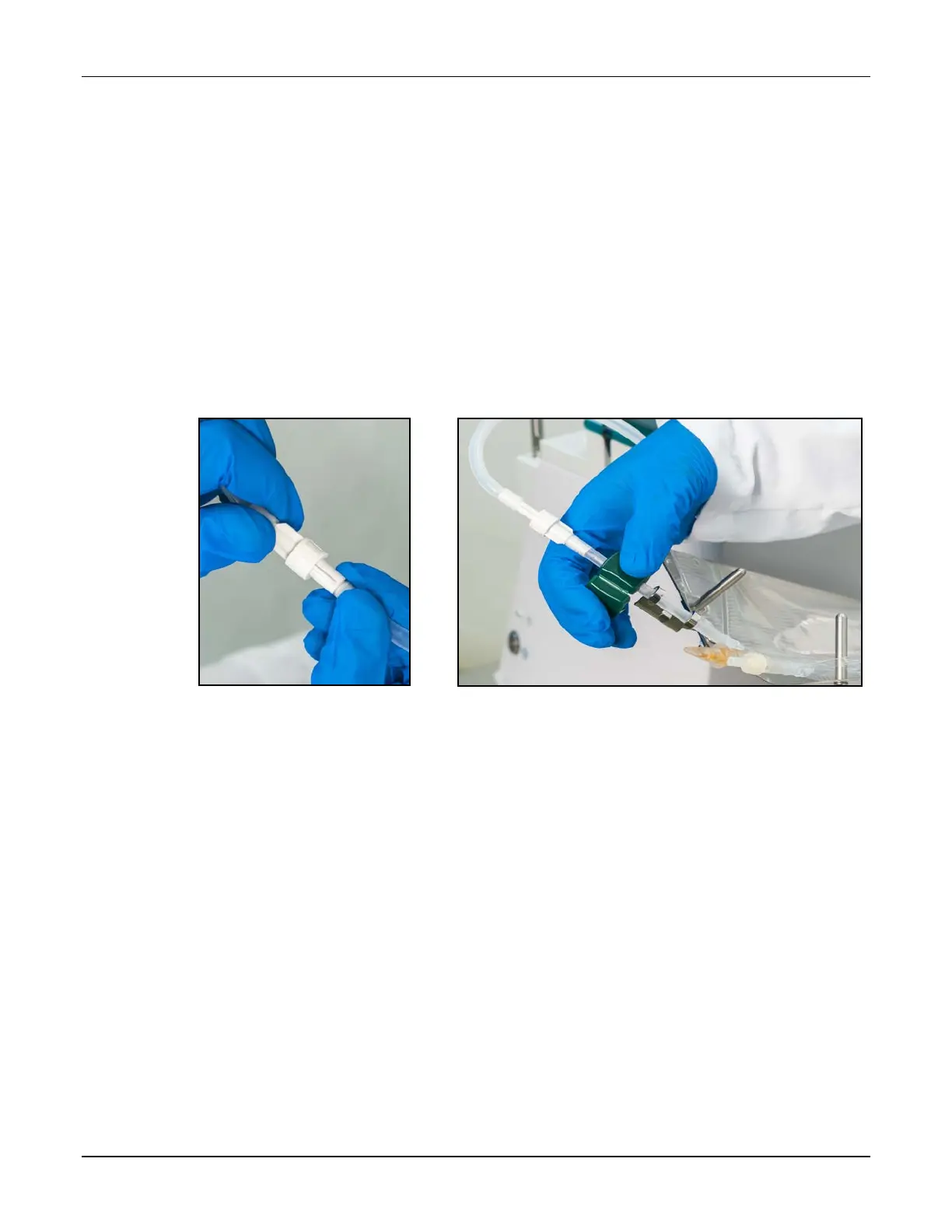
1. Connect a sterile calibration bag to the outlet tube.
Tip! Baxter recommends connecting the bag to the outlet tube before attaching it to the
load cell, to prevent twisting or straining the tube.
2. Attach the bag to the load cell. Place the holes in the corners of the bag over the guide
pins on the load cell.
3. Route the bag’s fill port through the load cell’s fill port holder.
4. Make sure the outlet tube is curved, not twisted or kinked.
Attaching the calibration bag to the outlet tube and the load cell
Removing the Calibration Bag
Always use aseptic technique when removing the bag.
1. Remove the bag’s fill port from the load cell’s fill port holder.
2. Remove the bag from the load cell.
3. Clamp the bag’s fill port.
4. Disconnect the outlet tube from the bag.
5. Connect the end of the outlet tube to the tube holder on the vial rack.
6. Cap the bag’s fill port.
7. Discard the bag.



 To Next Page