Using the Configuration Editor
Operator Manual for the Baxter ExactaMix 2400 Compounder
Page 132 53007410 Rev. C
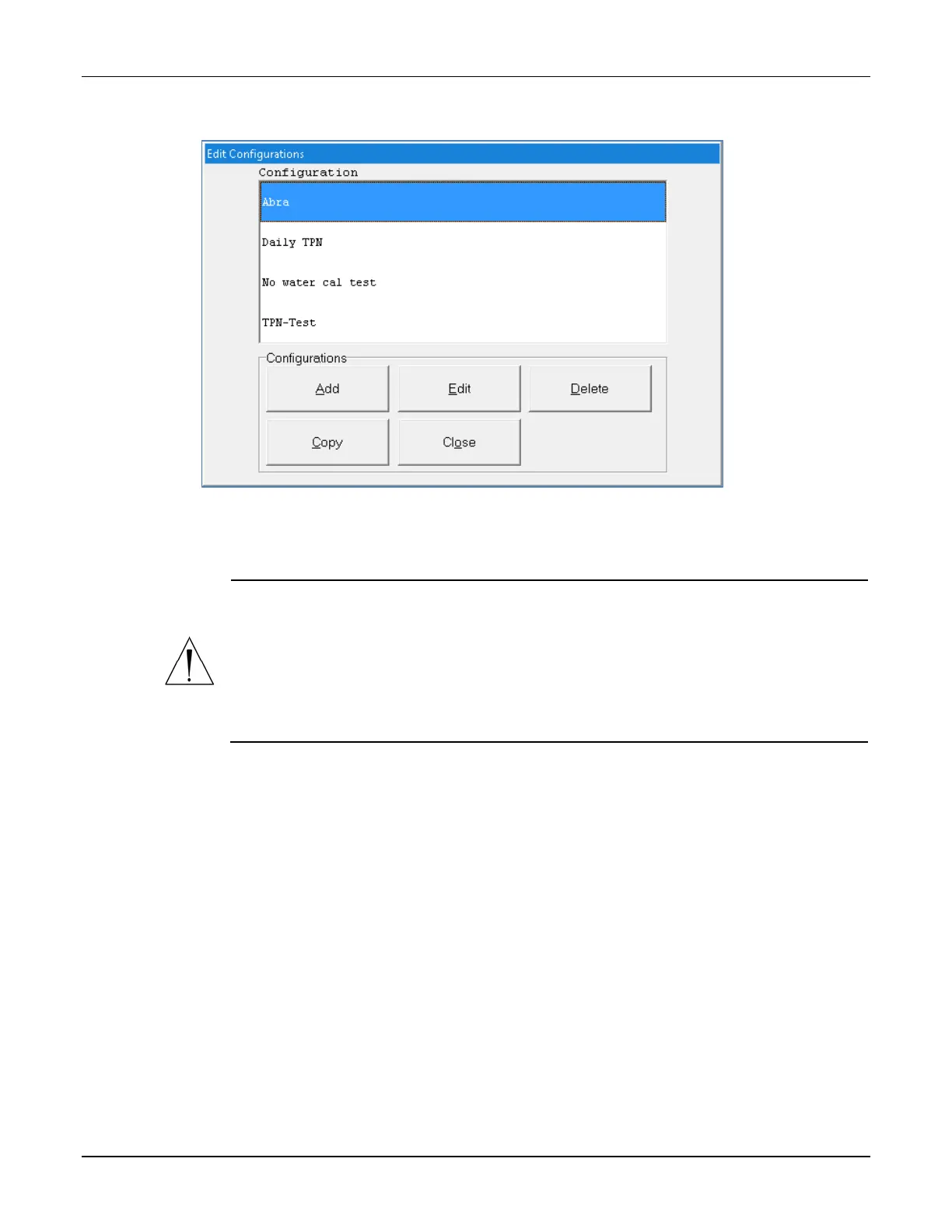
The Edit Configurations window appears. It lists the available configurations and allows you to
add, edit or delete configurations.
Edit Configurations window
ADDING OR EDITING A CONFIGURATION
WARNING
It is strongly recommended that installers / support services review and approve
every new or edited configuration before it is placed into service.
Installers / support services are available for reviewing and approving all new and
updated configurations. Refer to Getting Help on Page 22 for additional
1. At the Edit Configurations window, do one of these options:
• Tap Add to add a configuration.
The Add Configuration window appears.
• Select the configuration you want to edit, then tap Edit.
The Edit Configuration <name> window appears.
• Select the configuration you want to copy and then tap Copy.
The Copy of <copied configuration name> window appears.
NOTE: You can use the Copy option to make minor edits to an existing configuration
and save it with a new name.



 To Next Page