Using the Formulary Editor
Operator Manual for the Baxter ExactaMix 2400 Compounder
53007410 Rev. C Page 141
WORKING WITH INGREDIENTS
Adding or Editing an Ingredient
1. At the Formulary Editor window, in the top half, do one of these options:
• Tap Add to add an ingredient.
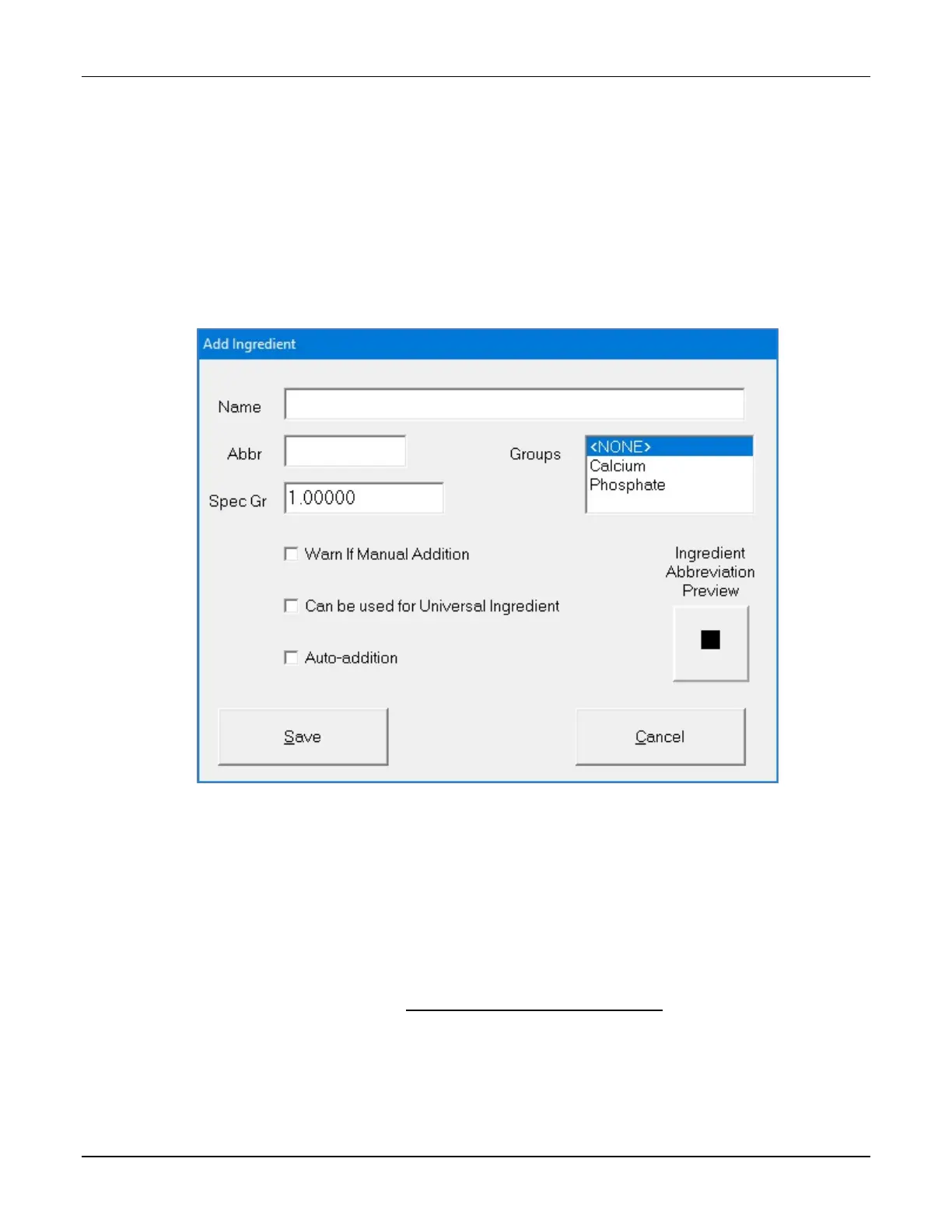
The Add Ingredient window appears.
• Select the ingredient you want to edit from the Name list, then tap Edit.
The Edit Ingredient <name> window appears.
Add Ingredient window
2. At the Add Ingredient window or Edit Ingredient <name> window:
a. Enter the Name.
b. Enter the Abbr (abbreviation).
NOTE: The information entered in the Abbr field will appear on the Ingredient
Abbreviation preview and in the ingredient button on the pump screen.
c. Enter the Spec Gr (specific gravity).
d. In the Groups list, select the group to which the ingredient belongs. For more
information, refer to Using the Ingredient Group Editor on Page 147.
e. If desired, select one or more of these check boxes:
• Warn If Manual Addition to make a message appear when a formula that
includes this ingredient is used, but this ingredient is not in the current
configuration



 To Next Page