Setting Up the Users
Operator Manual for the Baxter ExactaMix 2400 Compounder
Page 128 53007410 Rev. C
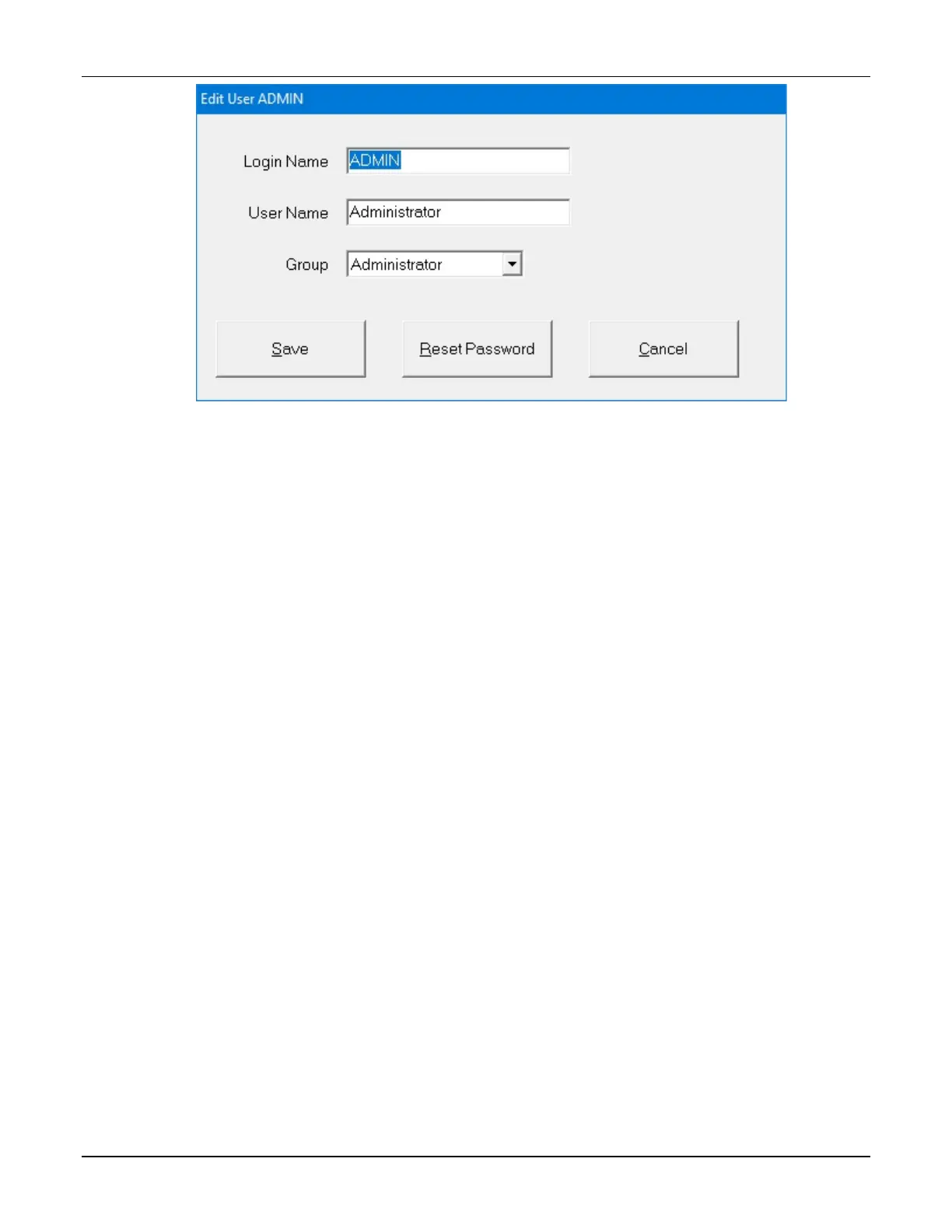
Edit User <name> window
3. At the Add User window or Edit User <name> window:
a. Enter the Login Name.
b. Enter the User Name.
Tip! Baxter recommends using a short Login Name and full User Name.
c. Select the Group to which the user is assigned.
d. Tap Save.
4. At the Edit Users and Groups window, tap OK.
NOTE: The password will be the same as the Login Name until the user logs in and
changes the password. Baxter requires that new users change their passwords upon
their first login attempt.



 To Next Page