Using the Formulary Editor
Operator Manual for the Baxter ExactaMix 2400 Compounder
Page 144 53007410 Rev. C
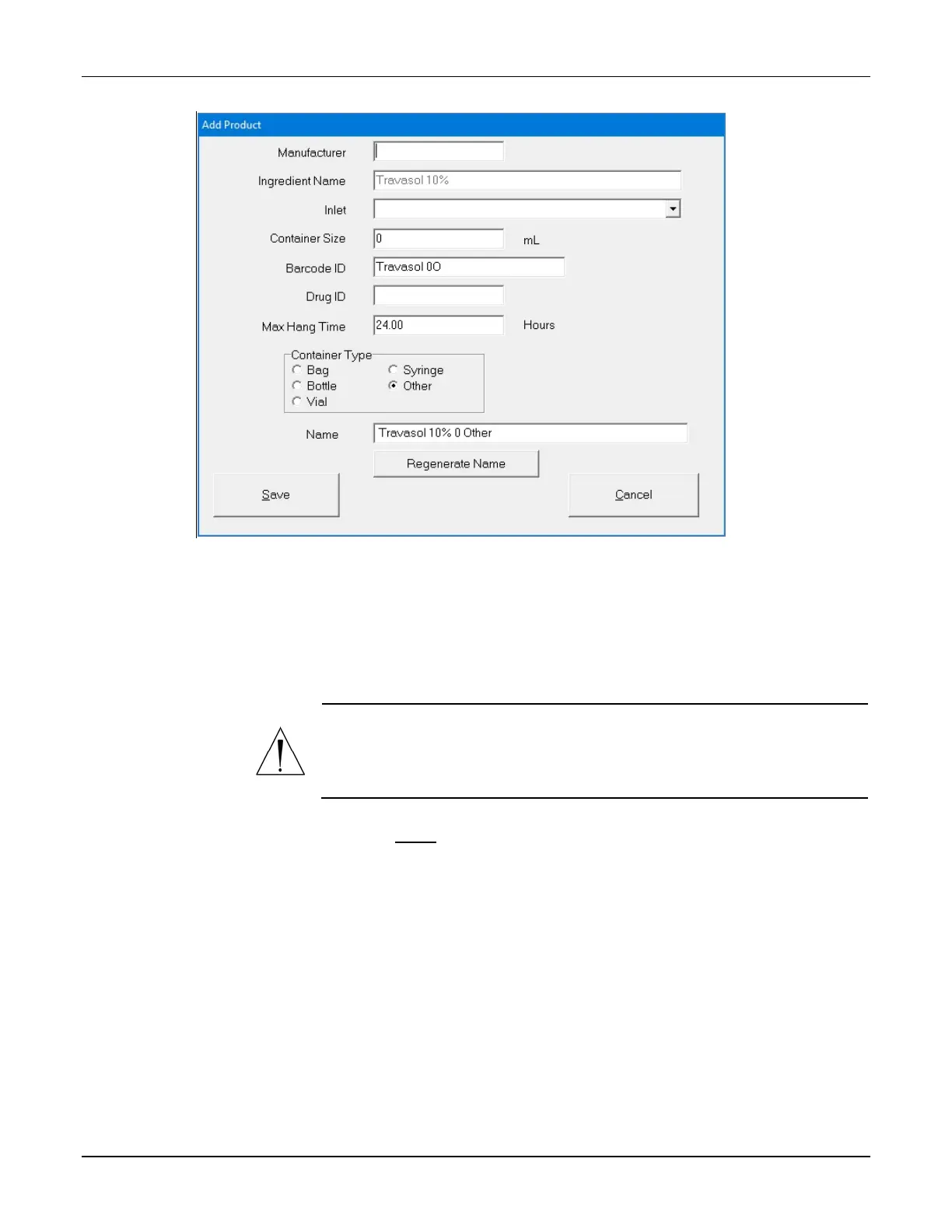
Add Product window
2. At the Add Product window or Edit Product <name> window:
a. Enter the product’s Manufacturer.
NOTE: The Ingredient Name field populates automatically with the ingredient
name in the formulary. You cannot change this field.
WARNING
It is important to select the correct inlet type for the container. Selecting
the incorrect inlet type can lead to occlusions and incorrect volume
delivery, resulting in patient harm.
b. Select the appropriate Inlet for the container. For information about the available
inlet types, refer to Inlets on Page 18.
c. Enter the Container Size.
d. Scan the barcode to enter the Barcode ID.
NOTE: For items that do not have a Barcode ID from the manufacturer, you can
enter the data manually.
Tip! Baxter recommends always using the barcode reader when possible.



 To Next Page