Setting Up the Compounder
Operator Manual for the Baxter ExactaMix 2400 Compounder
Page 50 53007410 Rev. C
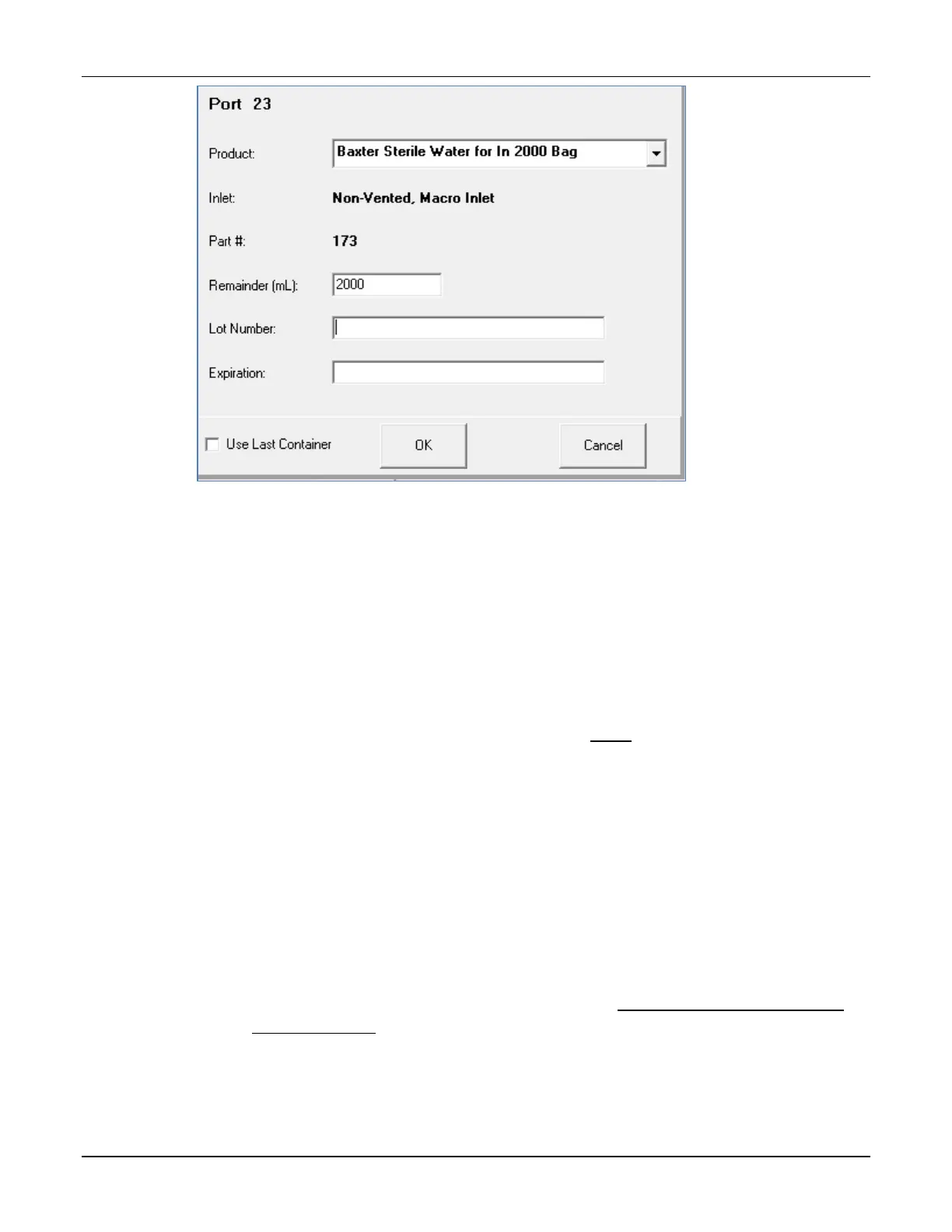
Ingredient detail window
3. At the ingredient detail window, review the information.
a. Check that the Port number is correct.
b. Check that the Product description matches the source container to be used.
NOTE: If desired, you can tap the arrow to the right of this field to see a list of
similar products in the same ingredient group. If you select another product in
this list, the Inlet type and Part # may change accordingly.
c. Check that the Inlet type and Part # are correct.
NOTE: The Part # shows the middle three digits of the complete part number.
For a list of complete part numbers, refer to Inlets on Page 18. The complete
part number also appears on the packaging materials for the inlet.
d. Check that the Remainder (mL) matches the current volume of the source
container.
NOTE: When you attach a full, unopened container, the Remainder (mL) should
equal the volume indicated on the container. When you attach a partially full
container, change the Remainder (mL) to the actual volume in the container.
Remainders on syringes should always be verified. The compounder will use this
information to help track the volume used, to alert you when the container
needs to be changed.
e. If required, enter or check the Lot Number and the Expiration.
NOTE: To set up these tracking options, refer to Track Product Expiration Date
and Lot Number on Page 113.



 To Next Page