Using the Compounder
Operator Manual for the Baxter ExactaMix 2400 Compounder
53007410 Rev. C Page 87
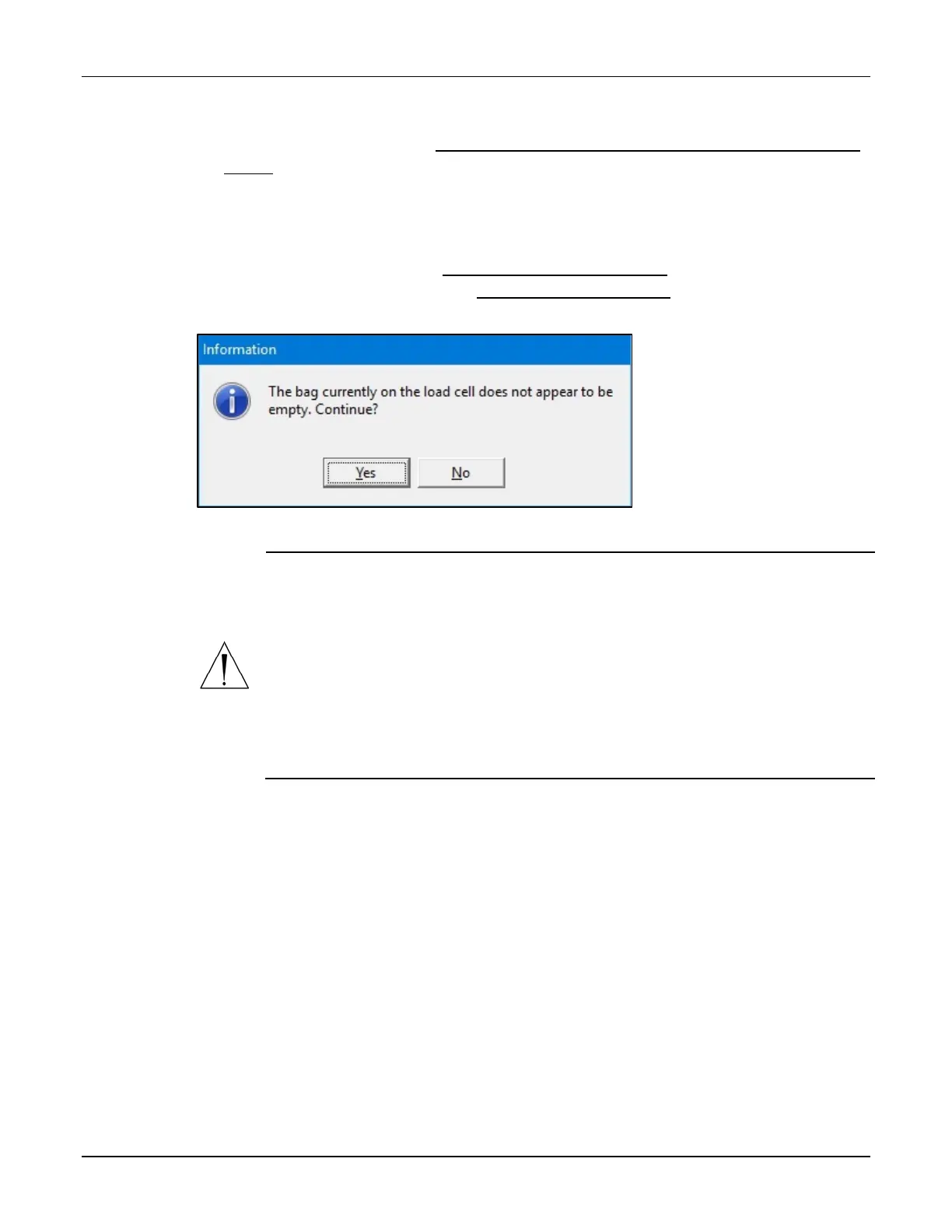
2. If the Bag currently on the load cell does not appear to be empty message appears,
visually check the contents of the bag.
• If the bag is empty, refer to The bag currently on the load cell does not appear to be
empty on Page 203.
• If the bag contains fluid:
a. Tap No.
b. At the Operation Cancelled message, tap OK.
c. Remove the bag. Refer to Removing the Calibration Bag on Page 73.
d. Attach an empty bag. Refer to Attaching the Patient Bag on Page 85.
e. Return to Step 1.
Message
WARNING
If you tap Yes, the compounder will reset the measured weight to zero, despite
the fact that the bag contains fluid.
The finished solution may contain an unintended volume or ingredient, even if
the final measured weight is within the acceptable range. This unintended
volume or ingredient may result in patient harm.
The Details section of the MixCheck Report will indicate that you continued
compounding despite the warning that the bag did not appear to be empty.
For instructions on how to handle a finished bag in this situation, refer to your
facility’s protocol.



 To Next Page