Using the Compounder
Operator Manual for the Baxter ExactaMix 2400 Compounder
53007410 Rev. C Page 89
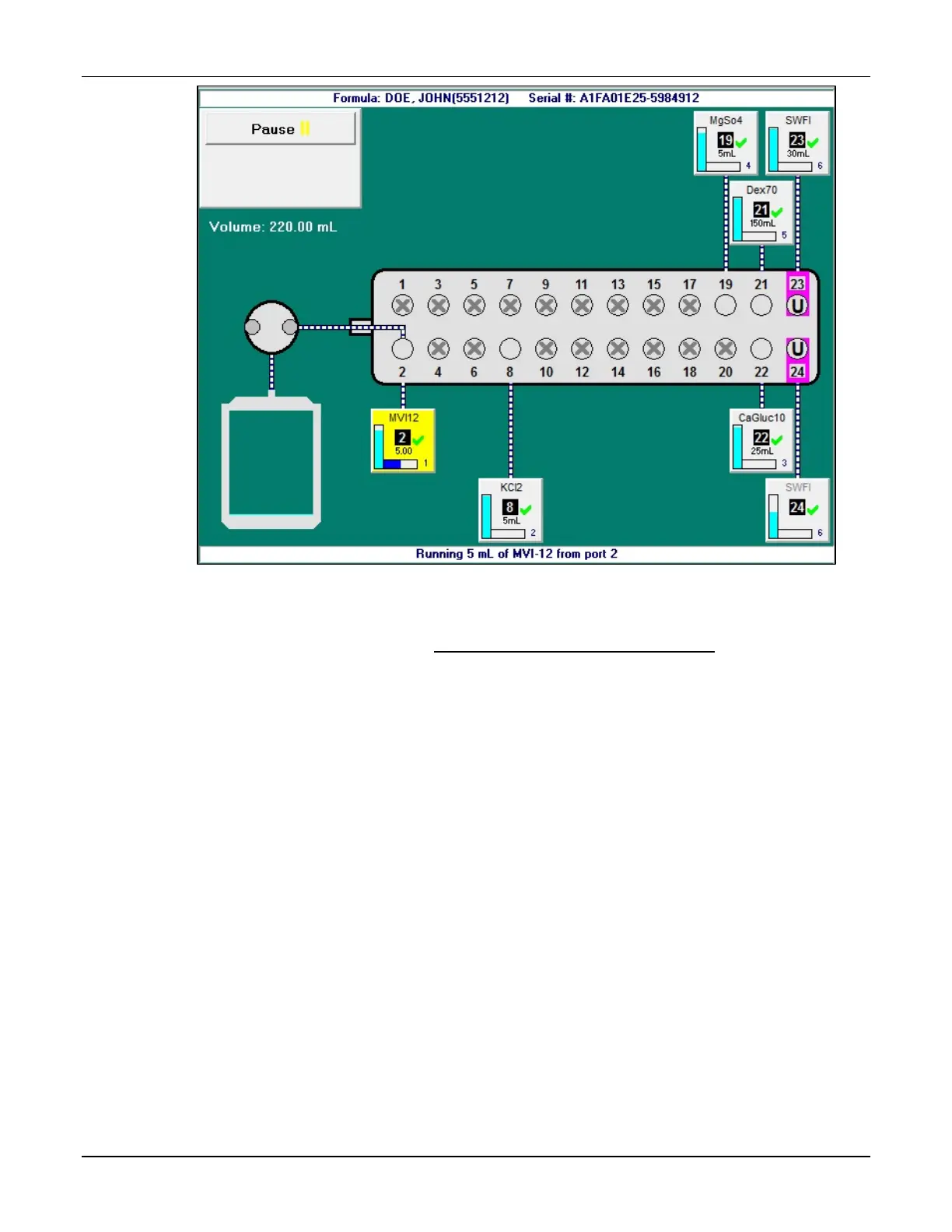
Pump screen, compounding the solution
NOTE: For information about messages that might appear just before or during the
compounding process, refer to Fulfilling the Order (Additional Steps) on Page 91. If you
need to stop compounding temporarily, you can perform either of the following actions.
The MixCheck Report will indicate that you performed the action.
• Tap Pause, then tap Resume to start compounding again.
• Open the pump door, then close the pump door and tap Resume to start
compounding again.



 To Next Page