Use
64
7990087_030_03 – 2080492 – 2023-01-19
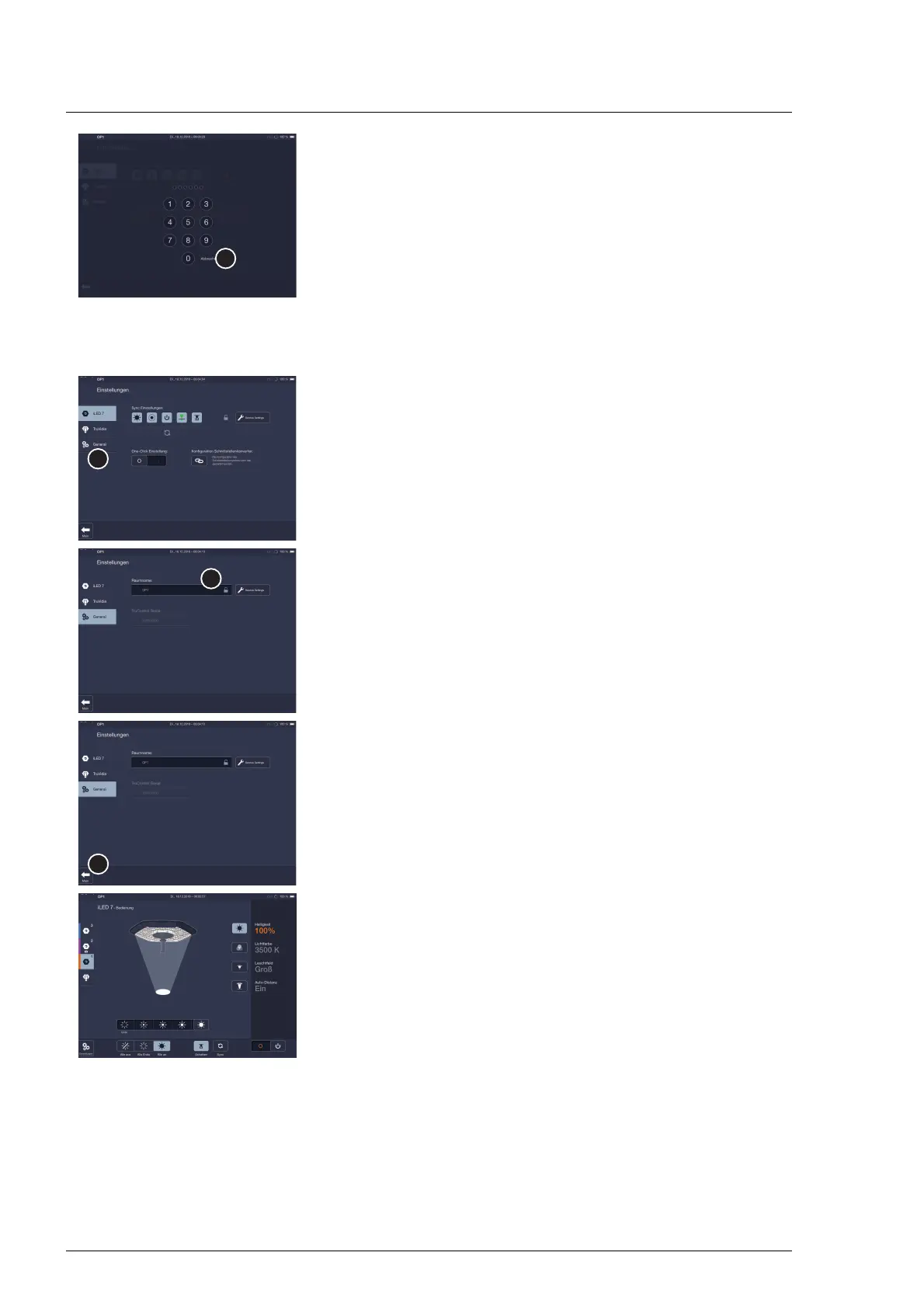
If the password-protected settings page does not unlock, the
number code entered was incorrect. Enter the six-digit
number code again or abort the process.
To do this, touch the Cancel button [D].
The operating page will be shown again.
5.17.2 Changing the name of the room
1. Open the password-protected settings page.
2. Touch the General icon [A] in the quick-access bar of the
settings page.
The general settings screen is displayed.
3. Touch the field [B] room name.
A window with a keypad is shown.
4. Enter the new room name.
5. Touch the Main button [C].
The change is saved.
The last operating page selected for the surgical light is
displayed.












 To Next Page