Use
66
7990087_030_03 – 2080492 – 2023-01-19
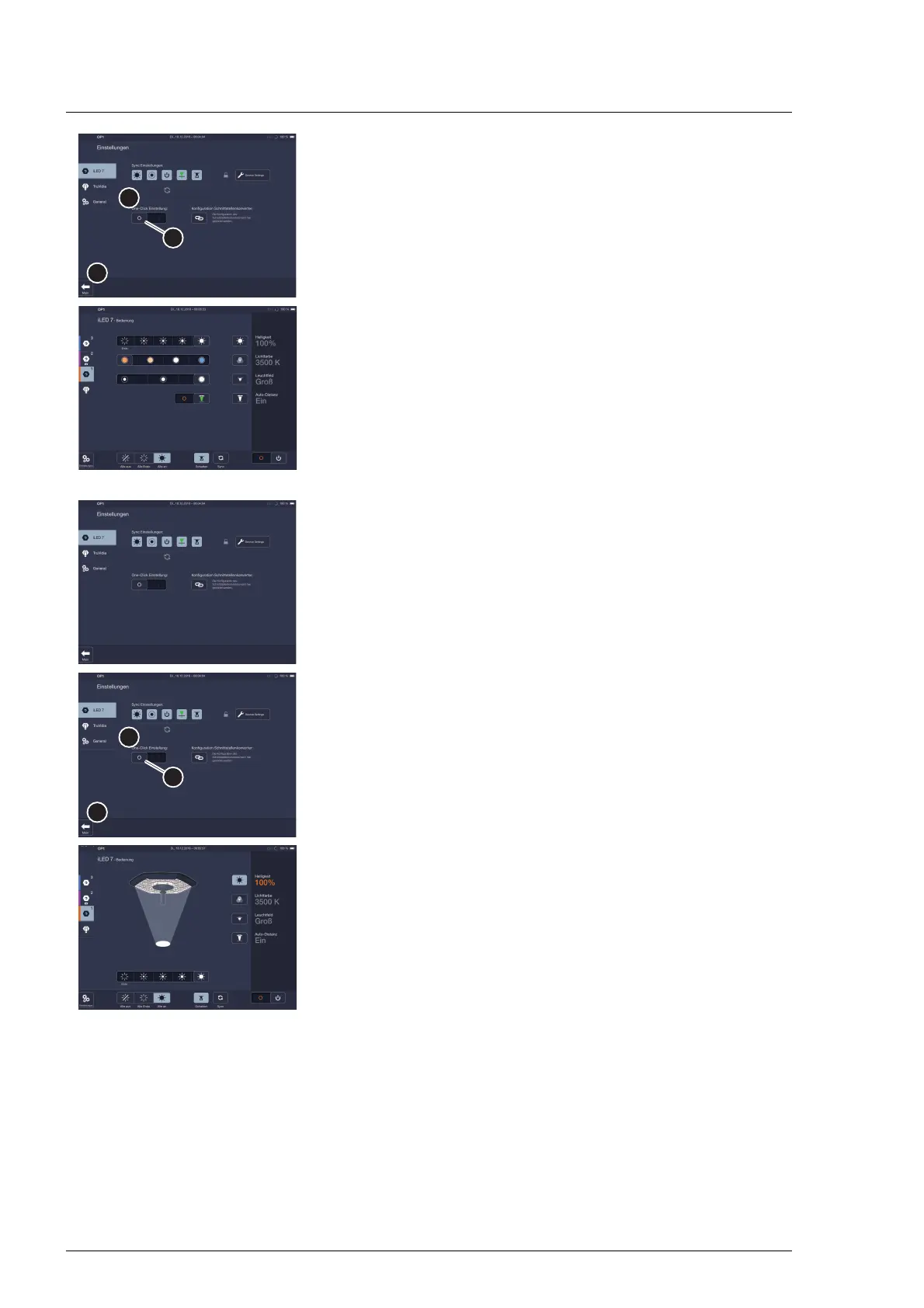
2. Pull the slide controller [B] in the One-Click Settings area [A]
to the right, from 0 to I.
3. Touch the Main button [C].
The change is saved.
When leaving the Settings page, a warning message appears
that the settings must be adjusted separately for each
control unit when several control units are used.
The One-click page will be shown.
Deactivation:
1. Open the password-protected settings page.
2. Pull the slide controller [B] in the One-Click Settings area [A]
to the left, from I to 0.
3. Touch the Main button [B].
The change is saved.
The control page for the surgical light is displayed.












 To Next Page