7-20
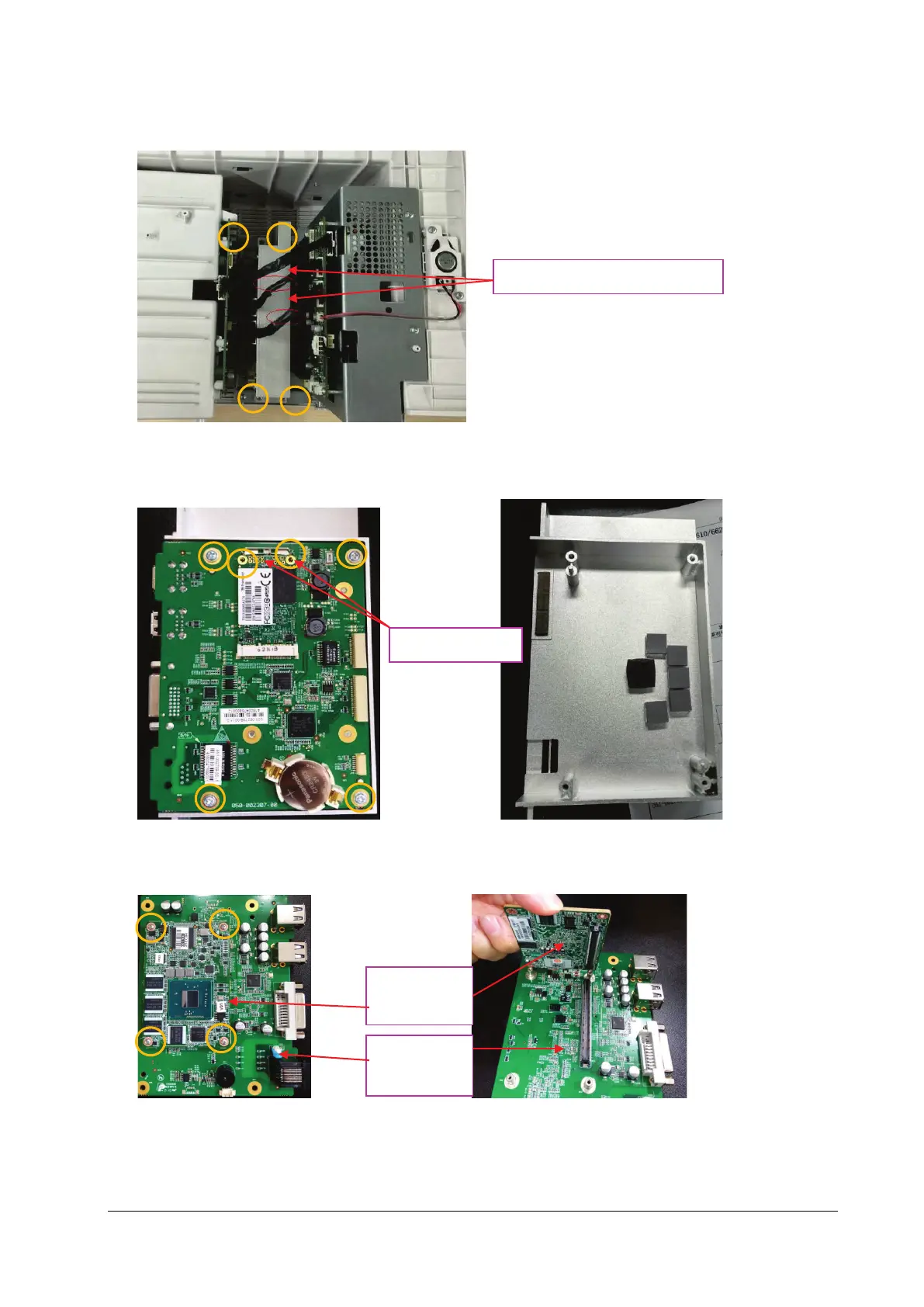
2. Remove the two iView board connection lines and the internal module rack connection line, loosen and remove the
four M3X6 screws, and then take out the iView board assembly.
3. Place the face of the removed iView board assembly board up, and take down the SSD hard disk by pressing the
SSD hard disk clips; loosen and remove the four M3X6 screws, and take down the iView board.
4. As shown below, place up the face of the iView board side with the computer module, loosen and remove the four
M2X6 screws, and separate the computer module from the iView support board.
SSD hard disk clips
Computer
module
Two iView board connection lines
iView support
board



 To Next Page