5-10
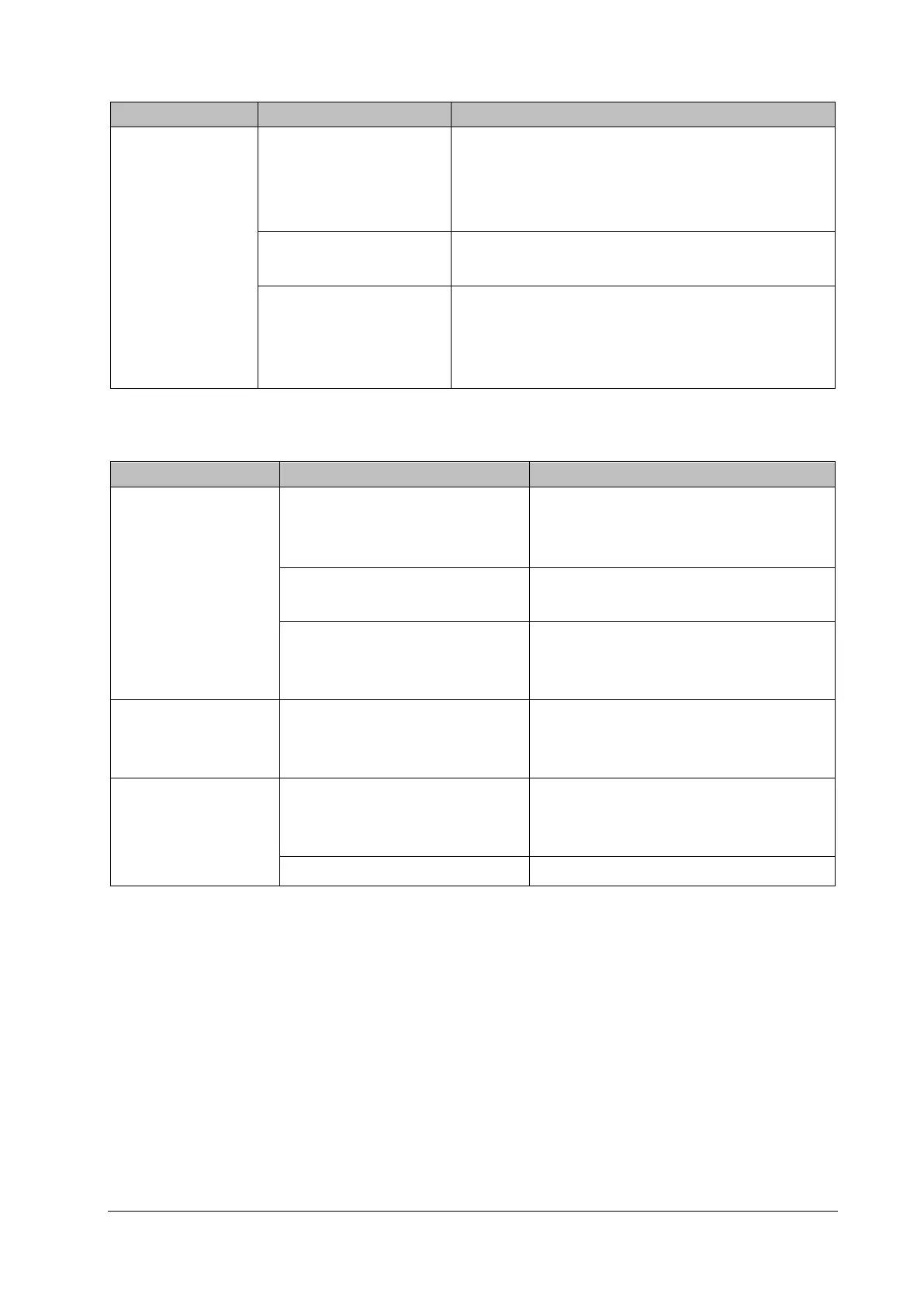
5.6.9 Software Upgrade Problems
Failure Description Possible Cause Troubleshooting
Program upgrade
fails
Incorrect connection
Verify the network connector, NOT the iView network
connector, on the patient monitor is being used.
Ensure the normal operation of the network hub or
switch, and verify the hub cable is properly connected.
Wrong upgrade package
Please select the corresponding correct wrong upgrade
package.
Incorrect IP address
configuration for the PC
Configure a fixed IP address in range C as specified for the
patient monitor. We recommend not to upgrade a program
when the patient monitor is connected to a network with
multiple PCs.
5.6.10 Device Integration Failures
Failure Description Possible Cause Troubleshooting
The "Devices Integrated"
window displays
nothing after
connection
The ID adapter is not compatible with
the external device
Replace the ID adapter.
Upgrade the ID of the ID adapter in
"Factory Maintenance" menu.
The serial port adapter cable not
compatible with the external device
Replace the serial port adapter cable.
Wrong software version or wrong
protocol version of the external
device
Verify the protocol version and software
version are supported by the ID adapter.
Generate the alarm:
"BeneLink Comm Stop"
The BeneLink module application
software is corrupted
Upgrade or update the software application of
the BeneLink module with the network
upgrading tool.
The patient monitor has
no response when
loading the ID adapter
The BeneLink module application
software is corrupted
Upgrade or update the software application of
the BeneLink module with the network
upgrading tool.
BeneLink module damaged Replace the module.



 To Next Page