7-12
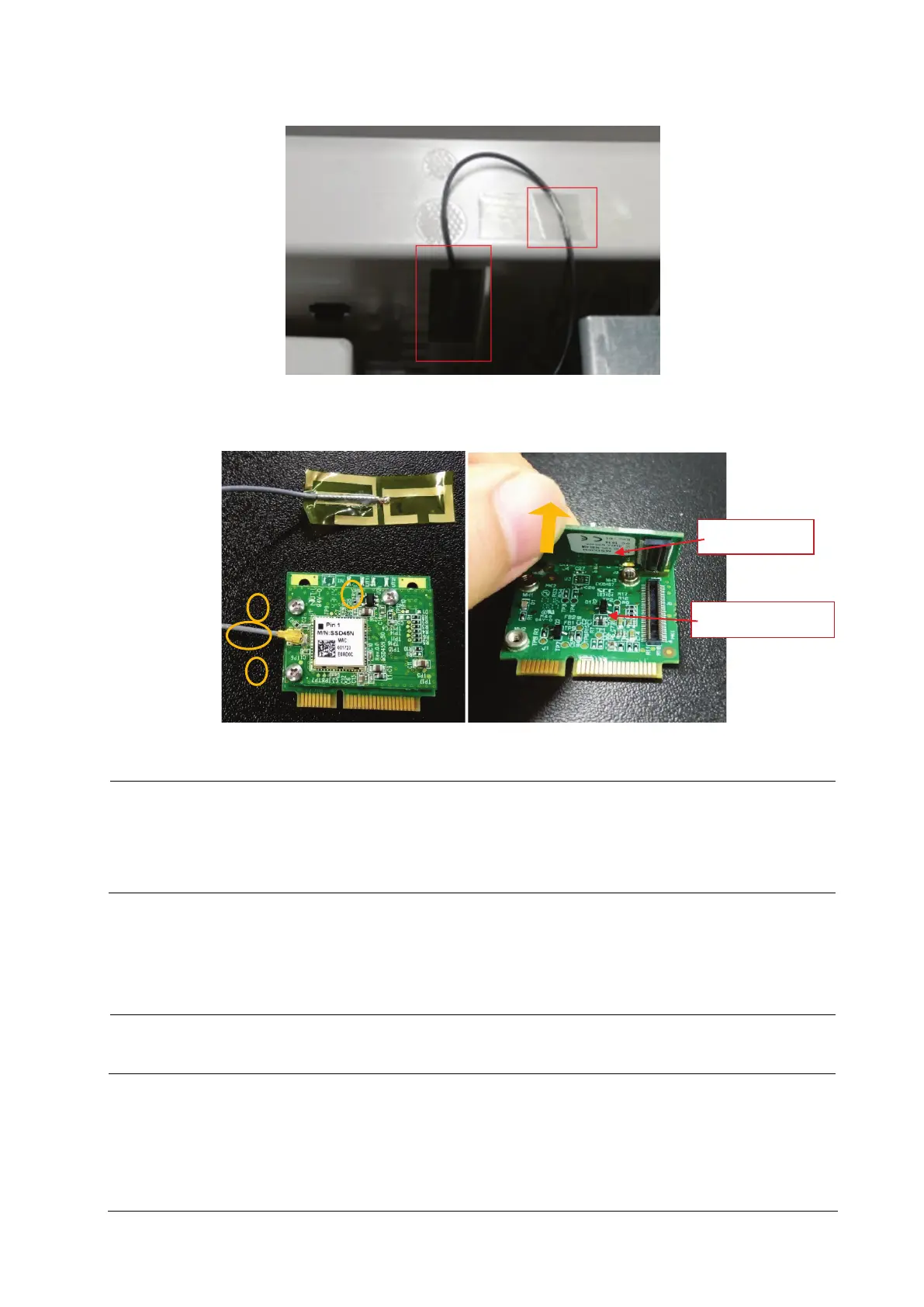
2. Remove the adhesive tape fixing the antenna, and tear off the Wi-Fi sticker antenna.
3. Pull out the Wi-Fi antenna plug from the board; unscrew the three M2X4 screws, and separate the Wi-Fi module
from the Wi-Fi support board.
Use proper force to remove the cable carefully lest it would be broken.
Use proper force to separate the board carefully, lest the board socket and golden finger part would be
damaged. Provides application tips or other useful information to ensure that you maintain your product
better.
7.5.5 Removing the Internal Module Rack Assembly
Release the clips on the connection line socket before disconnecting the connection line, lest the cable
would be broken.
Wi-Fi module
Wi-Fi support board



 To Next Page