5-8
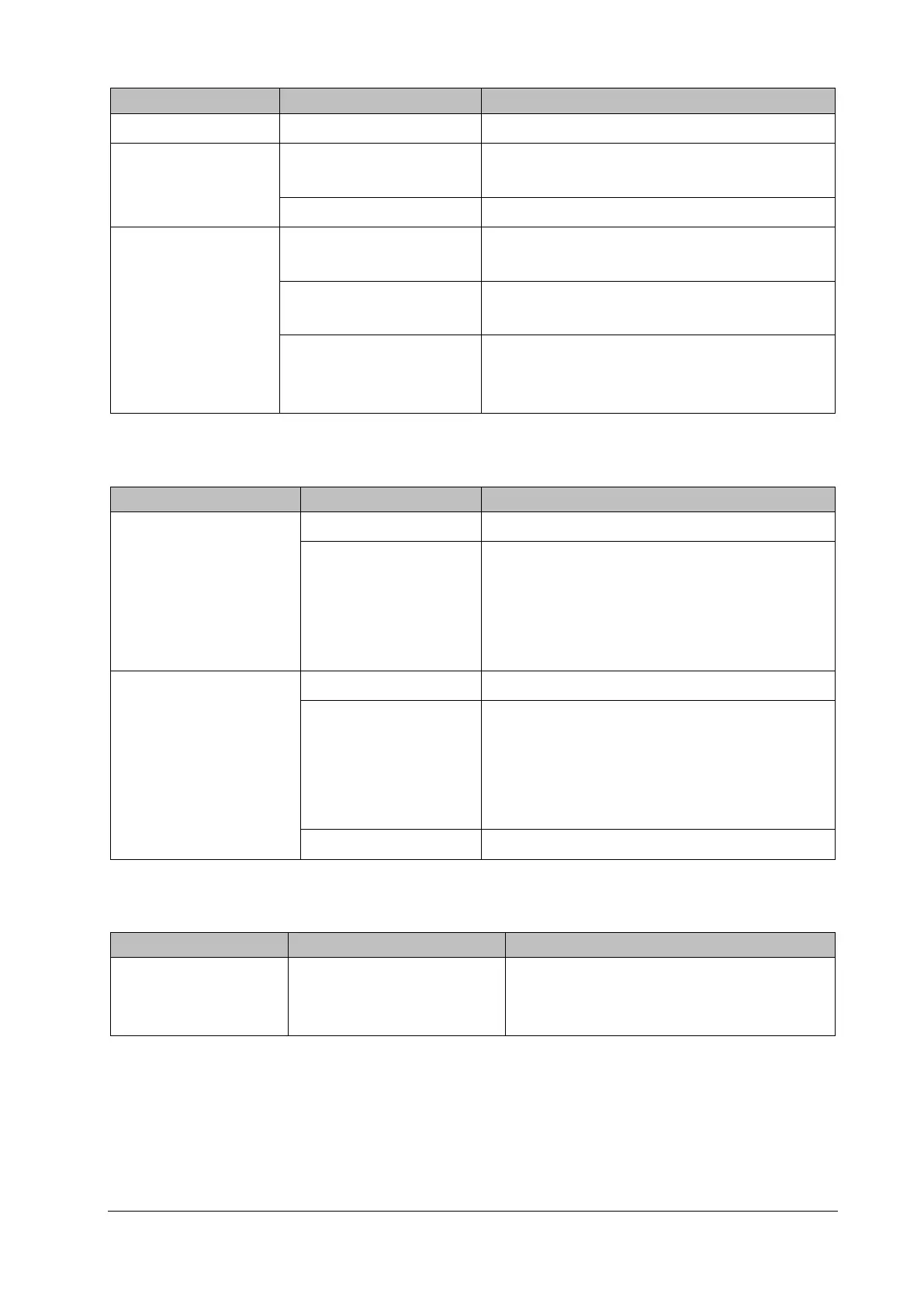
Failure Description Possible Cause Troubleshooting
Network interface failure Main control board failure Replace the main control board.
DVI interface failure
Display not matched with the
DVI interface time sequence
Use the recommended display.
Main control board defective Replace the main control board.
Touch screen failure of
the external display
External display model not
specified in the manual
Use the display model recommended in the user
manual.
Touch pad damage of the
external display
Replace the display.
Touch pad firmware of the
external display inconsistent
with the system software
Contact the display manufacturer to fix the problem.
5.6.7 Power Supply Failures
Failure Description Possible Cause Troubleshooting
Battery cannot supply
power
Battery damaged Replace the battery.
Cable defective or
improperly connected
Verify the cable connecting the main control
board to the battery interface board is correctly
connected.
Verify the connecting cables and connectors are
not damaged.
Battery cannot be
recharged or cannot be fully
recharged
Battery damaged Battery change
Cable defective or
improperly connected
Verify the cable connecting the main control
board to the battery interface board is correctly
connected.
Verify the connecting cables and connectors are
not damaged.
Main control board failure Replace the main control board.
5.6.8 Network Related Problems
Failure Description Possible Cause Troubleshooting
The patient monitor
cannot be connected to
iView system
No connection to the LAN
Verify the network cables and connectors are
intact, the network interface connection is reliable,
and the hub or switch setting is correct.



 To Next Page