6-6
6.4 Upgrading Software
This monitor supports network upgrade through a PC or upgrade through a USB disk to complete the update function
for the monitor and peripheral related firmware.
You can upgrade the software with the System Update Tool (PN: 110-005042-00 PC Upgrade Tool) through
network. This tool can directly run on a PC. Through network or by connecting the patient monitor to a PC via a
crossover network cable, you can upgrade the following programs.
The programs of this monitor can also be upgraded through a specially authorized USB disk (which contains the
USB disk upgrade BIOS program PN:110-004854-00) or the following programs of the monitor can also be
upgraded.
Software PN Name and Specification Remarks
System software package / Large N12N15N17 system package /
Module rack software
/ Bluetooth firmware function program /
/ FPGA write software /
MPM modules
/ M51C module DSP(BF70X) software /
/ M51C module M0 software /
/
Mindray monitoring algorithm package (extended
ARR 12-lead ST Glasgow12-lead resting)
ECG configuration software
/
Mindray monitoring algorithm package (full
function configuration) BF512
ECG configuration software
IBP module / M03B module write software /
CO module / M03B module write software /
6.4.1 Description of Network Upgrade Tool
6.4.1.1 Tool Software Installation Method
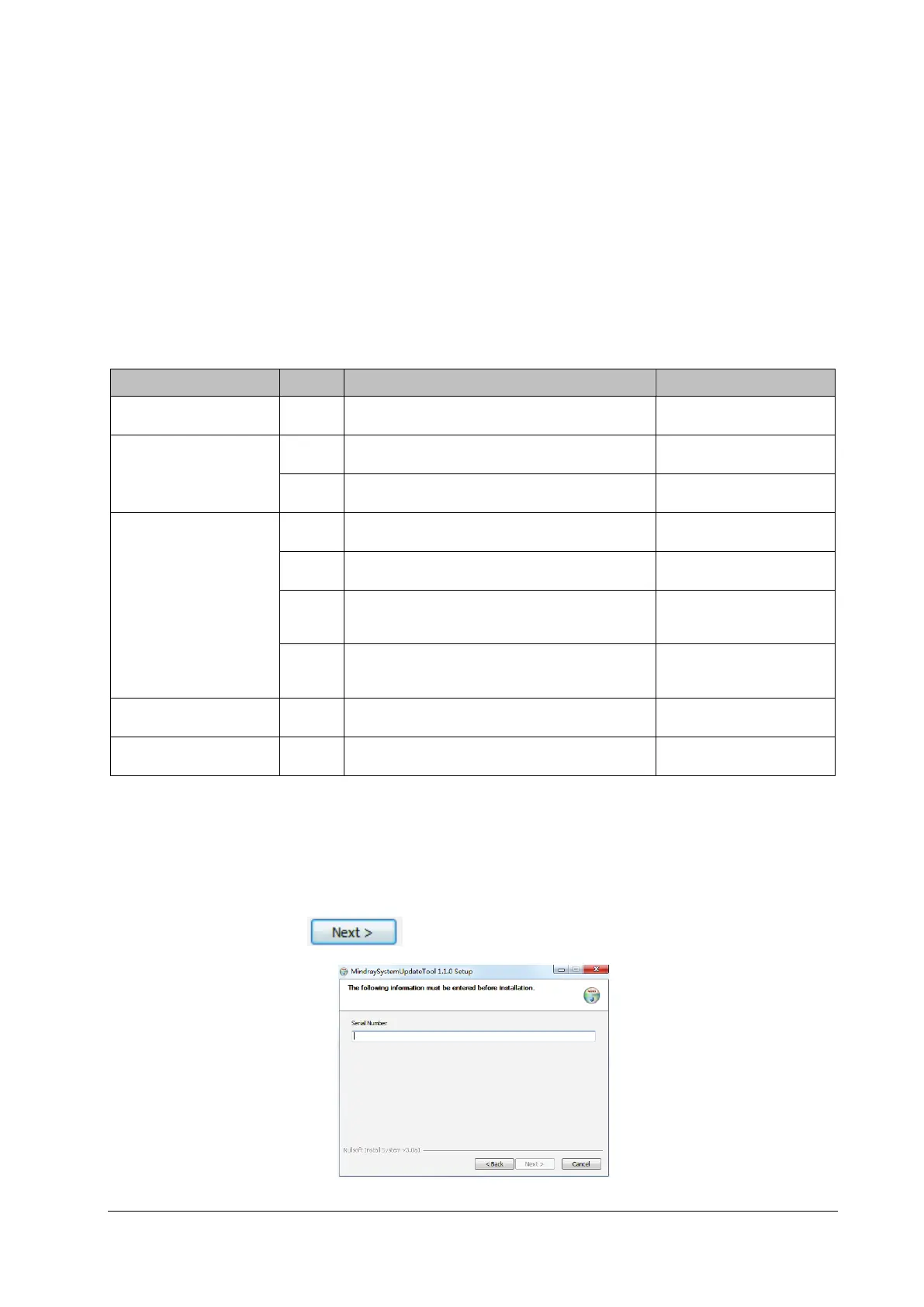
1. Click the executive program “SystemUpdateTool.exe” of the system upgrade tool software to display the related
prompt interface. Click to enter the input interface of the information about SN.



 To Next Page